How to manage enrolled users for two factor authentication in EventLog Analyzer
Objective
To help administrators view and remove users who have enrolled in two-factor authentication (2FA) in EventLog Analyzer.
Prerequisite
- You must have administrative privileges in EventLog Analyzer.
- 2FA must be enabled in the product.
Steps to follow
Step 1: Log in to EventLog Analyzer using your administrator credentials.
Step 2: Navigate to Settings > Admin Settings > Logon Settings.
Step 3: Select the Two-Factor Authentication tab.
Step 4: Click Enrolled Users at the bottom of the authentication mechanisms list.
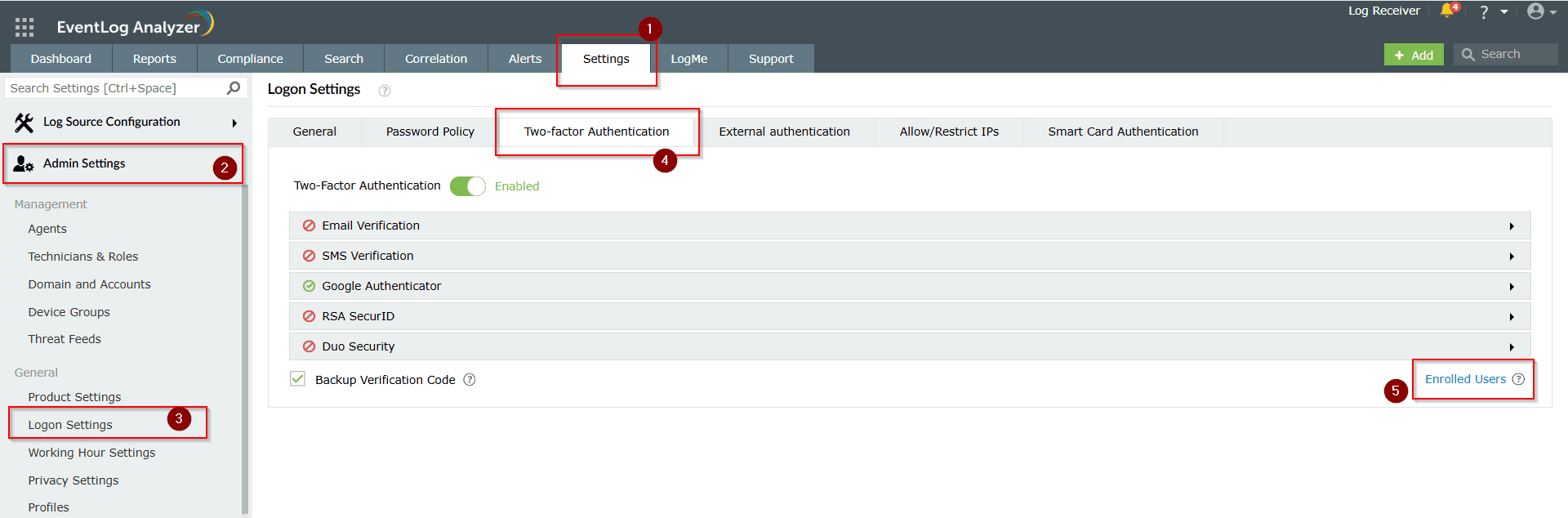
Step 5: A list of users enrolled in 2FA will be displayed.
Step 6: To remove a user’s 2FA enrollment, click the Delete icon next to the user.
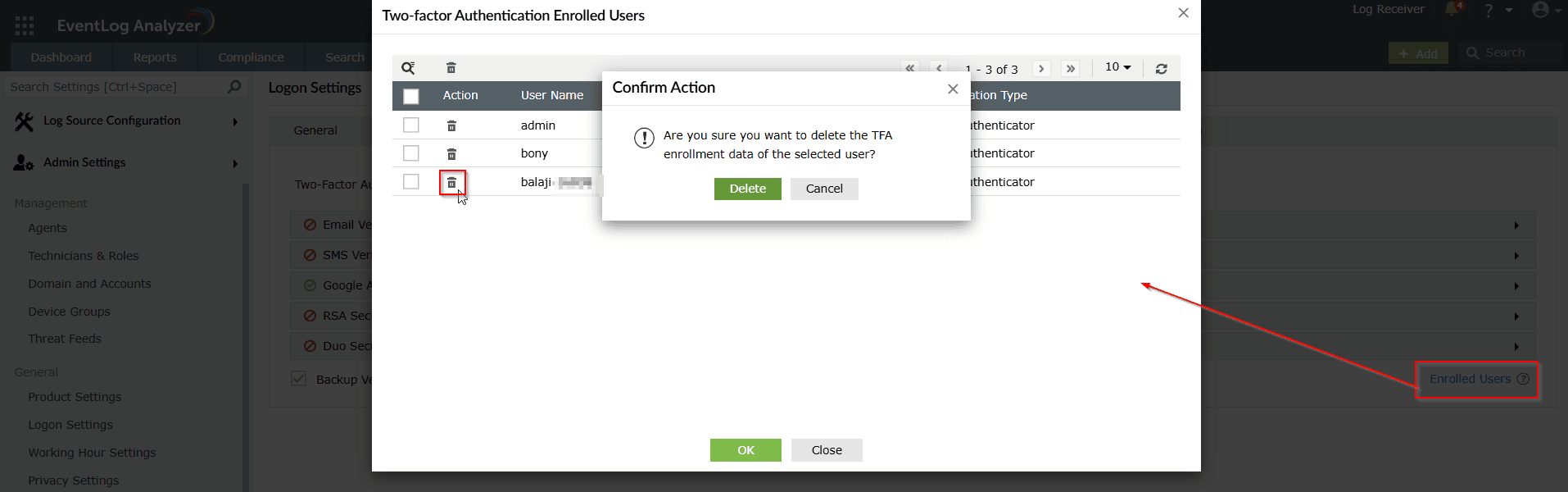
Step 7: Confirm the action when prompted. The user will be required to reconfigure 2FA during their next login.
Tips
- Use this feature to revoke 2FA access for users who have left the organization or lost access to their authentication method.
- Removing a user from the enrolled list does not disable the 2FA system-wide.
- Encourage users to set up backup codes or alternative verification methods for account recovery.