Configuring DHCP Pool data for DHCPv4
Configuring DHCP pool data for DHCPv4
Under the DHCP section, you can view the Cisco section in the right side menu. Clicking on it showcases the subsection for DHCP pool data.
DHCP pool data allows network admins to view their pool ranges in tabular view.
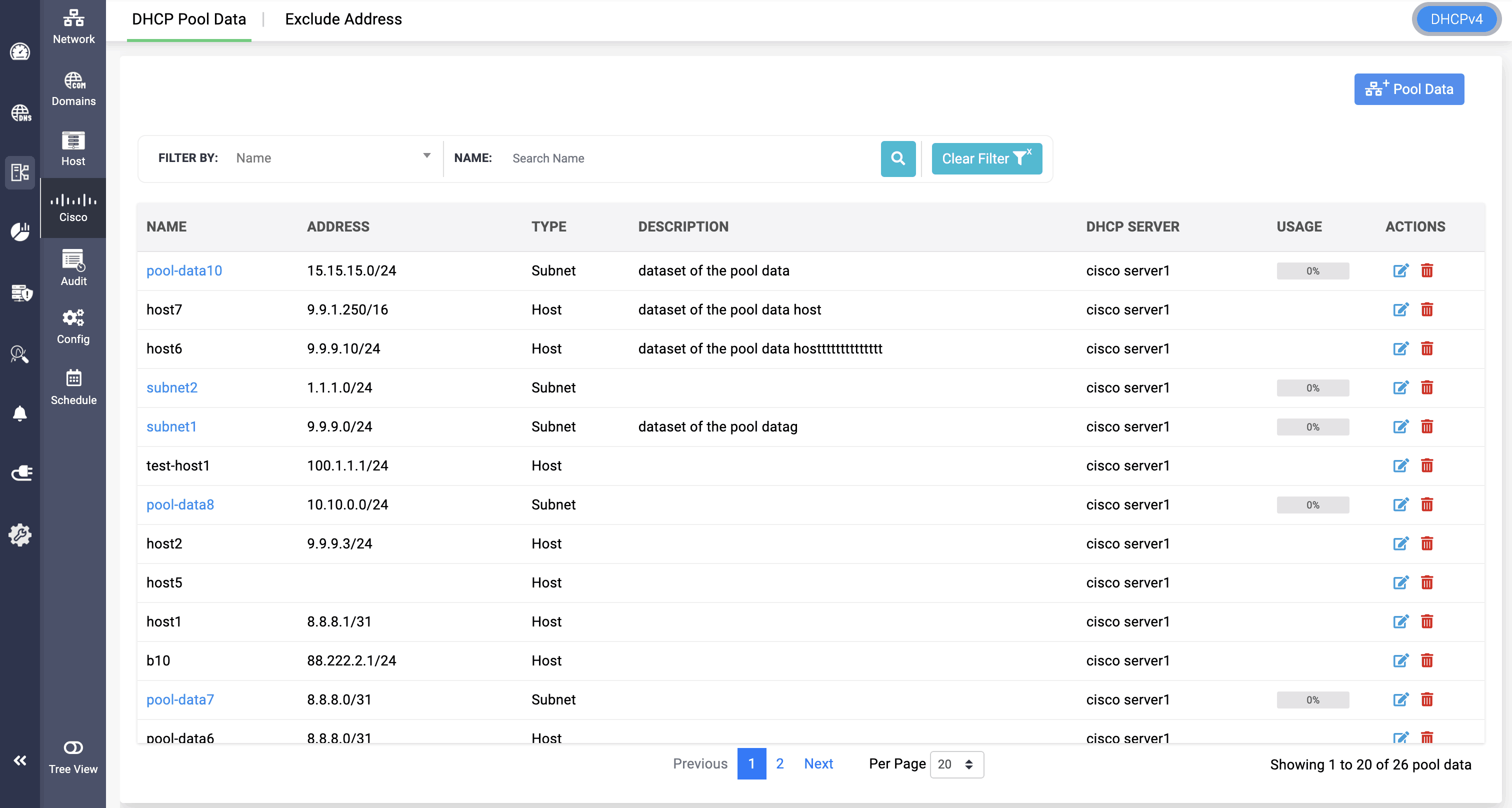
Admins can add new DHCP pool data by clicking on Add Pool data:
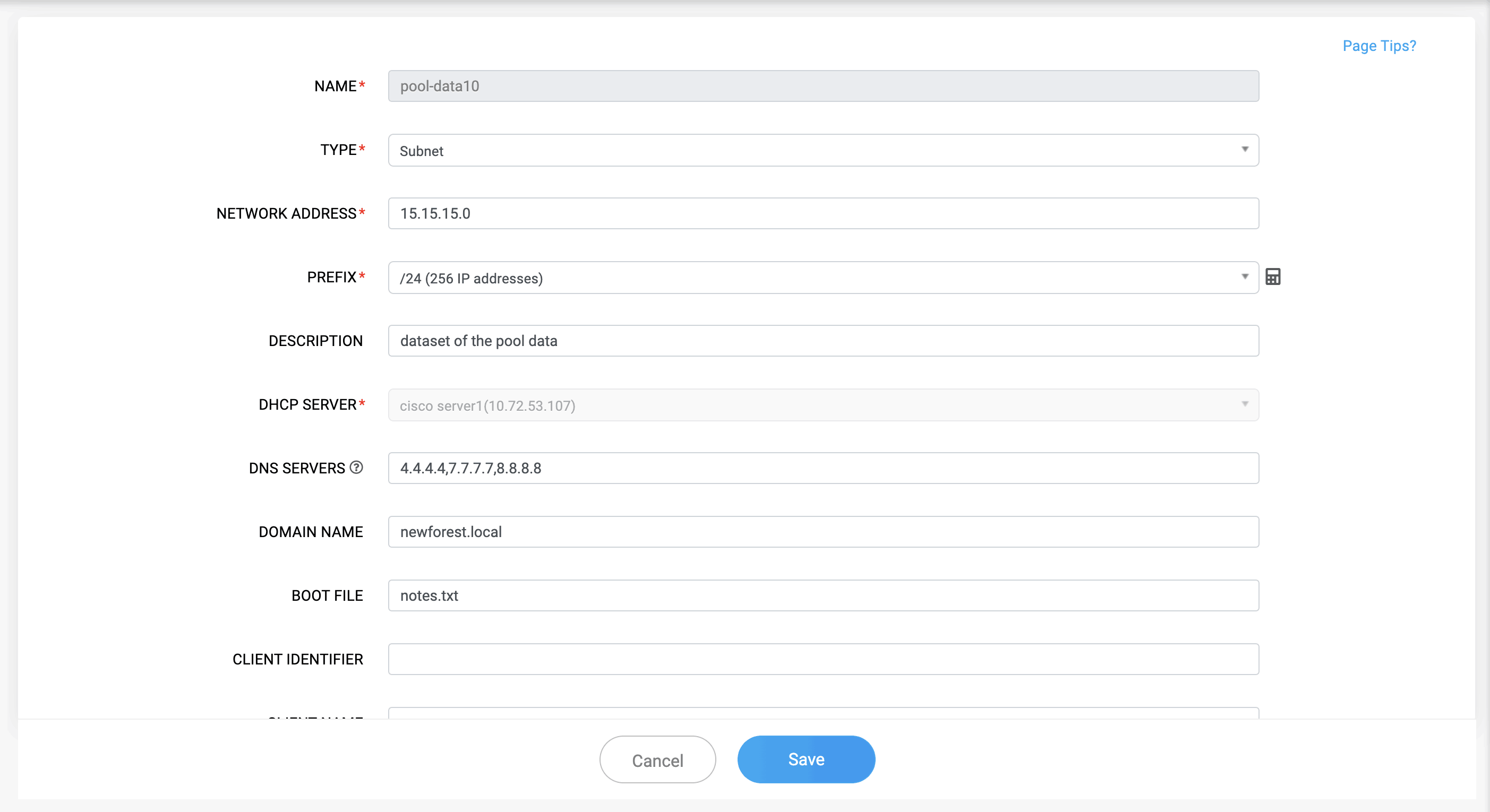
NAME: The name assigned to the DHCP pool for distinguishing between other pools.
TYPE: Select the type of the pool data. There are two different types:
- Subnet: DHCP configuration type used to assign IP addresses dynamically within a defined network range. It allows multiple clients to automatically receive IP addresses from a specified subnet.
- Host: DHCP configuration type used to assign a specific, fixed IP address to a single device. It is based on the device’s unique MAC address, ensuring the same IP is always issued to that host.
Note: Adding Host type pool data won't be counted under DDI Central licensing.
NETWORK ADDRESS: The base IP address of the subnet associated with DHCP pool, helping in defining the clients that belong in the pool.
PREFIX: The prefix length or subnet mask of the pool's network.
Note: The prefix value differs for both subnet and host type, and in host the prefix field will not be mandatory.
DESCRIPTION: An optional description or note about the pool’s purpose or associated department/site.
DHCP TYPE: Specifies whether the pool is dynamic, manual , or automatic. Determines how addresses are assigned to clients.
DNS SERVER: The IP address of DNS servers that clients use for name resolution.
DOMAIN NAME: The domain name assigned to DHCP clients for DNS suffix use.
BOOTFILE: The name of a file that a DHCP client downloads via TFTP during boot.
CLIENT IDENTIFIER: A unique string (usually based on MAC address or custom ID) that identifies a specific DHCP client, used for static bindings.
CLIENT NAME: The hostname or system name of the DHCP client (if provided by the client in the DHCP request).
DEFAULT ROUTER: The gateway IP address assigned to DHCP clients as their default route.
HARDWARE ADDRESS: The MAC address of the DHCP client’s network interface. Used for identification and static leases.
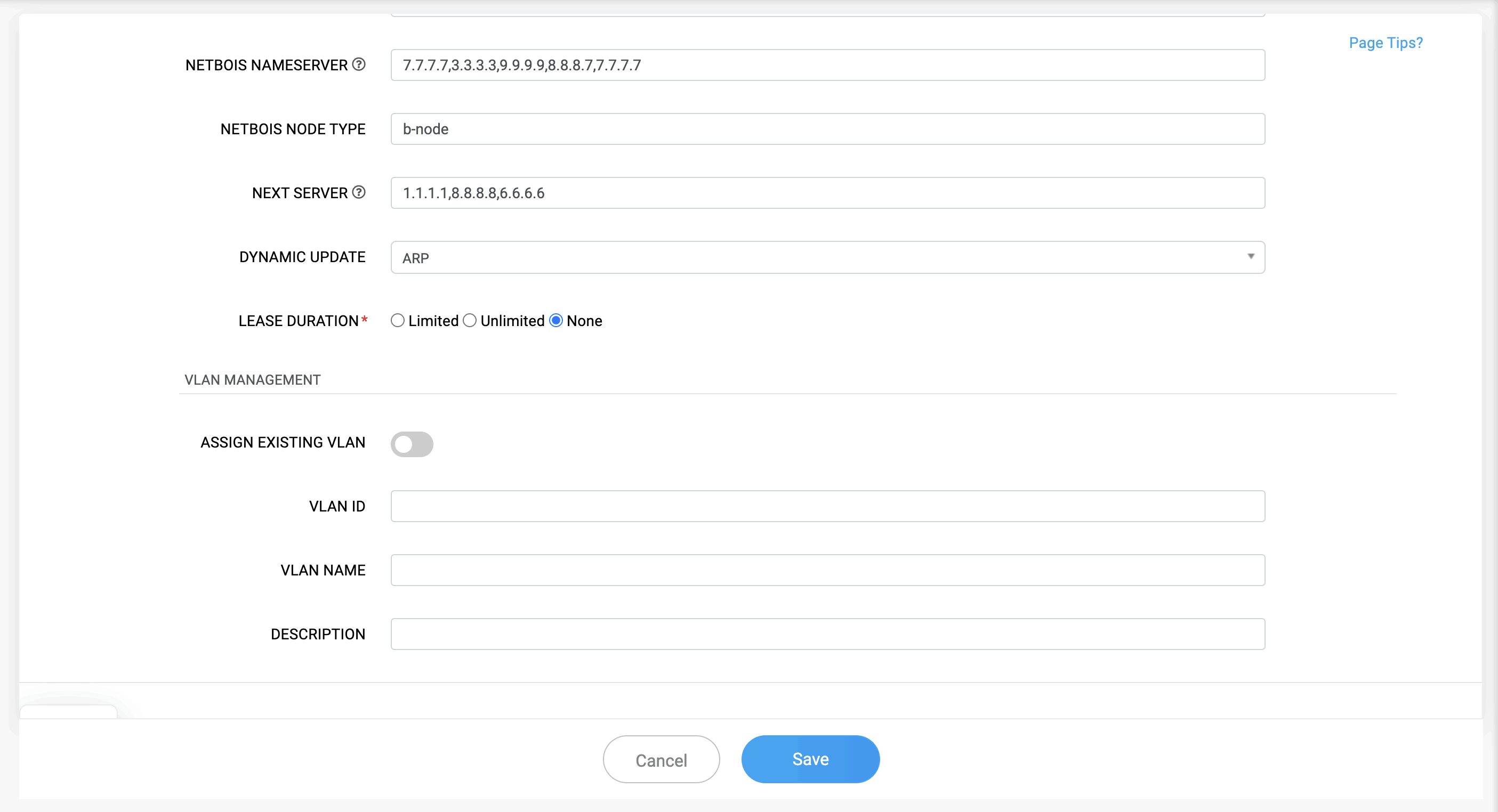
NETBIOS NAME SERVER: The IP address of the WINS (Windows Internet Name Service) server provided to clients for NetBIOS name resolution.
NETBIOS NODE TYPE: Defines how NetBIOS name resolution operates.
NEXT SERVER: The IP address of the TFTP or boot server from which the client downloads its boot file (configured using next-server ).
DYNAMIC UPDATE: Indicates whether dynamic updates are enabled for DHCP leases to automatically register client hostnames.
There are two types for dynamic update: DDNS(Dynamic DNS) and ARP(Address Resolution Protocol).
LEASE DURATION: The time duration for which the IP address is leased to a client.
- days: 0-365
- hours: 0-23
- mins: 0-59
Clicking on the added DHCP pool data redirects to the DHCP lease page, where lease data of pool range gets displayed.
Note: Admin can either provide the hardware address value or the client identifier value, both values cannot be given simultaneously.
OPTION ID: Provide the option ID for implementing the configuration. The option ID ranges from 0 - 254 for DHCPv4.
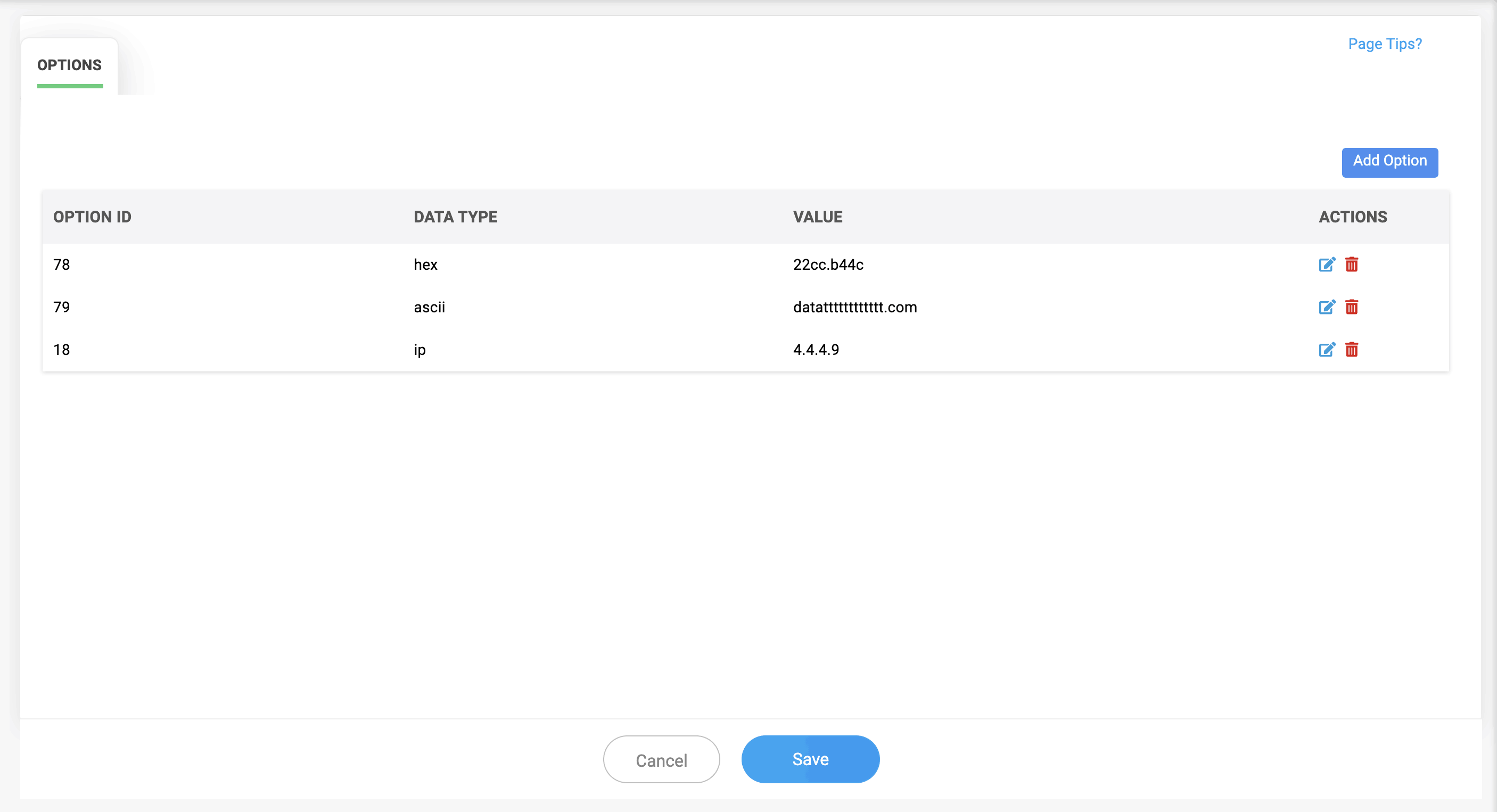
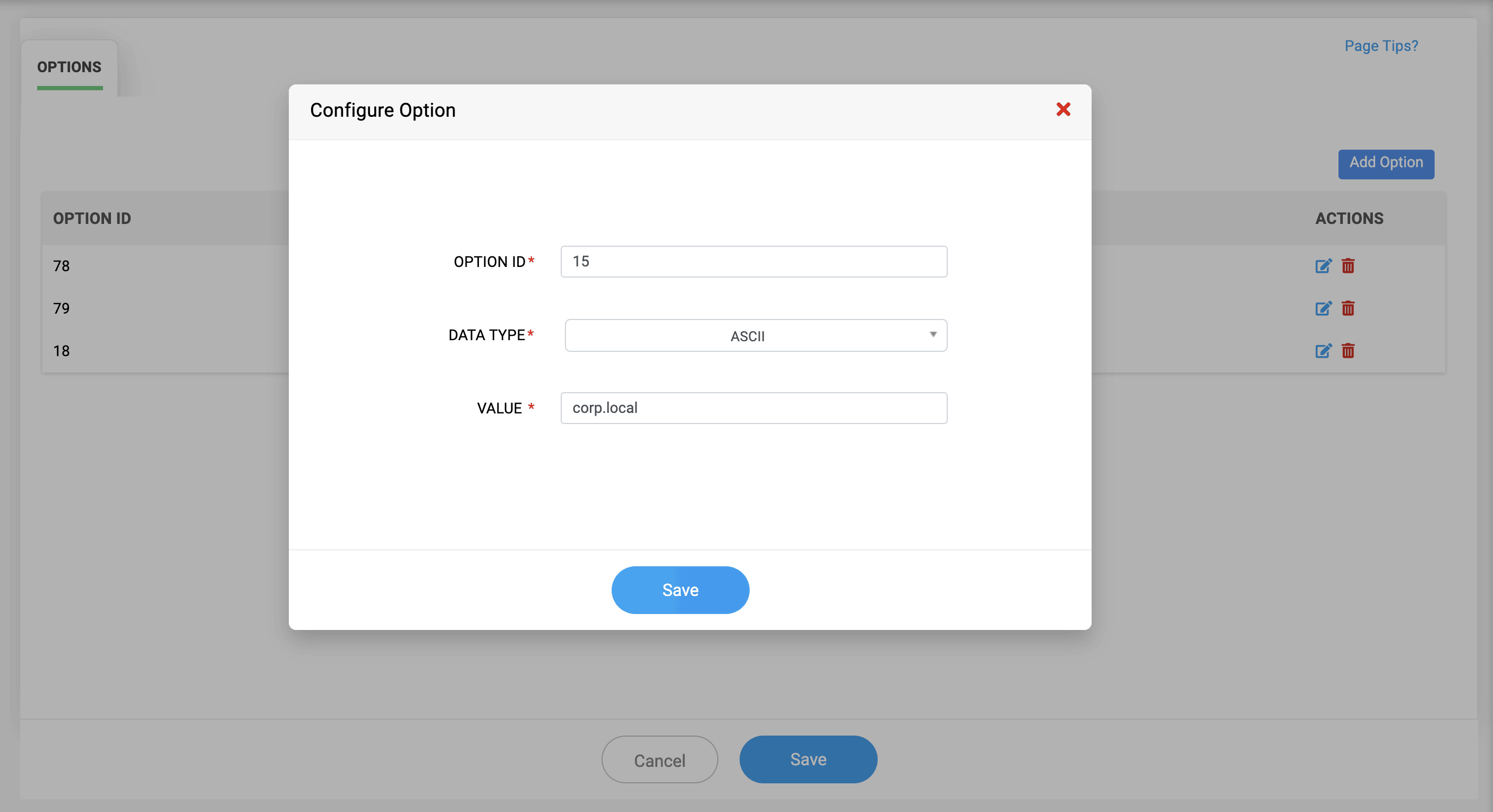
For DHCPv6, the Option ID ranges from 1 - 65535.
DATA TYPES: There are three types of data:
- ASCII: Human-readable text used for values such as domain names, boot file names, TFTP server names, vendor identifiers, and similar text-based options.
- HEX: Raw hexadecimal data, typically used when an option requires binary formatting or a specific encoded structure.
- ID (IP Address): Used when the value must be an IP address. Ideal for options that reference external servers or services, such as DNS, NTP, or TFTP servers.
VALUE: Provide the value of the option, relevant to the Option ID and data type.