Use-case 2 : Reset Employee Passwords And Email Them Automatically
Are you looking for a solution that can reset employee password and also securely email the password?
Through User Modification Templates in ADManager Plus, you can reset passwords and also, email it with the help of a custom script attached in this topic.
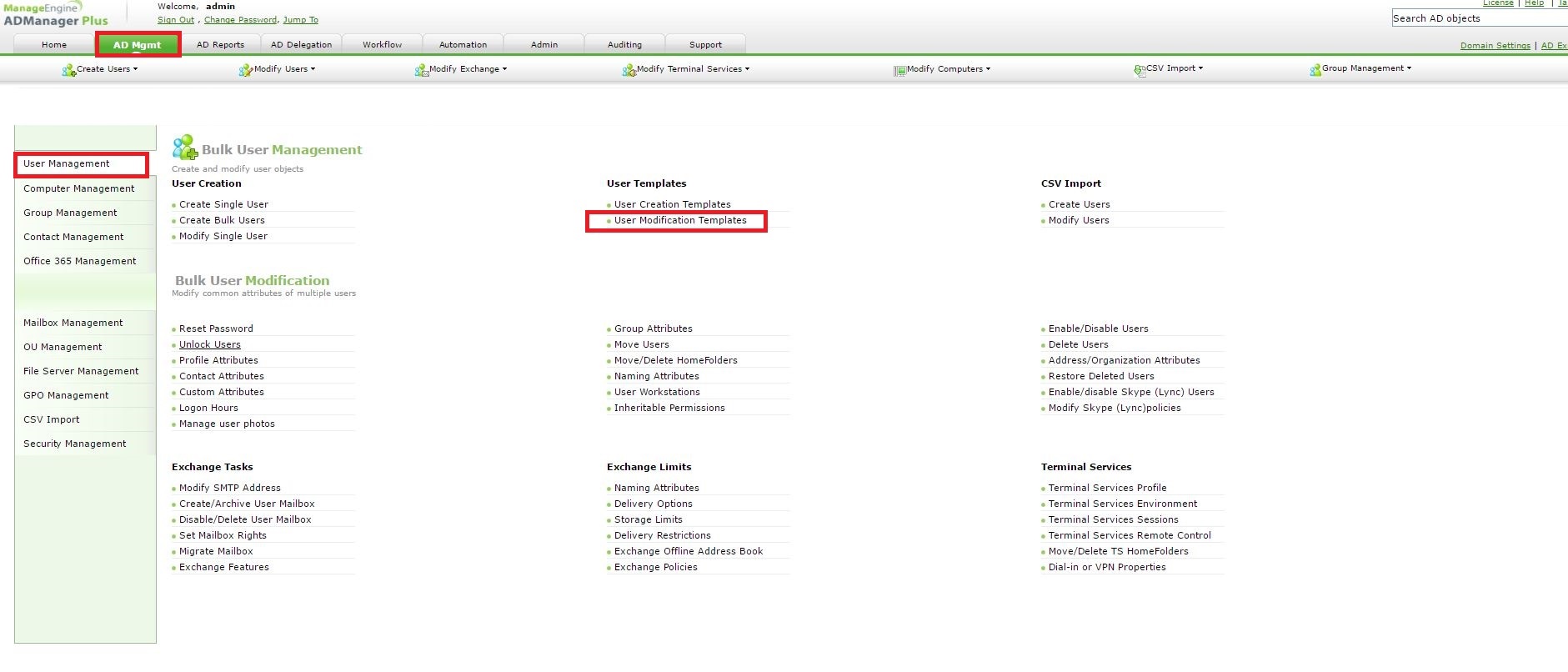
Step 1: Kindly go to AD Mgmt --> User Management --> User Templates --> User Modification Templates
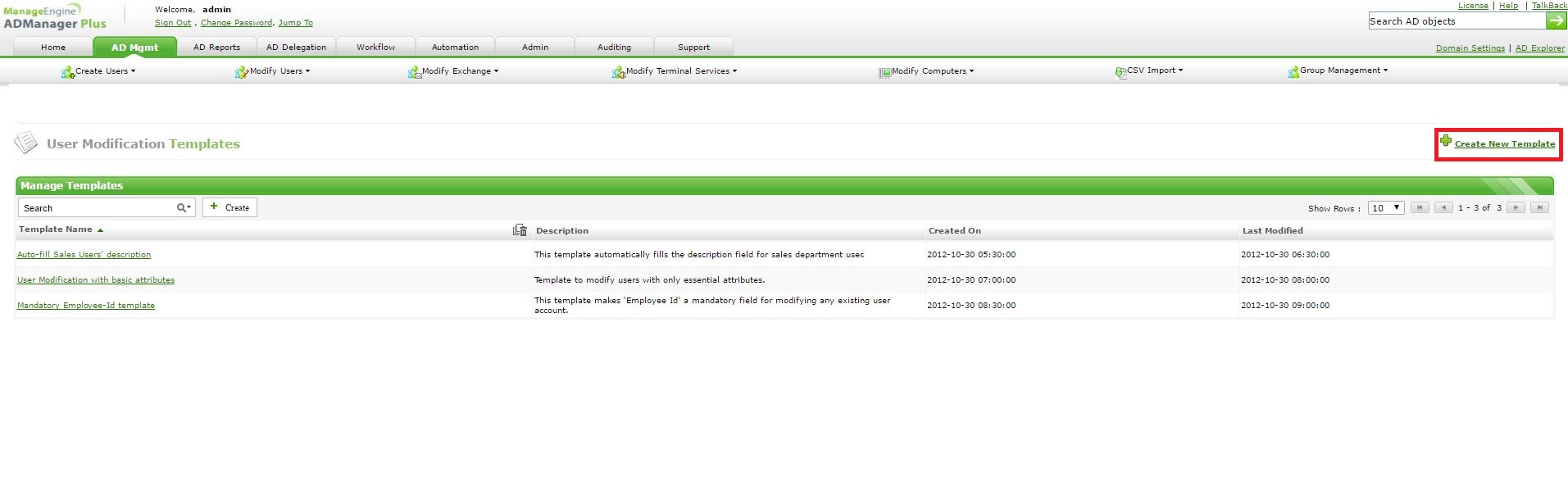
Step 2: click on Create New template
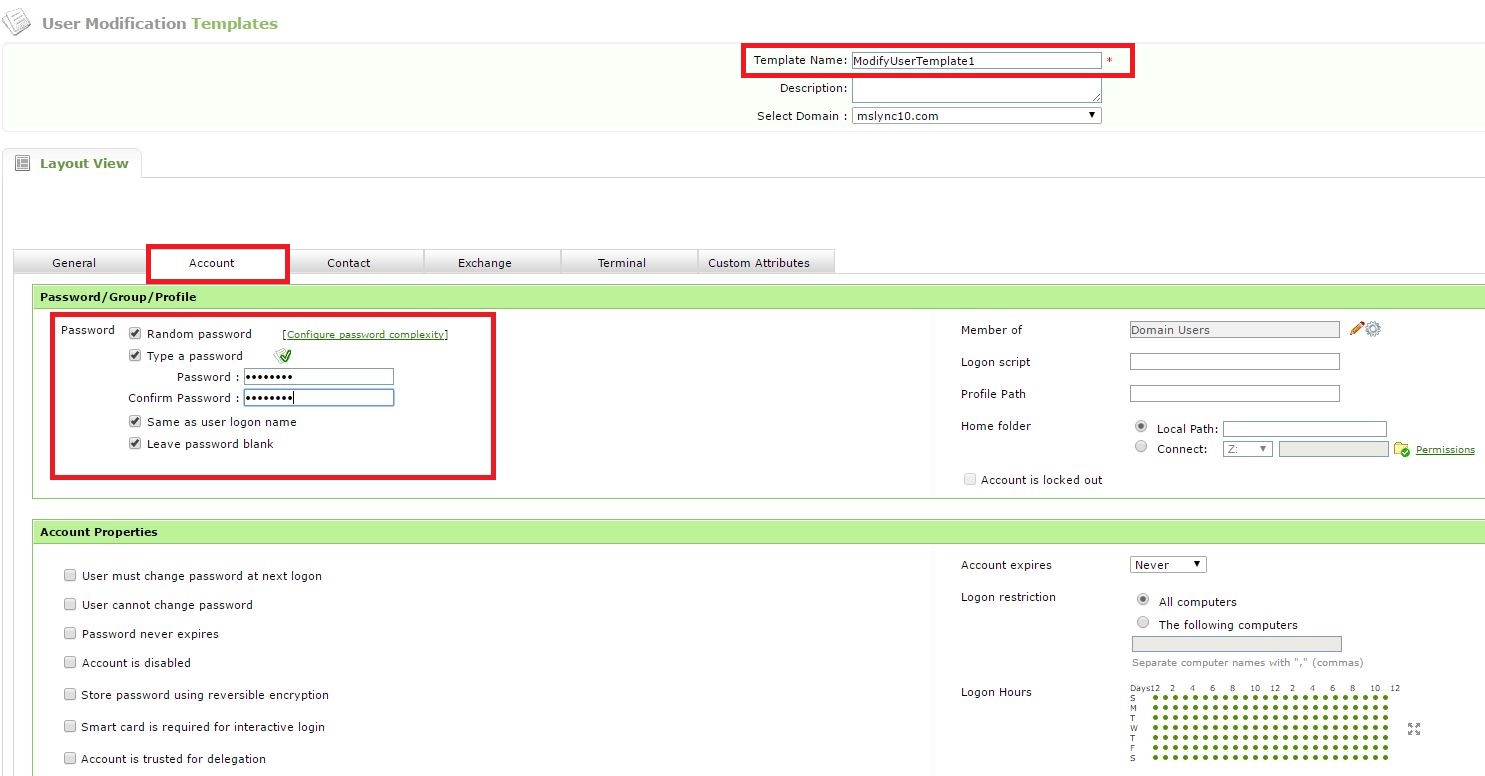
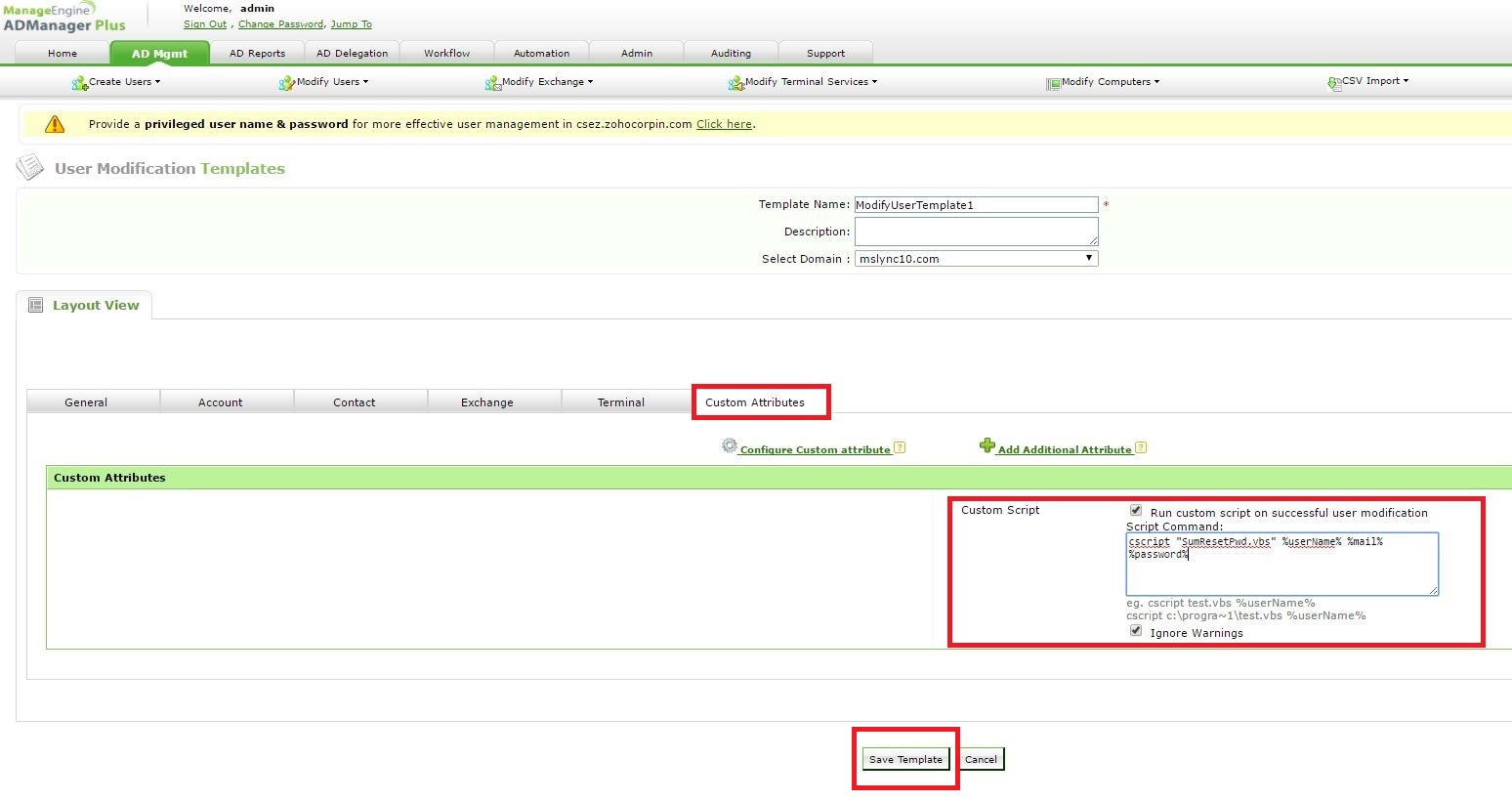
Step 3: Type in a name for the template --> choose a password option --> click on Custom Attribute tab --> check "Run custom script on successful user modification" --> paste "cscript "SumResetPwd.vbs" %userName% %mail% %password%" on Script Command --> click on Save template.
Step 4: Paste the file(SumResetPwd.vbs) attached on this topic under <installation dir>:\ManageEngine\ADManager Plus\bin
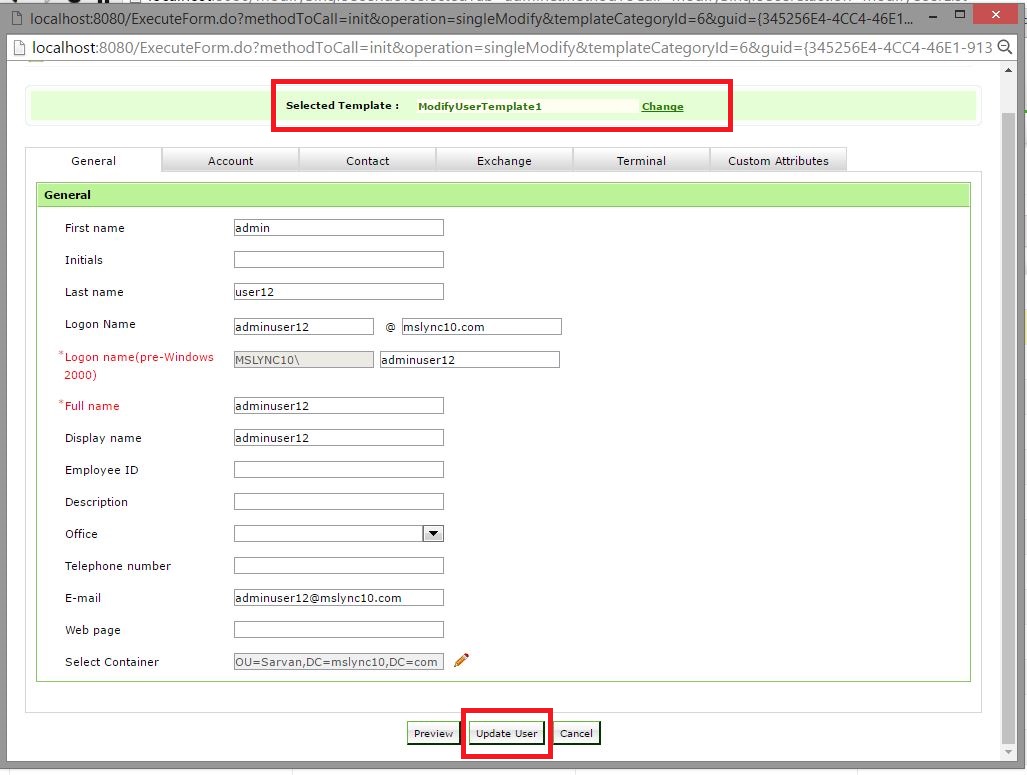
Step 5: Kindly go to AD Mgmt --> User Management -->Bulk User Management --> Modify Single User --> Choose the user and click on Modify User-->Choose the template and click on Update User.
| Shane Clinton |
||||||
| ManageEngine ADSolutions Team |
||||||
|
||||||
| How To | Forum | File Permission Management |
||||||
| ADManager Plus | ADAudit Plus | ADSelfService Plus | Exchange Reporter Plus | Recovery Manager Plus | AD360 | ||||||
Topic Participants
Shane Clinton