Upcoming enhancements in Office 365 calendar, Probes & Discovery in ServiceDesk Plus Cloud
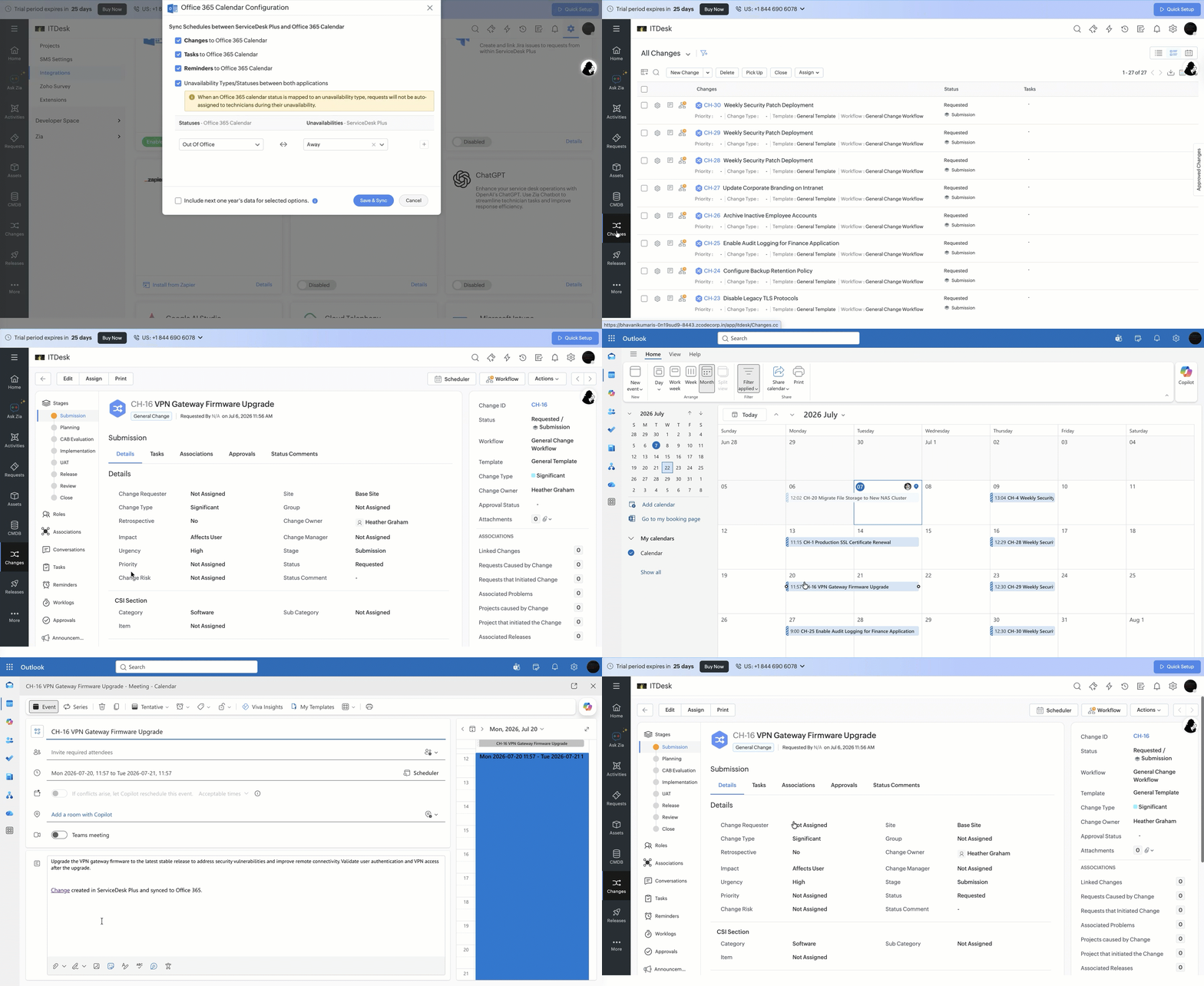
- Synchronize change schedules from ServiceDesk Plus Cloud to Office 365 Calendar.
- When synced, events are automatically created in Office 365 Calendar based on the scheduled start and end time of changes.
- To enable this feature, go to Admin > Apps & Add-ons > Integrations > Office 365 Calendar > Configure and select Changes to Office 365 Calendar.
Settings | Description |
Overdue Scan Settings | Configure this setting to automatically delete assets or update their state if they have not been scanned for a specified period. |
Create custom product types during SNMP discovery | If product types are not preconfigured for SNMP devices, you can enable this option. During discovery, product types will be created automatically and the corresponding devices will be added in the Assets module under new product types. If this option is disabled, product types will not be created, and devices will not be added or synced. |
Create monitor details as assets for computers | When enabled, a custom Monitor product type will be created automatically and monitor details of scanned computers will be added as distinct assets under that product type. The monitors are also associated as components under the Relationship tab on the corresponding computer details page. |

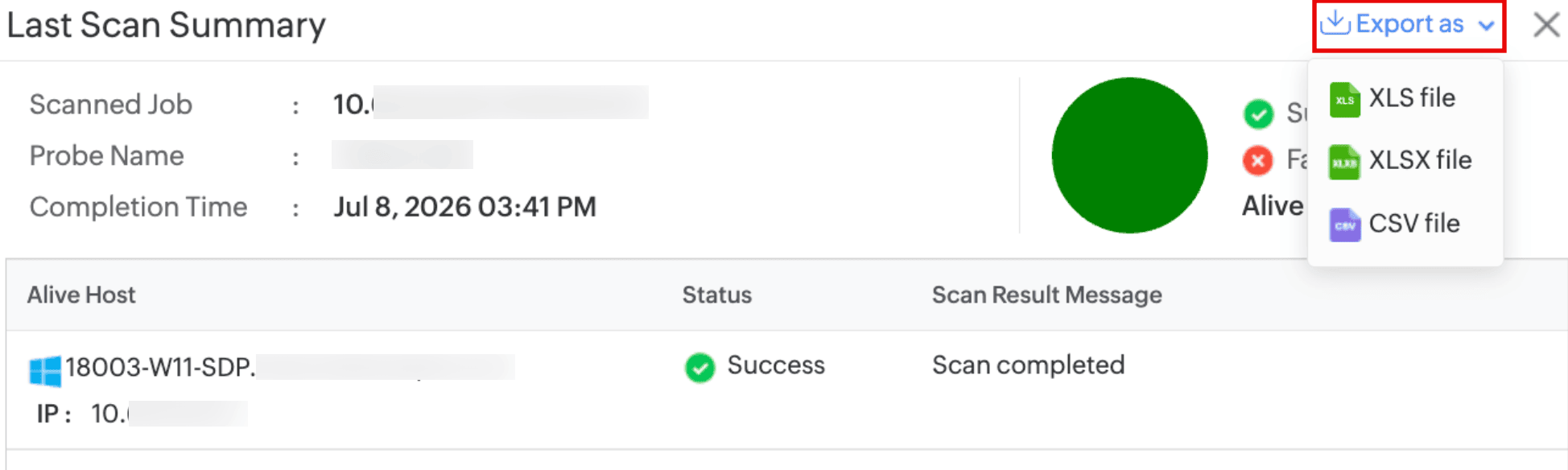
- You can now export the latest scan summary of Network Scan and Domain Scan as XLS, XLSX, and CSV files.
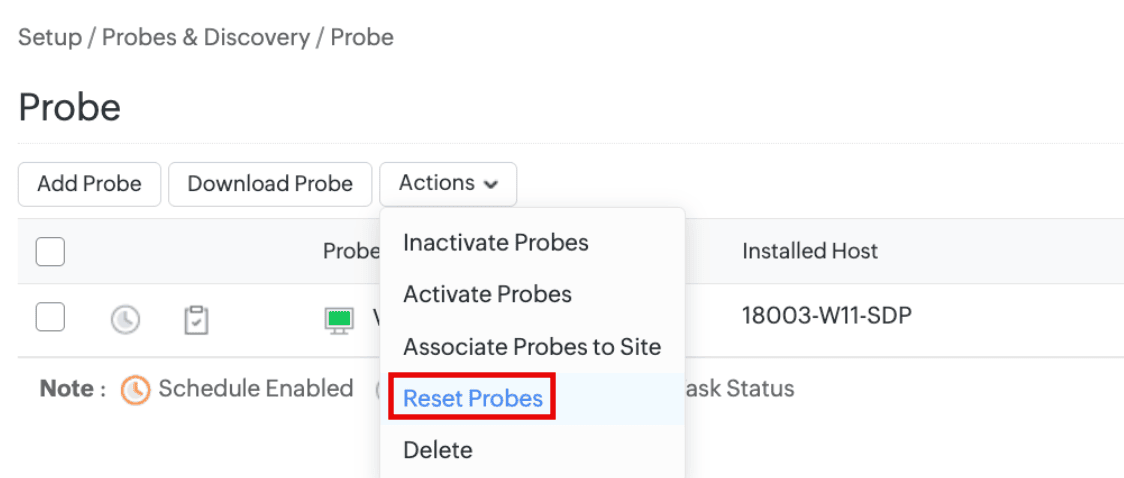
- Reset probes of assets with modified state/configurations by using the Reset Probes option in the Actions menu under Setup > Probes & Discovery > Probe.
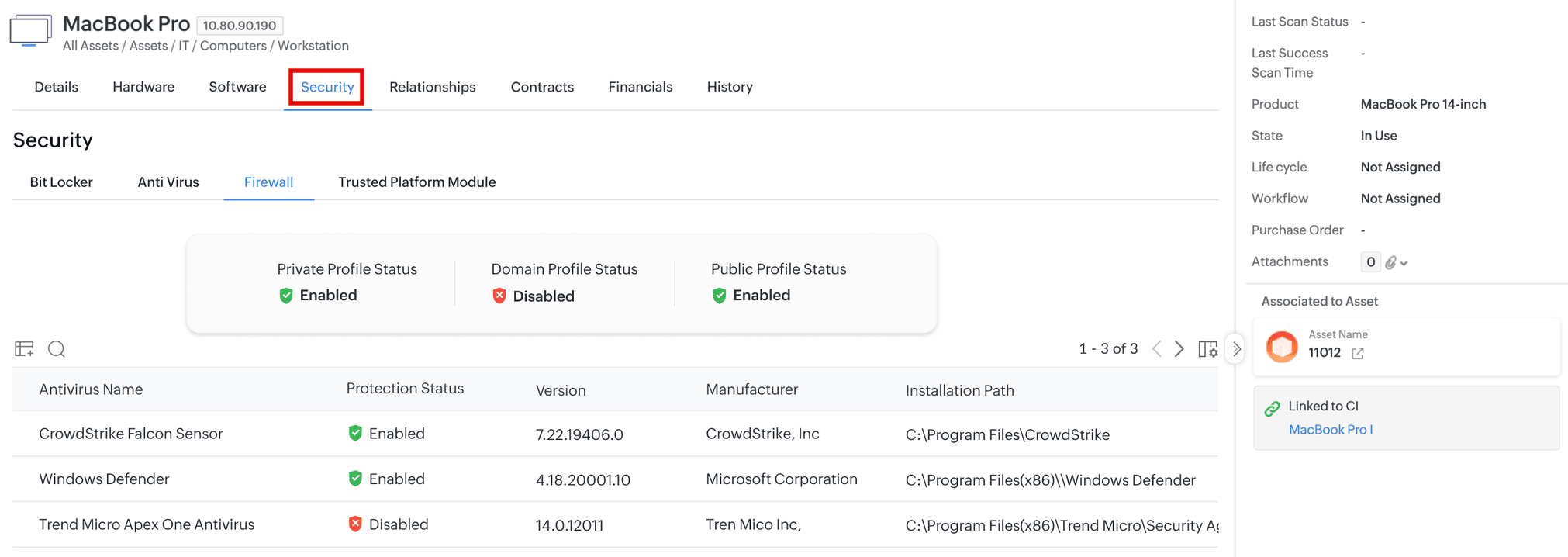
- For Windows computer assets, security component details such as BitLocker, Antivirus, Firewall, and Trusted Platform Module (TPM), are now scanned and recorded under the Security tab on the corresponding asset details page.
- The TPM details are also recorded under the Hardware tab on the asset details page.
Topic Participants
Nithishkumar N