Vcenter 6
Please check the below points if you're having problem with Vcenter discovery in OpManager.
1. Provide the same credential for the Vcenter in OpManager which is used for MOB connection/Vsphere client.
2. Ensure there is no special characters available in the password.
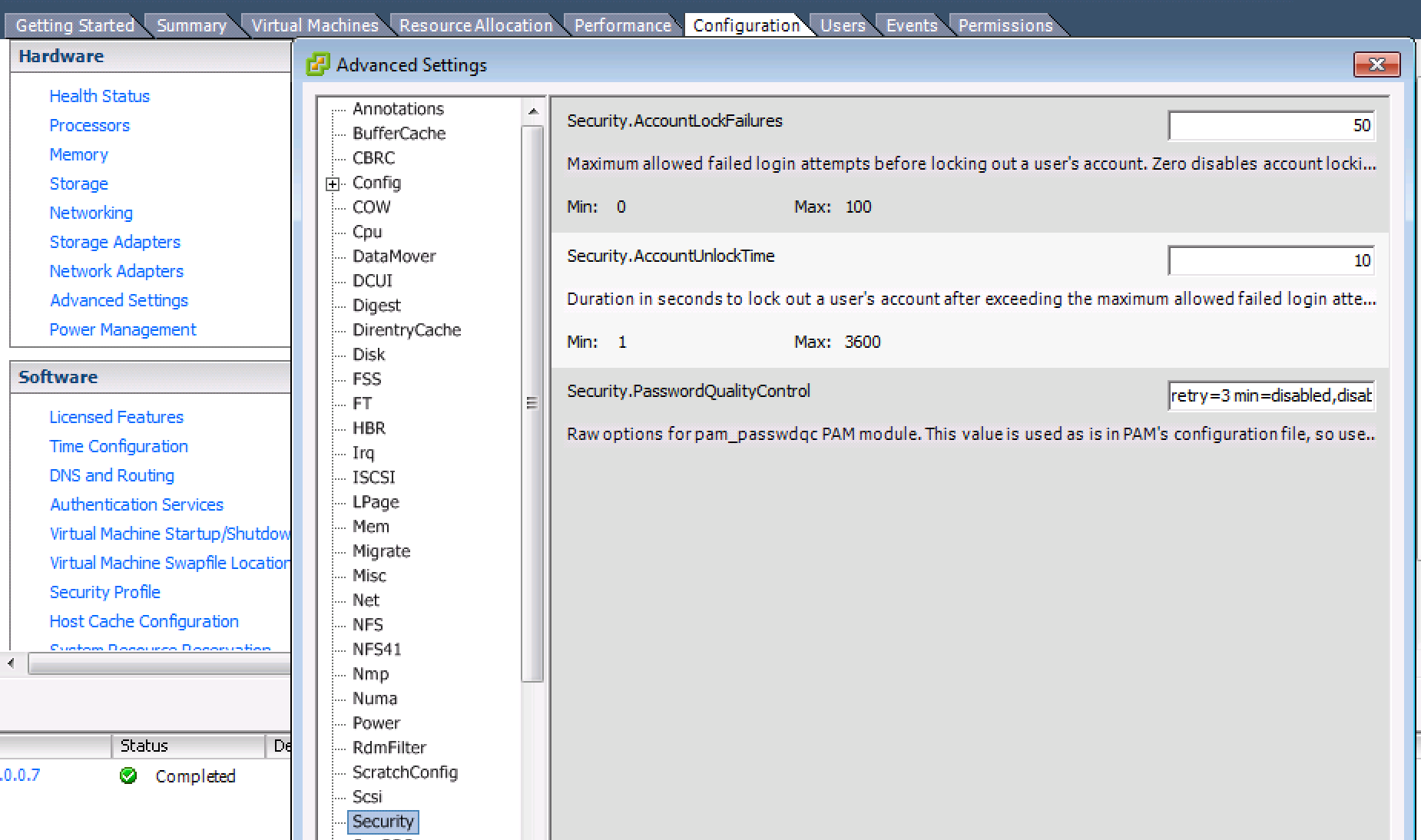
3. With Vcenter 6, Two new settings are now available under the ESXi Host Advanced System Settings page:
Security.AccountLockFailures:
Maximum allowed failed login attempts before locking out a user’s account.
Security.AccountUnlockTime:
Duration in seconds to lock out a user’s account after exceeding the maximum allowed failed login attempts
Sometimes it gets violates even if you provide valid credential then it will throw invalid Login exception. You can increase it from Configuration > Security
New to ADSelfService Plus?
Related Articles
How to discover VMware ESX / ESXi servers in OpManager
Discovering hosts and VMs in the vSphere environment requires providing the IP Address/DNS Name and vSphere credentials for the vCenter/Host. It is crucial that the vSphere user has at least Read access to all hosts and VMs for uninterrupted device ...Find the missing VMs and Hosts - VMWare
After the vcenter discovery if the VMs and Hosts are missing, query the below table and check select * from vwentitymomapping where entity_type = 'VirtualMachine'; select * from vwentitymomapping where entity_type = 'HostSystem'; When the MOID is -4, ...How to automatically discover the new devices added to my network?
Discovery Schedule You can set up a discovery schedule to automatically discover the new devices added to your network. To create a discovery schedule, For OpManager versions 125174 and above Go to Settings -> Discovery. In the Network Discovery ...Types of credentials supported in OpManager
OpManager accesses the remote devices using the protocols such as SNMP, CLI, or WMI. The credentials like the password/snmp community, port etc., may differ for different device types. Pre-configuring a set of credentials in OpManager helps applying ...