Users unable to receive emails - Test email successful - Mail has not been sent due to unknown reason

Users unable to receive emails - Test email successful - Mail has not been sent due to unknown reason

Issue :
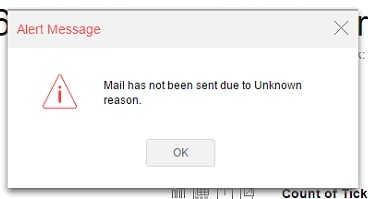
Test email is received without error when checked from mail configuration page, but the newly created users do not receive emails. 

Possible UI error


Analysis:

The e-mail that you using to login ( or admin email in the case of administrator login) does not have permissions to send via a configured email settings in Analytics Plus

Log Traces:

Caused by: com.sun.mail.smtp.SMTPSendFailedException: 550 5.7.60 SMTP; Client does not have permissions to send as this sender

at com.sun.mail.smtp.SMTPTransport.issueSendCommand(SMTPTransport.java:2203)
at com.sun.mail.smtp.SMTPTransport.finishData(SMTPTransport.java:1981)
at com.sun.mail.smtp.SMTPTransport.sendMessage(SMTPTransport.java:1197)
at javax.mail.Transport.send0(Transport.java:254)
at javax.mail.Transport.send(Transport.java:124)
at org.apache.commons.mail.Email.sendMimeMessage(Email.java:1411)
... 37 more 


Troubleshooting:

Verify the default administrator e-mail if you are using administrator login and Provide permissions in Exchange server for your login email to work with the mail server settings configured in Analytics Plus. or you can let the emails be sent using the configured email in Analytics Plus settings instead of your e-mail by enabling the below option.

Settings > Advanced settings


To change the administrator's email id to a valid email

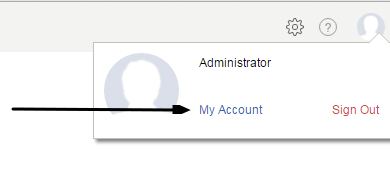
Step 1: Click 'My Account' 


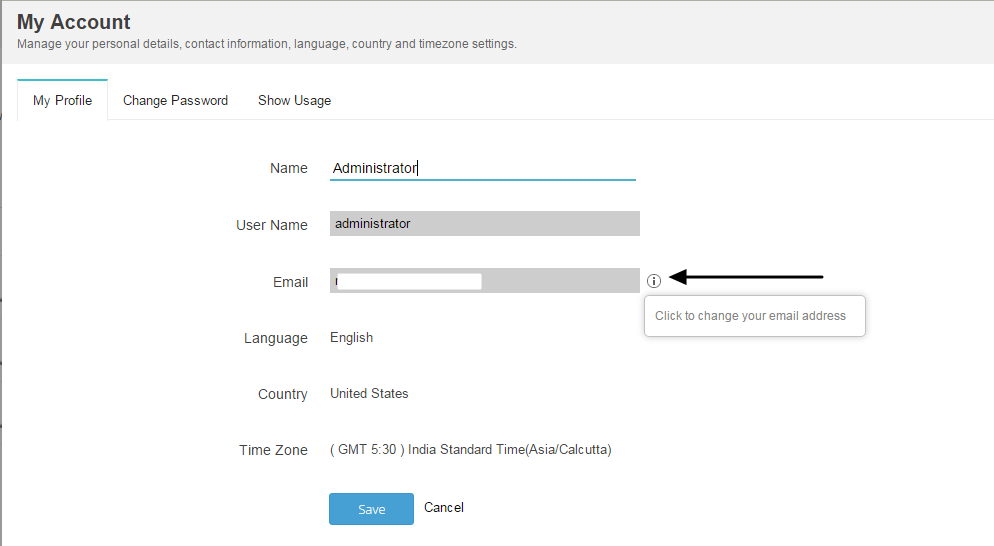
Step 2: Click Information icon against the email field


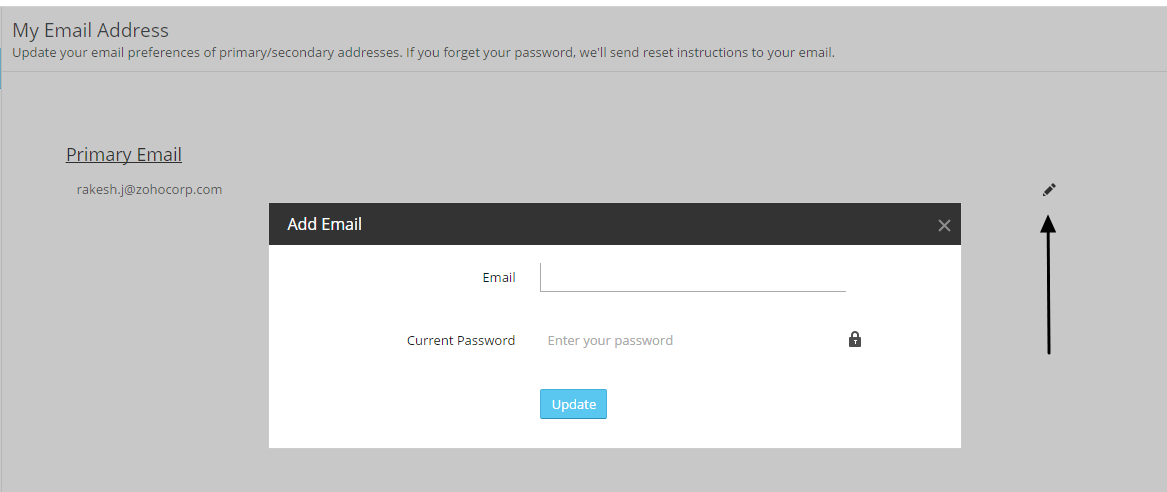
Step 3: Edit Primary email, update from administrator's to default email id from the configuration page. Ensure the email id is changed after updating. 
 

                  New to ADSelfService Plus?

                    • Related Articles

                    • Unable to Send Test Email due to Top Level Domain validation.

                      Issue: Unable to Send Test Email due to Top Level Domain validation. TLD explanation: TLD stands for "Top-Level Domain." It's the last part of a domain name, like ".com" or ".org". TLDs help organize the internet. Error trace: File name : Server out ...
                    • License management page does not load as expected (due to license violation)

                      Issue: After license violation, the user will be unable to access the license management page. Identified it as a bug in the product (3950) (During License violation, the page will keep on loading without any response. This is due to some ...
                    • Unable to Connect to the Postgres SQL Database from Command Prompt

                      Issue : Unable to Connect to the Postgres SQL Database from Command Prompt Error : Analysis : IPv6 local connections are commented in <AnalyticsPlus home>\pgsql\data\pg_hba.conf file Solution : Open the file using notepad or wordpad as administrator ...
                    • Unable to Access Analytics Plus in 3600/3700

                      Issue: You may unable to access Analytics Plus console when your default web server port is set to 443. It's identified as a bug which would affect both the existing and new users on builds 3600/3700. Cause: The builds 3600 and 3700 has an issue with ...
                    • Unable to integrate SDP MSP with Analytics Plus after applying SSL

                      Note: This problem occurs only with self signed certificates in Analytics Plus. Issue: [10:23:16:526]|[09-05-2020]|[SYSERR]|[INFO]|[68]|: javax.net.ssl.SSLHandshakeException: sun.security.validator.ValidatorException: PKIX path building failed: ...