Steps to Configure Request ID Hyperlinking from Analytics Plus Cloud to ServiceDesk Plus
Table of Contents
- Requirement
- Solution


Requirement:
To create a formula column in Request Table in AnalyticsPlus Cloud for Request as a 'URL' to respective ServiceDesk Plus request.
Solution:
Step 1:
Open a Request in ServiceDesk Plus Cloud and copy the URL in the address bar as shown below.
Step 2:
Open 'Request' table in Analytics Plus Cloud and click on 'Add' and select Formula Column to create a custom formula for Request ID URL in Analytics Plus.
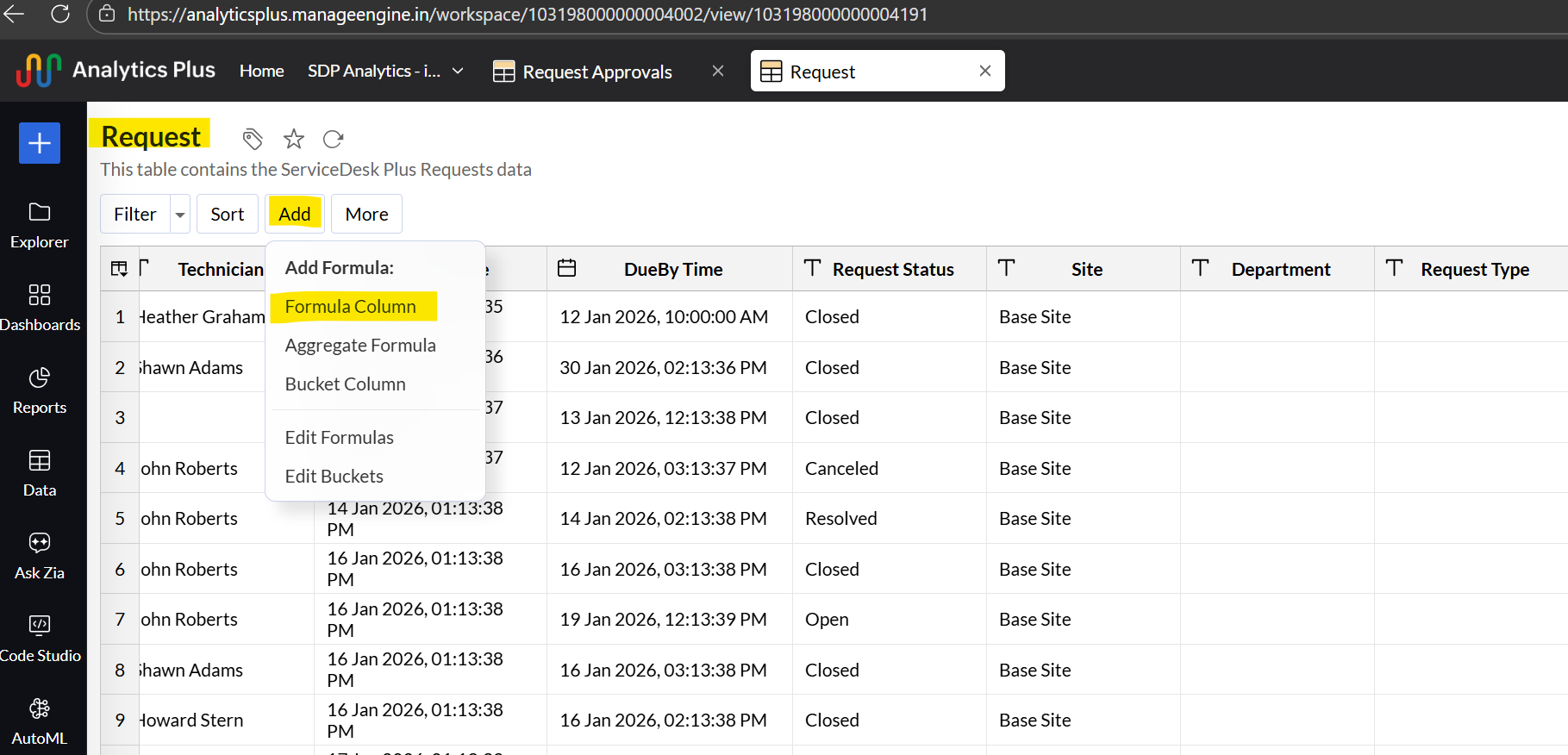
Use the 'concat' function to join the URL taken from ServiceDesk Plus (Refer step 1) and the 'Request ID' from the column listed.
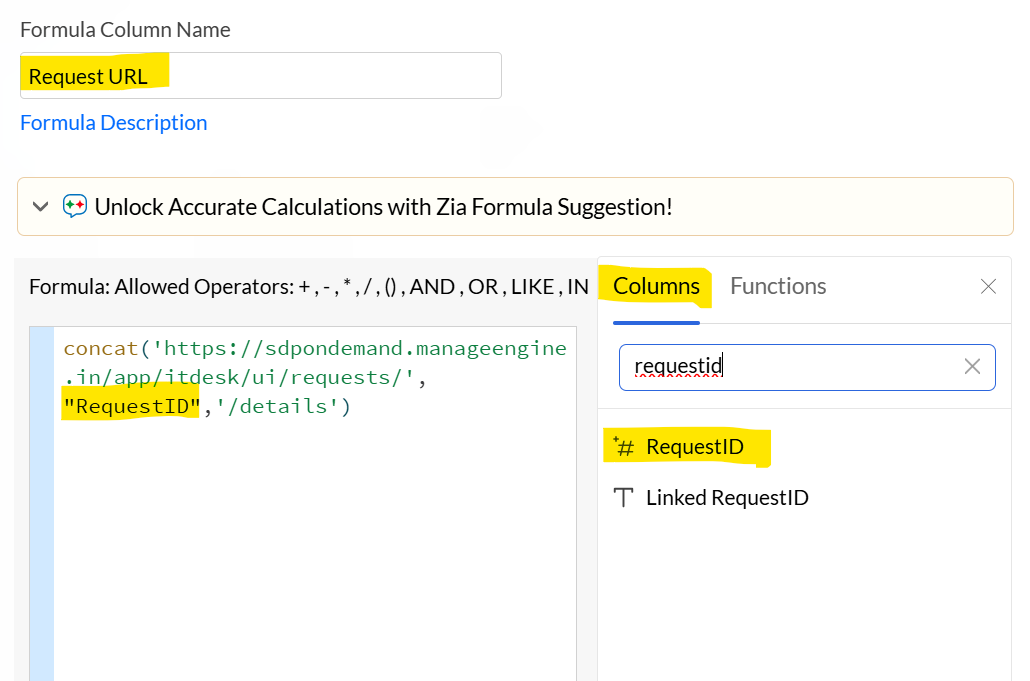
Use the 'concat' function to join the URL taken from ServiceDesk Plus (Refer step 1) and the 'Request ID' from the column listed.
Eg: Actual URL: 'https://sdpondemand.manageengine.in/app/itdesk/ui/requests/28280000000319095/details
Eg Syntax: concat('https://sdpondemand.manageengine.in/app/itdesk/ui/requests/', "RequestID",'/details')
Replace the highlighted RequestID with the column name has shown below.
Step 3:
Once the formula column is created, right-click on the 'Request URL' column and choose 'Change Data Type' and select 'URL' from the drop-down list.
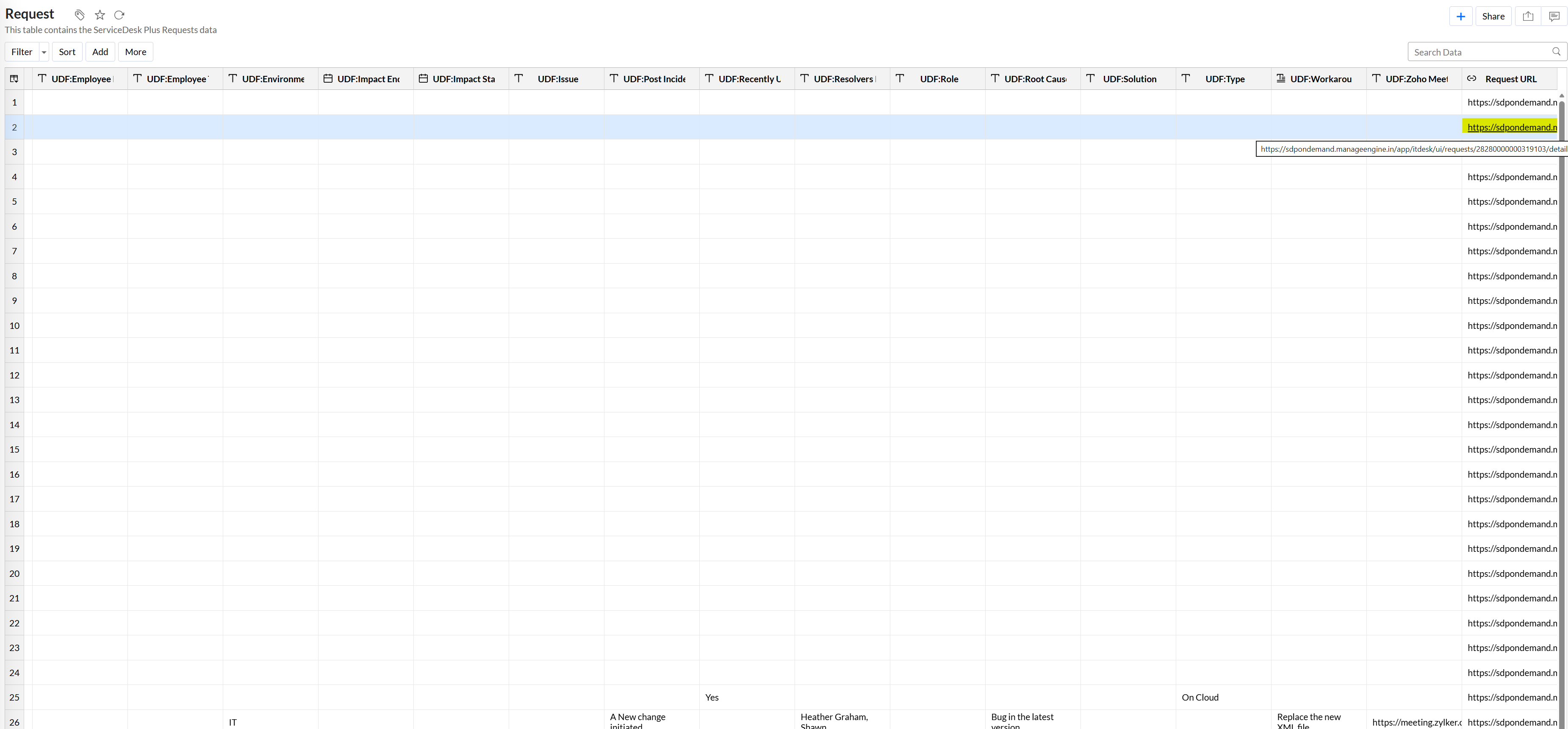
Once the data type is changed to URL, the 'Request URL' column will have a clickable link for the corresponding change request as shown below.