Permissions Required for Successful Upgrade of Windows Server Monitoring Agent
Follow the steps given below to ensure the successful upgrade of the Windows agent:
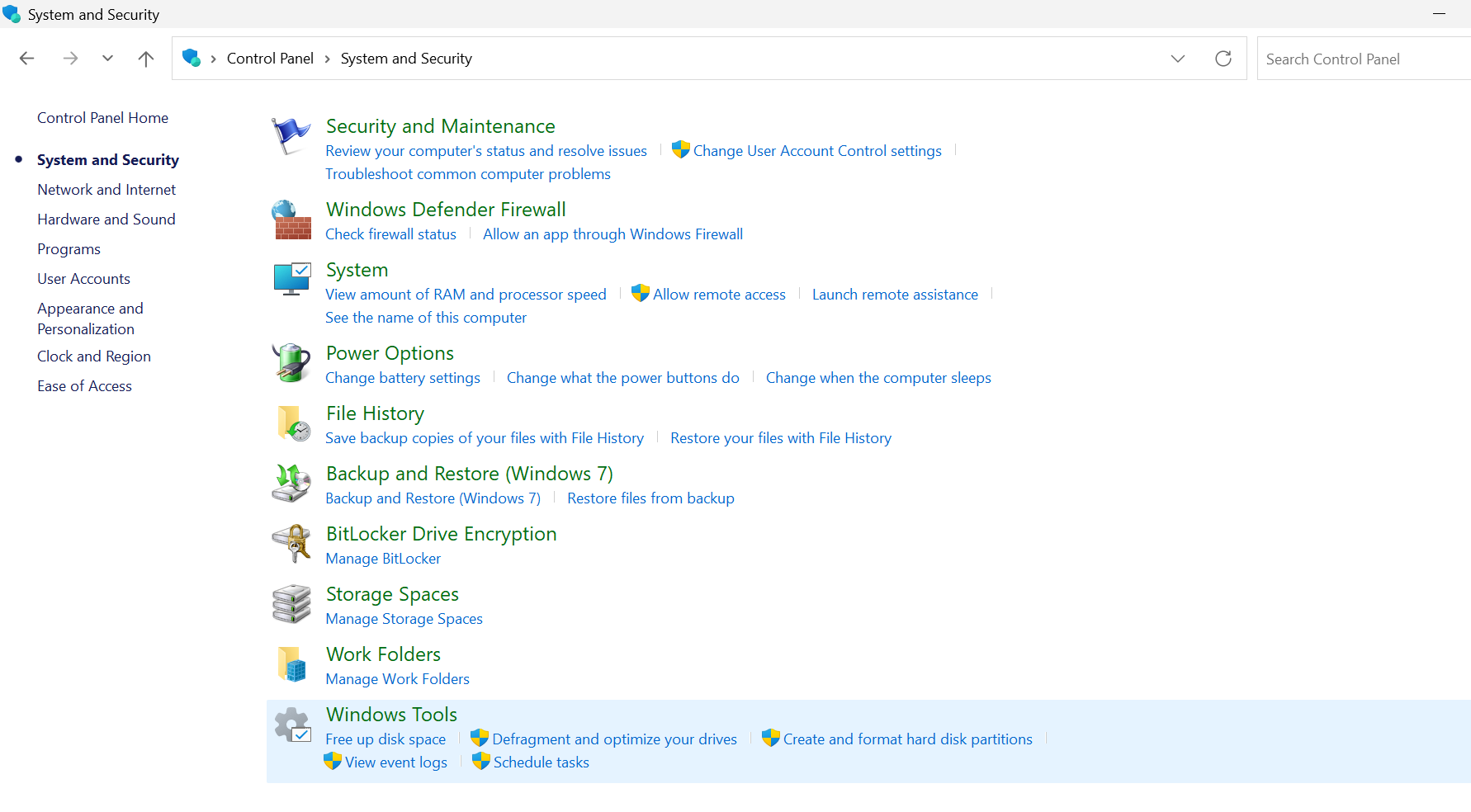
1. Check the Windows Installer service in Windows Service Manager.
- Click on Start and go to Control Panel.
- Select System and Security, then click on Windows Tools.
- Click on Services.
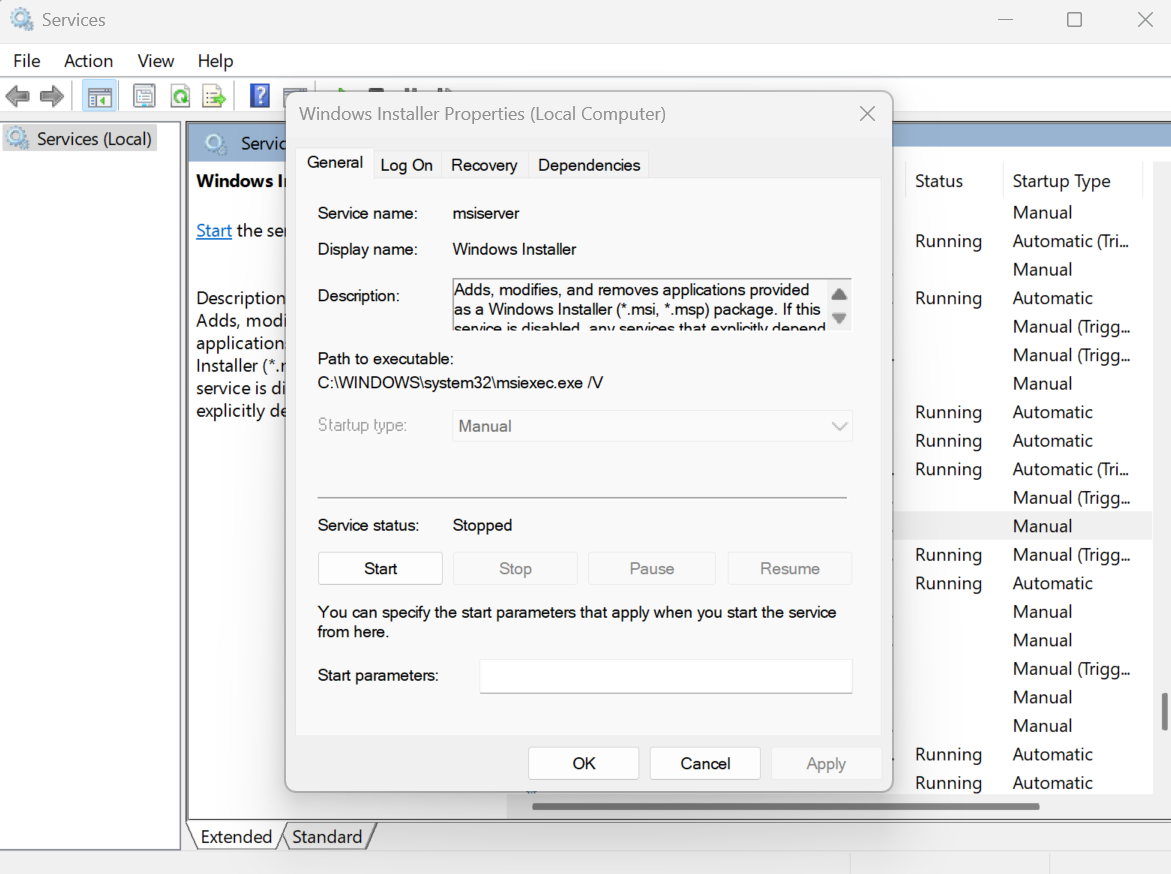
2. Locate the Windows Installer:
- Scroll through the list of services and find Windows Installer.
- Double-click on Windows Installer to open the service properties dialog box.
3. Verify Startup Settings:
- Ensure that the Startup Type is set to Manual.
- The Service Status is typically set to "Stopped." Try to start the service manually by clicking Start.
- Note any error message if it fails to start. This information may help in troubleshooting.
- Click on OK to confirm the changes and exit.