How do I use interface scope while creating a user?
To create a new user,
- Go to Settings - > General Settings -> User Management.
- Click on the Add User option. You will be navigated to the User Details section. Enter the required details and click on Next. (Note: Administrator or Operator users are only allowed to be chosen as Role to use Interface Scope.)
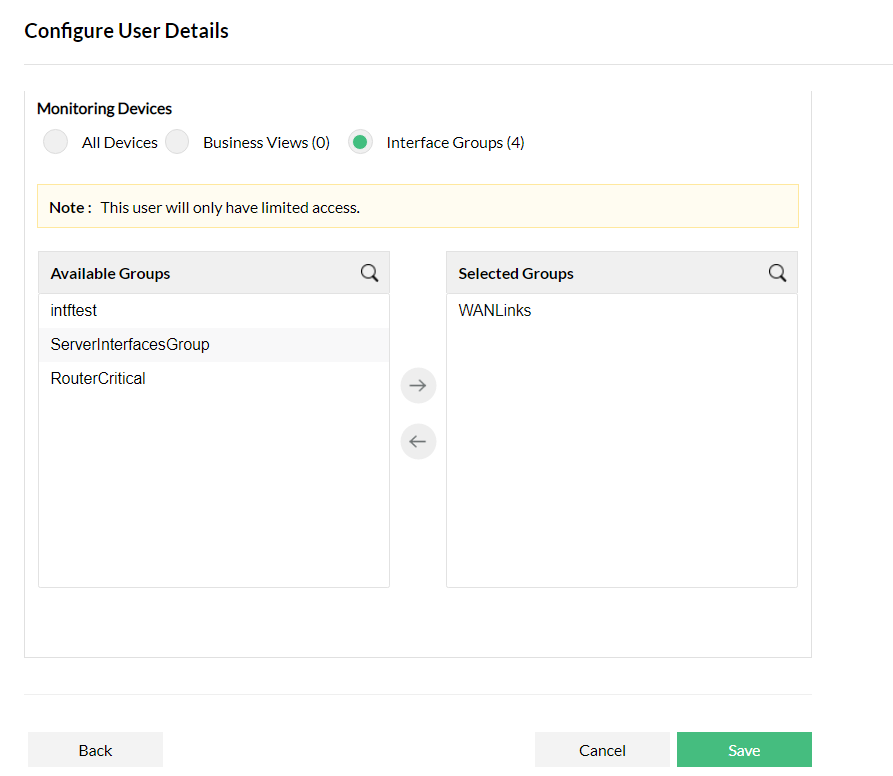
- In the Scope section, select Interface Groups under the Monitor tab and select the required interface group.
- Scroll to the bottom of the page and click on Save.
A new user will be created with access only to the selected interface group.