DNS Zone Versioning in Windows

DNS Zone Versioning in Windows

DNS Zone Versioning in Windows

Zone versioning in DDI Central allows to view the previous versions of the zone, which can also be exported or restored as the current version.

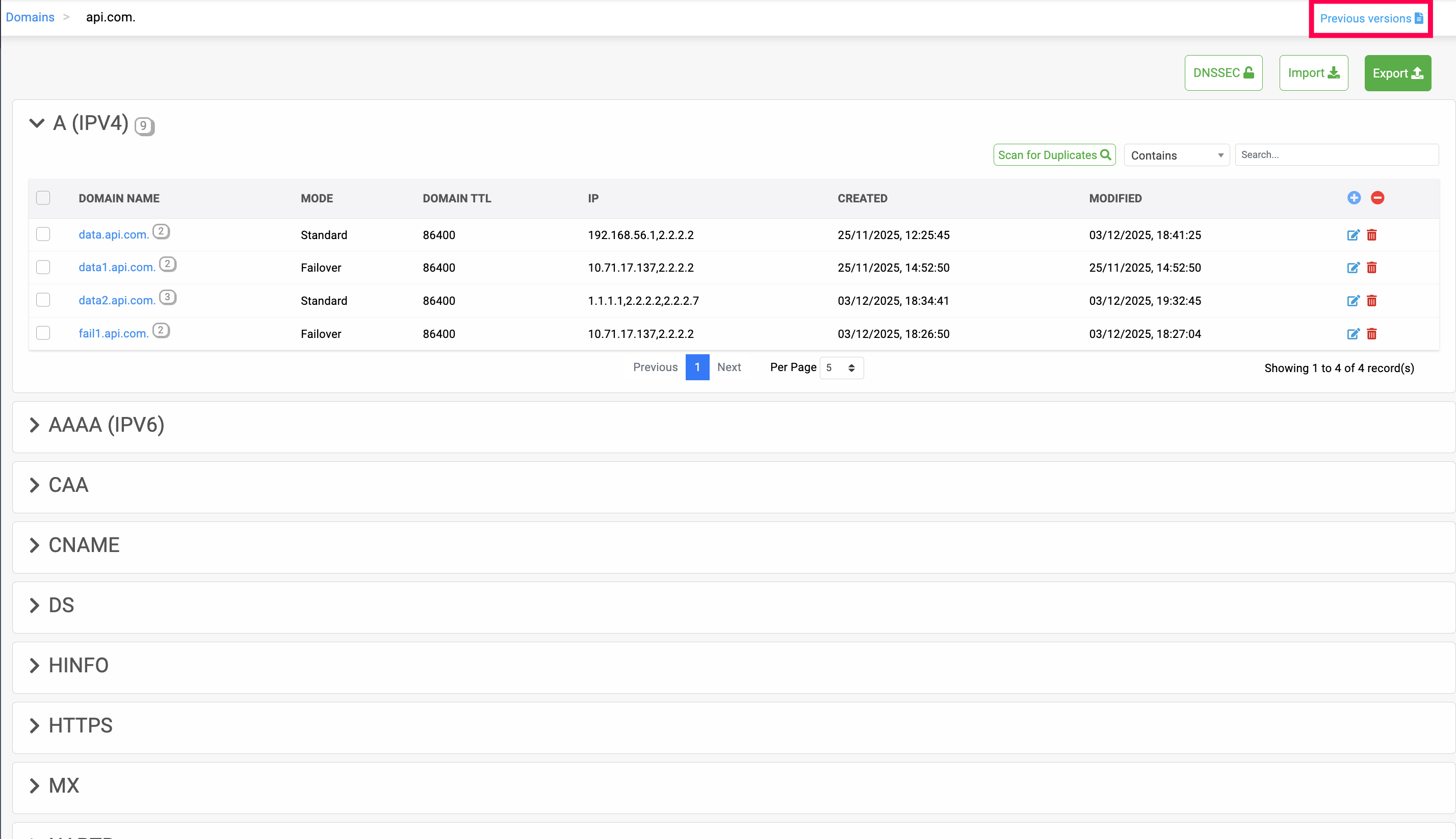
Previous version of the zone can be viewed by clicking on Previous Version icon on the Records page.
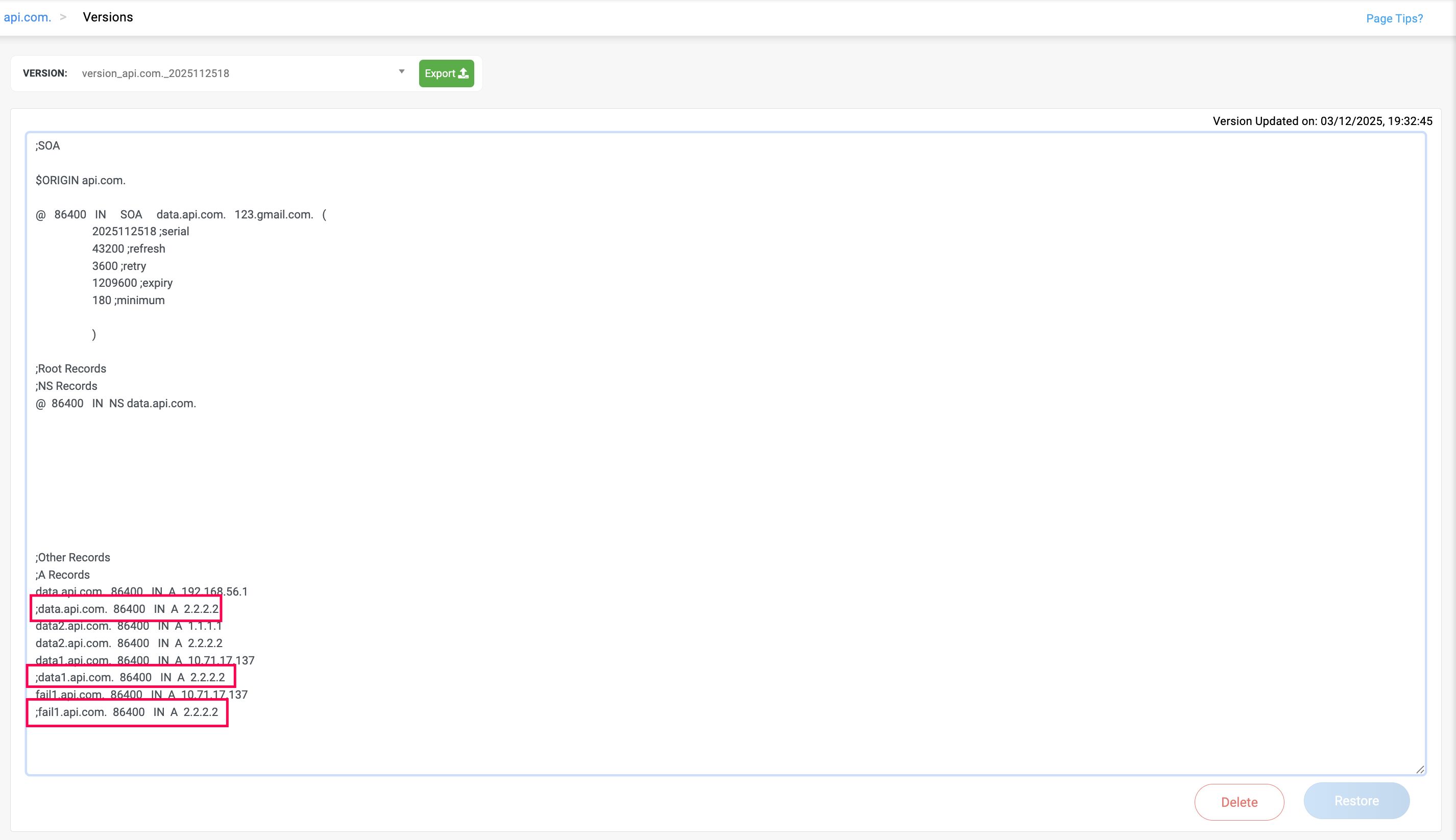
Note: Records that are not actively serving for DNS resolution, due the monitors in down state, in critical state, or in suspended state, gets displayed as commented records, with a semicolon";" at the beginning, in zone versioning. The same also applies for the Imported and Exported records, records are displayed in the zone version based on the state of their associated monitors.

Admins can also delete any unwanted previous versions of the zone by clicking on Delete option. While, the Guest and Operator roles can only view the zone versions, and don't have any permissions to restore or delete them.

Note: Zones that contain monitored records dont have restoring zone version, view only mode is available. Admins then have to restore them manually.

Note: No preview is available for zone versioning when it exceeds more than 5 MB, then its needs to be exported.

                  New to ADSelfService Plus?

                    • Related Articles

                    • DNS Zone versioning

                      DNS Zone Versioning Zone versioning in DDI Central allows to view the previous versions of the zone, which can also be exported or restored as the current version. Previous version of the zone can be viewed by clicking on Previous Version icon on the ...
                    • Adding Windows DNS-DHCP servers

                      Note: PowerShell version 5.1.2 or higher is required for a successful setup. Ensure that Windows Remote Management services are running on the Windows DNS and DHCP servers you plan to onboard into DDI Central's Management UI Console. Step 1. WinRM ...
                    • DNS Role Based Access Controls (RBAC) Windows

                      DNS Role Based Access Controls (RBAC) Windows DNS domains in the network can be access granted to individuals of the organization through DDI Central. Admins can grant access to selected users for specific DNS domains in the network. To grant access ...
                    • FAQs for Windows Microsoft DNS and DHCP servers

                      FAQ for the Microsoft Windows DNS and DHCP servers Which versions of the Windows Server OS are supported? You can onboard your DNS and DHCP servers running on Windows Server OS 2016, 2019, and 2022 in DDI Central. DDI Central also provides seamless ...
                    • Managing and Unmanaging DNS domains in DDI Central Windows

                      Managing and Unmanaging DNS domains in DDI Central Windows Admins can exclude managing the zones that exceed their license limits by clicking on the yellow Unmanage icon, which switches the domains to an unmanaged state. After unmanaging a particular ...