Discover devices using a CSV or text file in OpManager

Discover devices using a CSV or text file in OpManager

Devices can be imported from a csv file and discovered in OpManager. To perform this,

For OpManager versions 125174 and above:

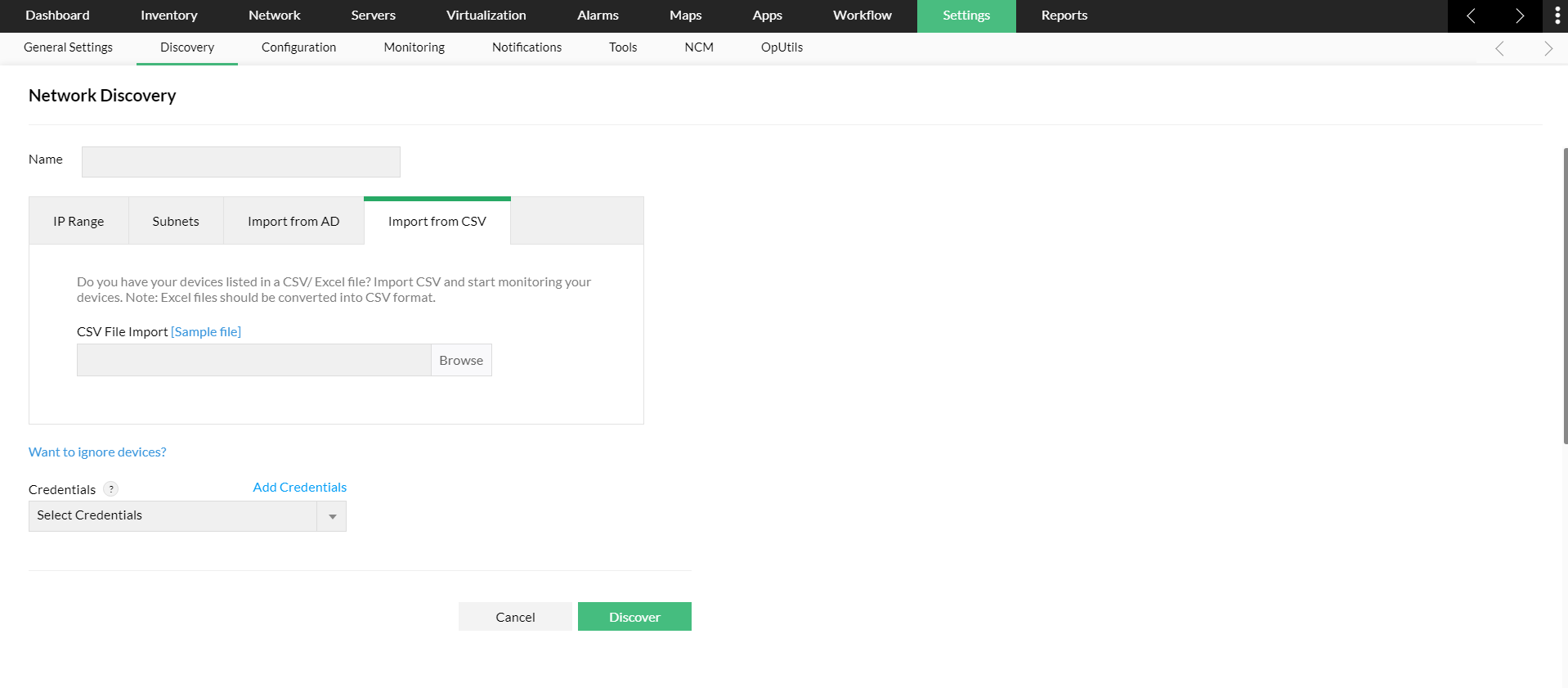
  1. Go to Settings -> Network Discovery -> New Discovery.
  2. Select the CSV File Import option.
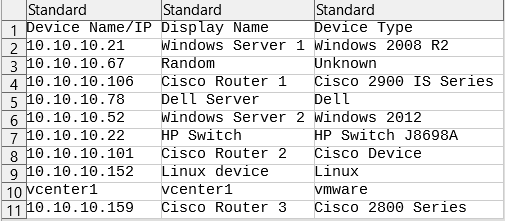
  3. Browse and select the CSV file (refer below image).
  4. Provide the correct netmask and select the required Credentials.
  5. Click on Discover and OpManager will direct you to the 'Discovered Devices' page.
  6. Approve or Ignore the discovered devices by clicking on the respective options. The approved devices will be added to the OpManager inventory and moniotored. The ignored devices will be removed from the queue of discovered devices and restricted from future addition.
For OpManager versions below 125174:

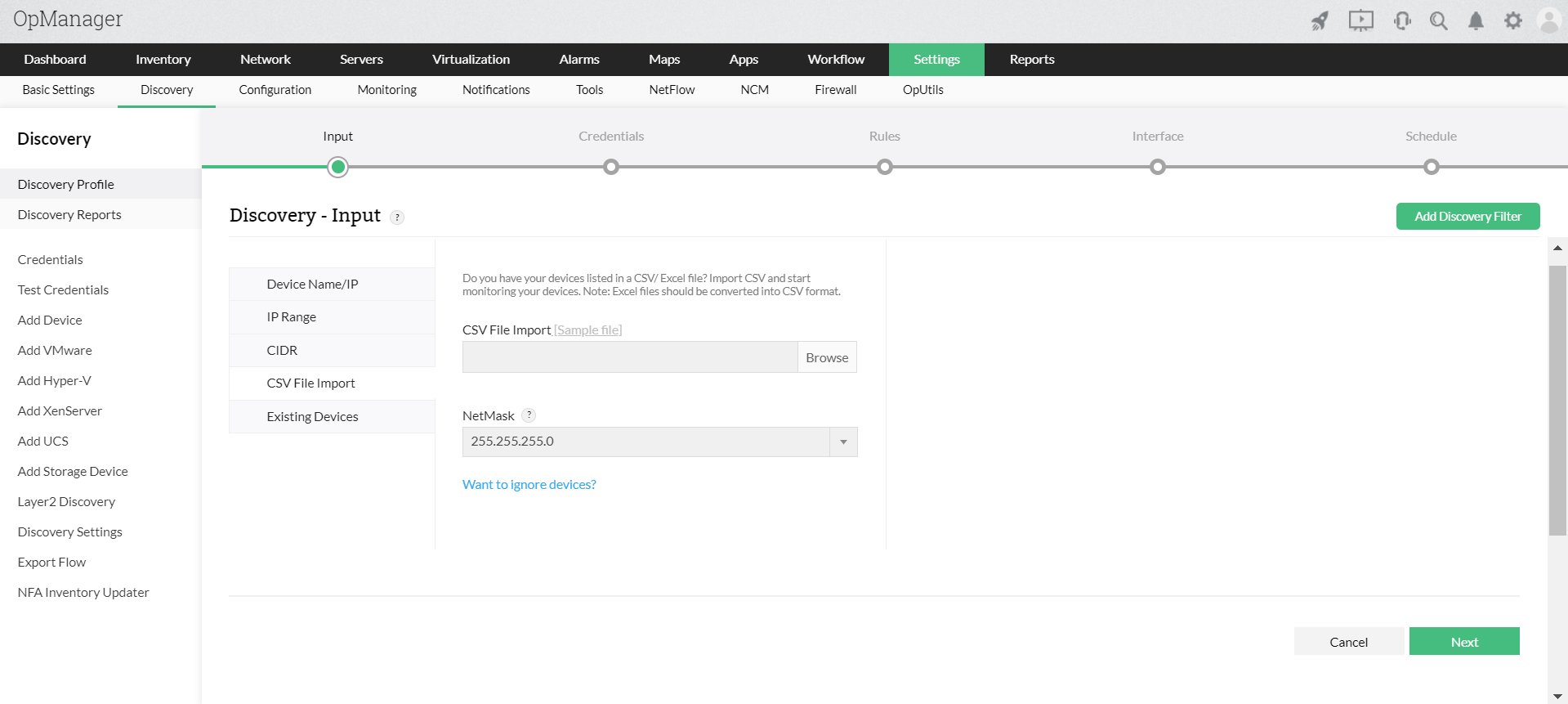
  1. Go to Settings -> Discovery -> Discovery Profile.
  2. Select the CSV File Import option.
  3. Browse and select the CSV file (refer below image) to import the devices into OpManager.
  4. Provide the correct netmask and select required Credentials for configuration.
  5. Navigate to the end and click on Save and Execute.
Note:
  1. If you are using DHCP protocol on your network, make sure both the forward and reverse lookup gets resolved before you add the devices in OpManager.
  2. DeviceName/IP header is a must for CSV file and other header fields are optional.

                  New to ADSelfService Plus?

                    • Related Articles

                    • How to discover devices in OpManager version 125174 and above

                    • Adding devices using SSH Key based authentication in OpManager

                      A SSH key is an access credential used in SSH protocol. It provides the same functionality as the user name & password except that it is much more reliable and cant be easily cracked. OpManager supports SSH key based authentication. To use a SSH key, ...
                    • Discover devices using an IP range

                      To discover a selected range of devices, Go to Settings -> Network Discovery -> New Discovery. Select the IP Range option. Enter the start and end IP of the required range. Start IP: Specify the IP address of the device in the range from where ...
                    • Discover Layer 2 Maps in OpManager.

                      Discovery mechanisms used in OpManager Layer 2 discovery: The following discovery mechanisms are used for discovering layer 2 devices in OpManager. ARP (Address Resolution Protocol): Maps IP addresses to physical (MAC) addresses, mainly used by Layer ...
                    • Installing OpManager agent on devices using Startup script

                      Windows GPO can be used to install the OpManager agent in multiple devices, even when other methods of installation fail. Various reasons behind agent installation failure are as follows: Access denied Network path not found Unknown username or ...