Configuring database in DDI Central Windows

Configuring database in DDI Central Windows

Configuring database in DDI Central Windows

Network admins need to configure the database by providing the remote IP address of the postgres server, the port number of the postgres service, the name of the postgres database, and the dedicated postgres username and password.
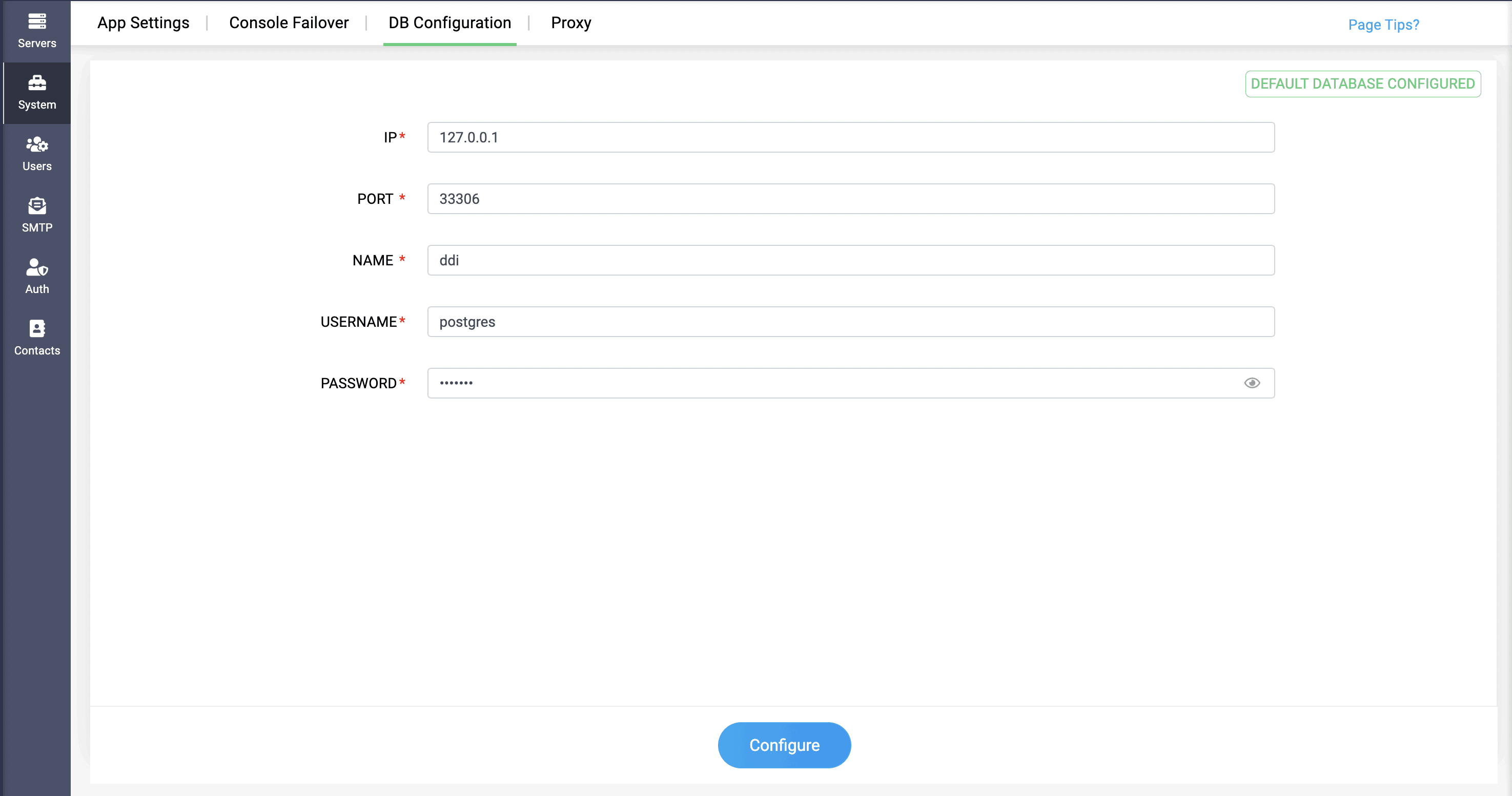
When DDI Central's default database details are predefined in those fields, it will be indicated as Default Database Configured on the top right of the page. When external database details have been configured, it'll be shown as External Database Configured.

After configuration, DDI Central should be restarted, then the following migrate command should be executed:

{product_path}/python/python.exe {product_path}/manage.pyc migrate    

One successful configuration, you will be redirected to the login page. The remote server will not have any data. Now, to bring the local database's data to the remote database server, execute the following commands:

pg_dump command to be executed at the source machine. This creates a .SQL file. Subsequently, this file should be specified in a file path through the PG restore command.

pg_restore command should be executed at the targeted remote machine to transfer data from the local server to the remote server in order to configure the Database in the remote server.

Database user requirements for configuring Remote DB in DDI Central

When connecting DDI Central to a remote PostgreSQL database, you must create a dedicated role with the following custom privileges:

  • Login rights (rolcanlogin = true) – enabling the user to successfully can authenticate.
  • Database creation (rolcreatedb = true) – to enable schema or database initialization if needed.
  • Schema‑level CREATE – to issue CREATE TABLE and related DDL in the chosen schema.
  • Table‑level DML (SELECT, INSERT, UPDATE, DELETE) – so the user can read and modify the relevant tables.
Note: The built‑in postgres roles may grant or restrict users the above mentioned capabilities, so please create a custom role (for example, ddi_pg_user) and grant the above permissions before configuring your AppConsole connection.

The command process can also be implemented in reverse when transferring data from a remote database server to a default database server.

Note: These steps should be done in app console machine.

Note: In case you are moving your local database to a remote server, while having an active app console failover configuration, you must remove the failover configuration, migrate the database, and then reconfigure the app console failover.

                  New to ADSelfService Plus?

                    • Related Articles

                    • Configuring Failover for Windows App Console in DDI Central

                      Configuring Failover for Windows App Console in DDI Central DDI Central now facilitates implementing failover capabilities for DDI app console, for providing consistent service during server down scenarios. App console can be installed in both ...
                    • Adding AD domains in DDI Central

                      Adding AD domains in DDI Central DDI Central's Windows Microsoft version, with the new release, now facilitates the flexibility of creating Active Directory domains within the application. DNS records of the domains gets stored inside AD database and ...
                    • DDI Central for Microsoft DNS DHCP

                      About ManageEngine DDI Central DDI Central is a comprehensive network management solution that unifies DNS, DHCP, and IP Address Management (IPAM) to enhance operational efficiency and network stability. It is deployed as an overlay on your existing ...
                    • Configuring standard microsoft DHCP options

                      Configuring Microsoft standard DHCP options in DDI Central DHCP (Dynamic Host Configuration Protocol) options are additional settings that a DHCP server can provide to clients along with their IP address assignment. These options help configure ...
                    • Configuring LDAP in DDI Central

                      Configuring LDAP in DDI Central What is LDAP authentication? Lightweight Directory Access Protocol (LDAP) is a core authentication protocol designed for directory services. Traditionally, LDAP has served as a database for storing information ...