Add a trap processor for all the received traps
In Trap Viewer you can view the incoming traps in real time and add a trap processor to a received trap directly.
- Navigate to Settings --> Monitoring --> SNMP Trap Processors.
- Click on Trap Viewer button
- To view the reception of traps, click Start.
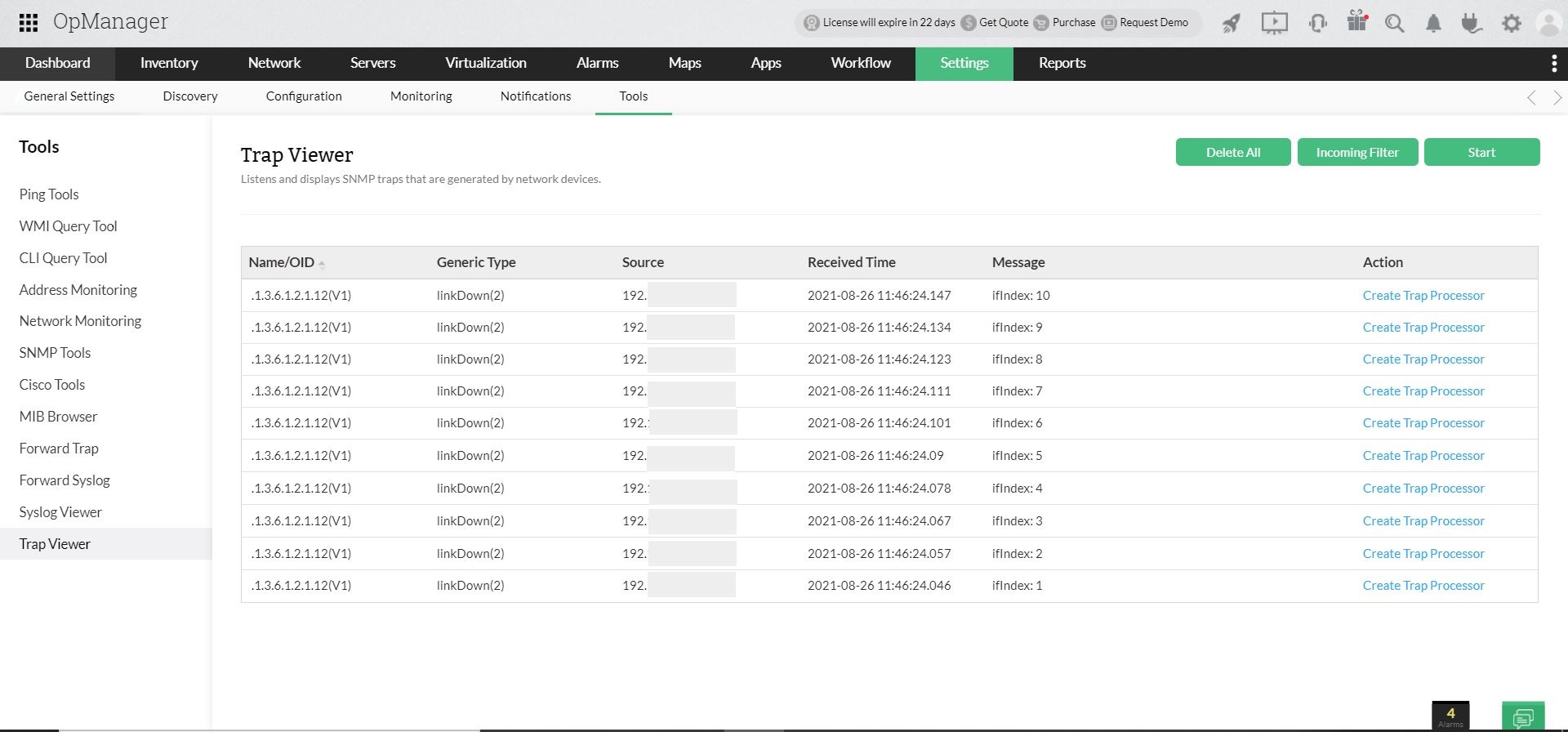
- Click on Create Trap Processor, against the trap for which you want to raise an alarm.
- The Add Trap Processor window opens, with pre-configured details.
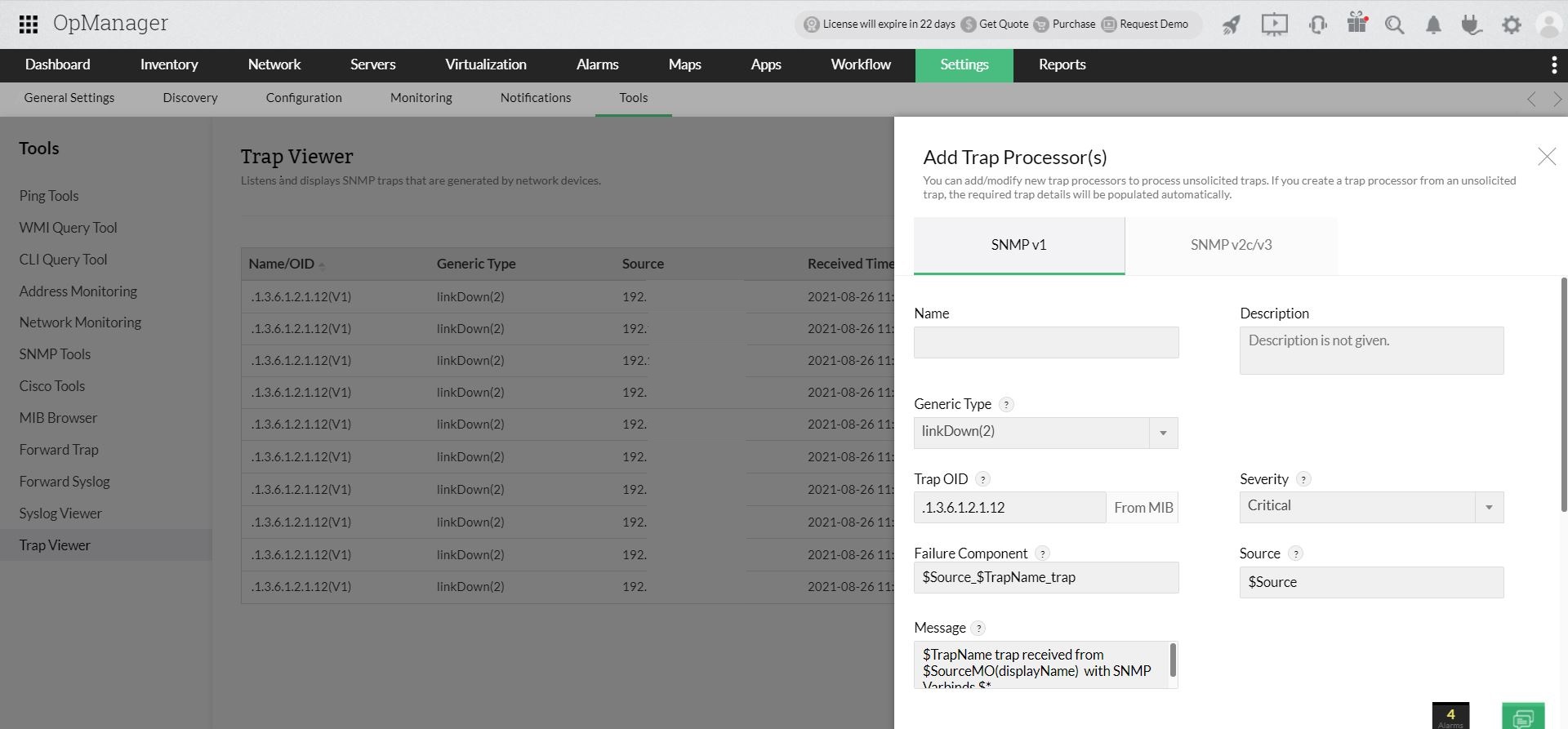
- Click Save to save the trap processor.