Upcoming enhancements on Custom Module Workflow, Action Nodes, Zoho Flow Action, Triggers for Announcements, Zoho Flow Actions & Rich Text Additional Field Support in ServiceDesk Plus Cloud
Dear Users,
We’re pleased to share an important announcement about the Upcoming enhancements on Custom Module Workflow, Action Nodes, Zoho Flow Action, Triggers for Announcements, Zoho Flow Actions, Insert Solution in Request Reply, Technician Group Support for Change Roles, Assign Technician Groups to Change Roles, Technician Group Roles in Automations & Rich Text Additional Field Support in ServiceDesk Plus Cloud.
Below is a brief run-through of the same.
Enhancements
Workflow Automation for Custom Modules
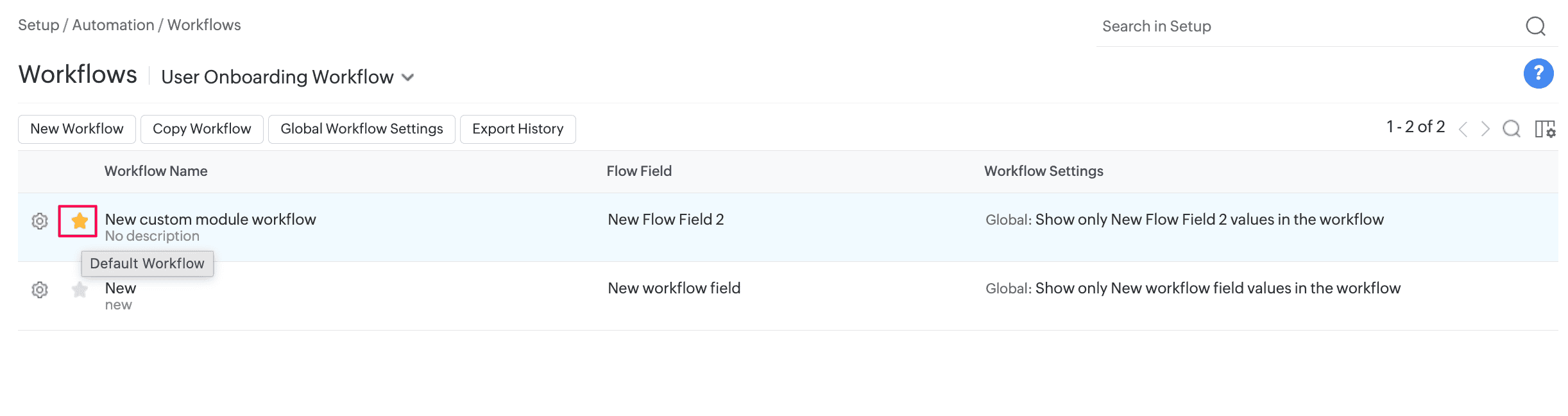
- Workflow automation is now supported for custom modules. You can apply a workflow through a custom module template, mark it as default in the workflow list view, or apply it through business rules.
- You can configure up to 10 workflows for each custom module. The existing limits for nodes and connectors remain unchanged.
Focus Mode in Workflows
- You can now focus on the connections of a selected node. Focus mode highlights its source and target nodes or connectors and fades the rest of the workflow, making complex workflow paths easier to trace and understand.
- Focus mode is available across all supported workflow modules.

Custom Module Action Nodes Enhancements
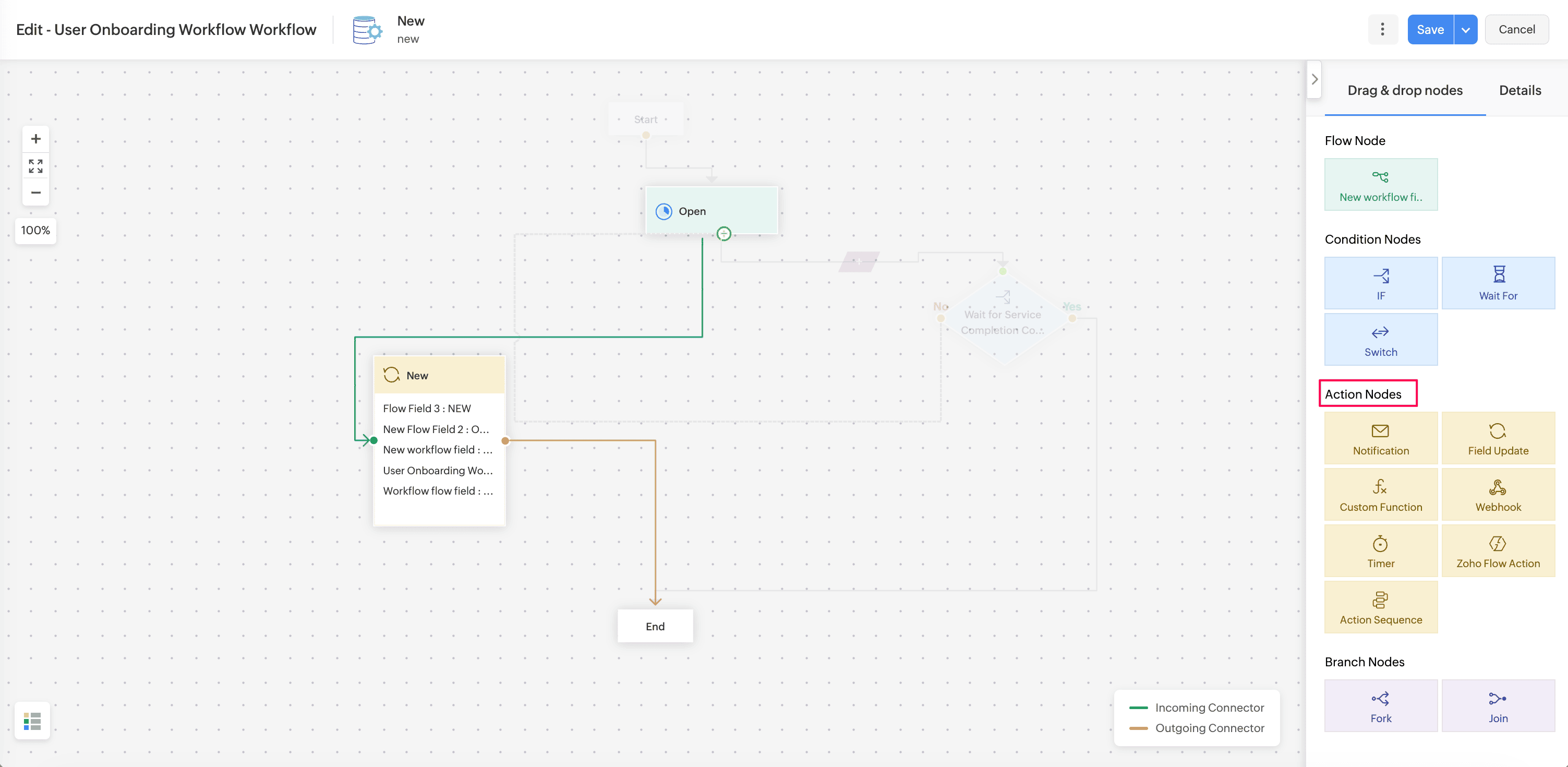
Custom modules now support Field Update, Action Sequence, Zoho Circuit, and Zoho Flow actions in triggers and workflows.
Field Update
- You can configure field update actions to update fields in custom module records.
Action Sequence
- You can configure Action Sequences for custom modules. Custom modules are also available in the Action Sequence list view.
Zoho Circuit
- You can configure Zoho Circuit actions for custom modules. Custom module support is also available in the Zoho Circuit list view and execution list view.
- To configure the integration, go to Setup > Apps & Add-ons > Integrations > Third Party Integrations > Zoho Circuit. Know more.
Zoho Flow Action
- You can configure Zoho Flow actions for custom modules. Custom modules are also available in the Zoho Flow action list view and in module selection for supported custom actions such as notifications and webhooks.
Triggers for Announcements
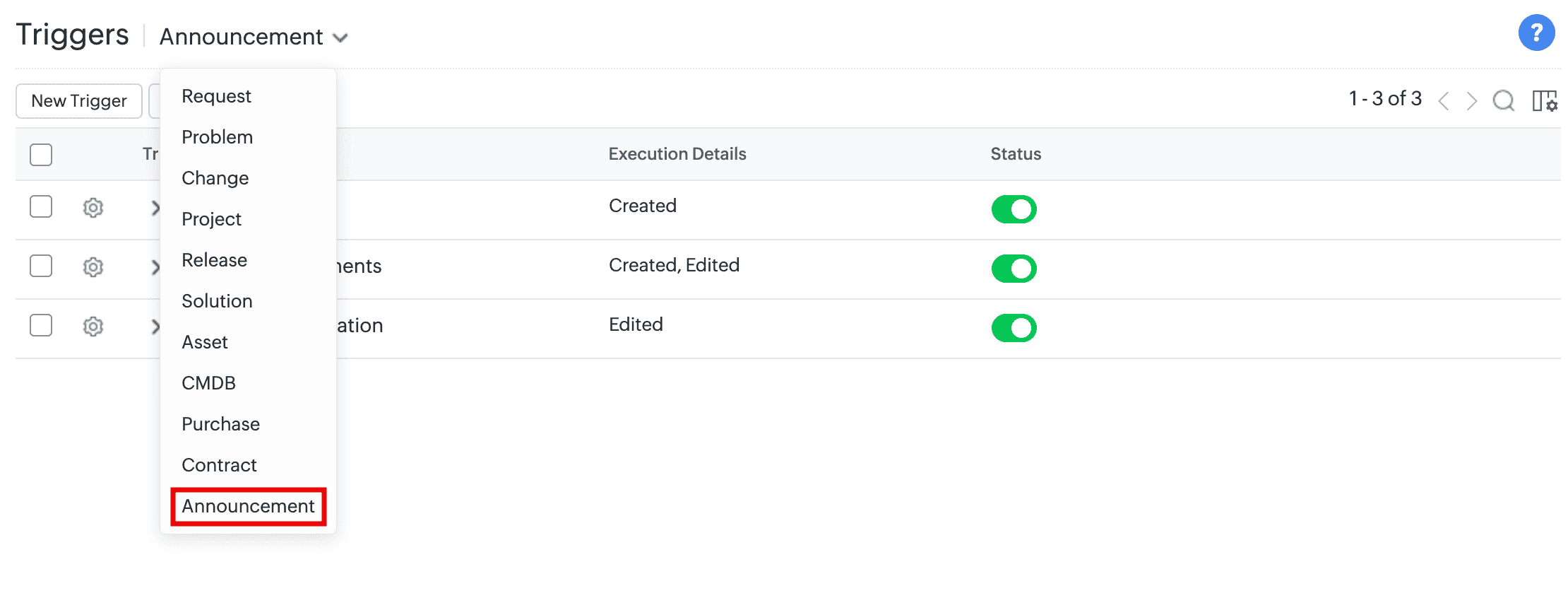
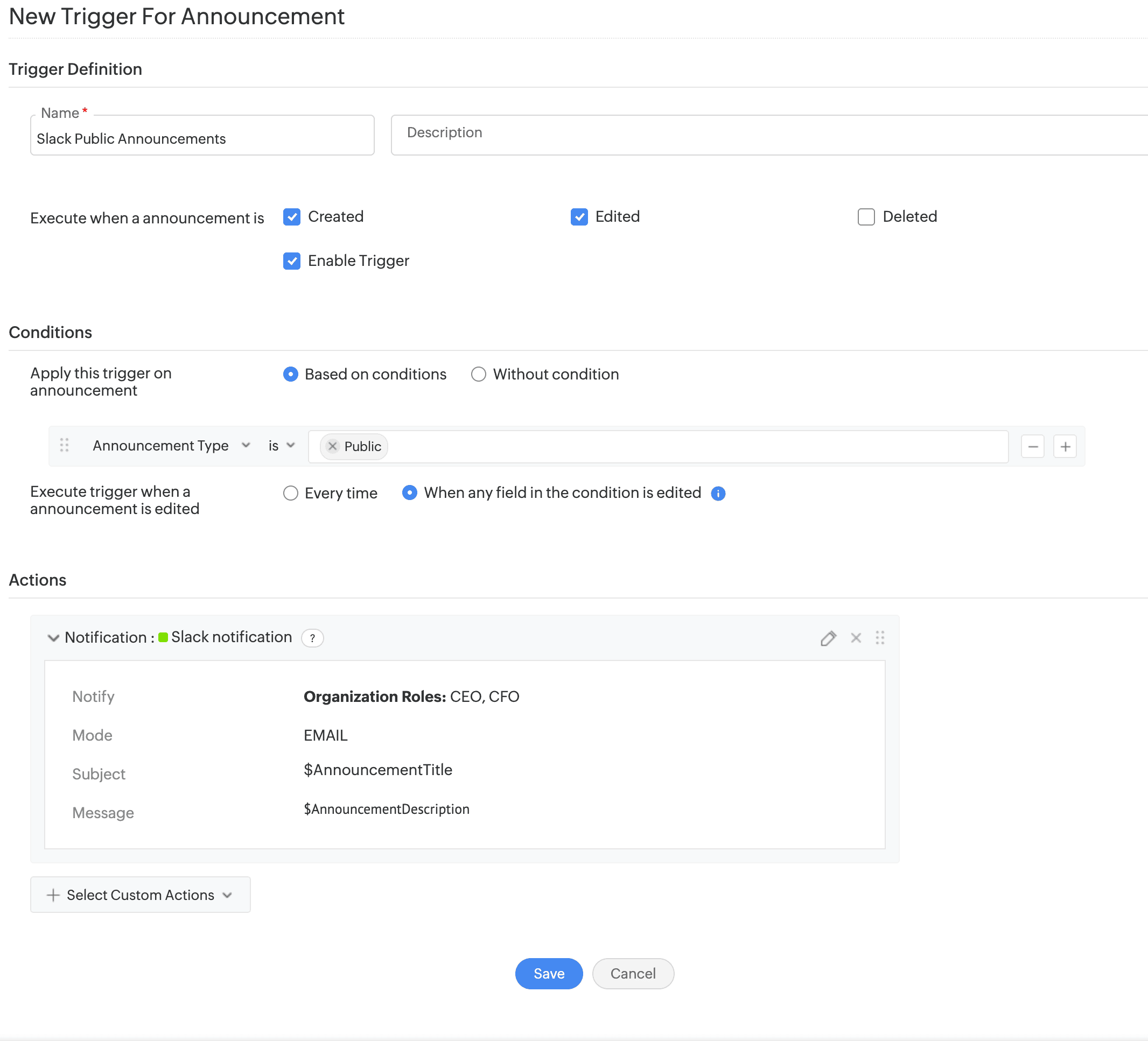
- Configure triggers to execute automated actions across ServiceDesk Plus Cloud and third-party applications when announcements are created, edited, or deleted.
- Supported actions include notifications, custom functions, and webhooks.
- You can do this under Setup > Automation > Triggers > Announcement.
Announcement Settings
- Choose pre-filled values in announcements created from a request, problem, change, or release details page. Enable the Apply template defaults for announcements created from selected modules option under Setup > General Settings > Advanced Portal Settings > Announcement Settings.
- When this option is enabled, the announcement template's defaults are shown. Otherwise, the defaults are replaced with the record's default field values (such as title and ID).

Zoho Flow Actions Enhancements
- You can now configure Zoho Flow actions and action sequences for the Problem and Release modules, and use them in corresponding triggers and workflows.

Zoho Flow Actions

Action Sequences
Insert Solutions in Request Replies:
- Technicians can now insert one or more solutions directly while replying to requests, allowing them to quickly reuse relevant knowledge base content without leaving the reply editor.
- Use Insert Solution to add solution manually from the knowledge base or use Zia to receive solution suggestions.

Referred Solutions in Archived Requests
- Archived request conversations and resolutions will now retain the referred solutions.
- The Referred in Requests section on the solution details page now lists archived requests in which the solution was referenced in the Resolution. Use the Archived Requests filter to view them.
Rich Text Additional Field Support
- Rich text additional fields are now supported in custom modules. You can create up to two rich text fields.
- In Custom Modules, form rule actions (show, hide, enable, disable, mandate, or non-mandate) are now supported for Attachment and Rich Text additional fields.
Software Additional Fields
- SDAdmin and AssetConfig roles can now create additional fields for software under Setup > Customization > Additional Fields.

- Supported field types are Single-line, Multi-line, Numeric, Pick List, Multi-Select, Date/Time, Date, Email, Phone, Currency, Web URL, Lookup, and Multi-Lookup.
- These fields are displayed in the software add form.
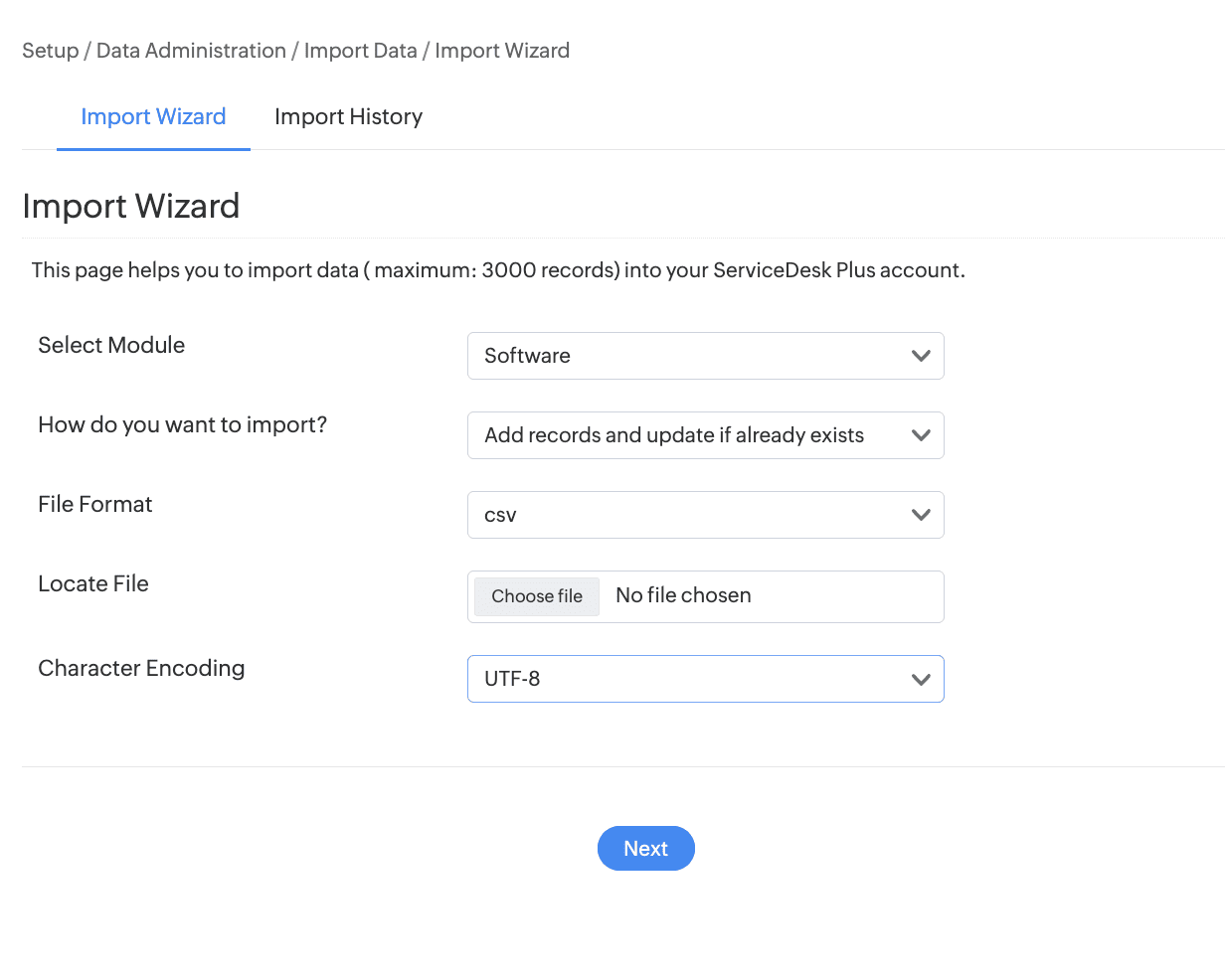
- Import software from Setup > Data Administration > Import Data.
- Generate custom tabular reports based on software additional fields.
Technician Group Support for Change Roles
- You can now assign a technician group to a change role, besides users and technicians.
- To configure a technician group for a change role, go to Setup > Customization > Change Management > Change Role. Create or edit a role and select Technician Group as the user type.

- For an existing change role, changing the user type to Technician Group removes all existing role assignments in Changes that are in the Submission stage.

Assign Technician Groups to Change Roles
- After associating a change role with a change template, you can assign a technician group to the role from the change details page.
- The available technician groups are based on the site associated with the change. Only one technician group can be assigned to each change role.
- When a user attempts to update an assignment associated with a modified change role, a message indicates that the existing assignment has been cleared, and the corresponding role field is highlighted to prompt reassignment.

- Changes made to role assignments are recorded in the change history.
Technician Group Roles in Automations
Technician group change roles can be:
- Updated by using the Field Update action.
- Used as criteria across automation rules.
- Used in Form Rule actions to set, clear, add, or remove field values and options dynamically.
- Technician groups can be configured in notifications and approvals.

Note : All upgrades and feature releases, will be in-service and there won't be any downtime or service interruption.
Stay tuned for more updates!!! We will update here once these upgrades are unwrapped in live
Please share your thoughts/queries/feedback.
Thanks and regards,
A N Nithish Kumar
ServiceDesk Plus Cloud