Seeking To Survey With ServiceDesk Plus
ManageEngine ServiceDesk Plus has it's own built-in survey option which allows for creating a series of feedback questions with graded user response and comments:
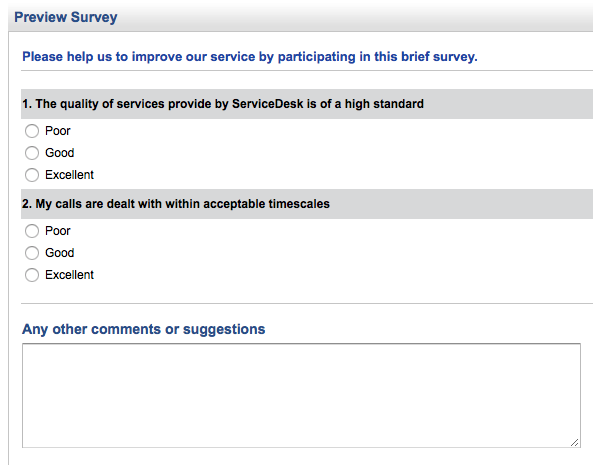
One particular client was looking to obtain feedback from their user base but wanted to omit sending too many notification emails to the users. As the in-built survey had it's own, separate notification email this didn't really suit this particular environment. In addition they were also looking to create a slightly more graphical survey presentation than the in-built survey option provided.
To help solve this particular issue we turned instead to the Zoho on-line tools for business cloud based Survey tool. Zoho Survey is a much more extensive survey tool with a range of features and options allowing you to create any manner of on-line surveys, quizzes or tests:
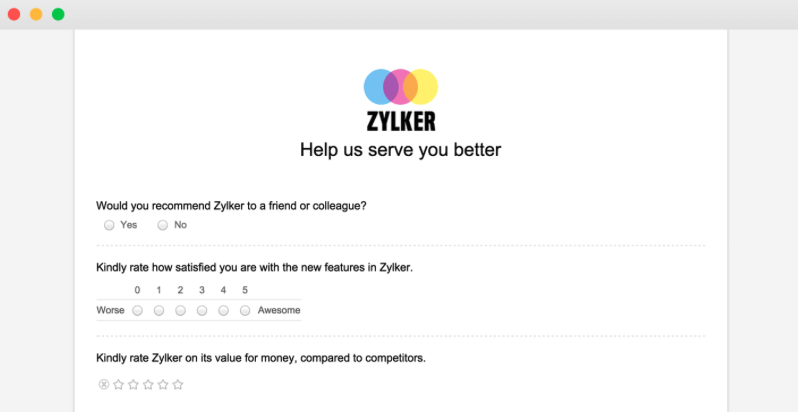
As an on-line survey tool it also meant that the customer could easily advertise access to the survey as a web link in the Request resolution email sent when Technicians resolved a user's issue or provided the requested service:
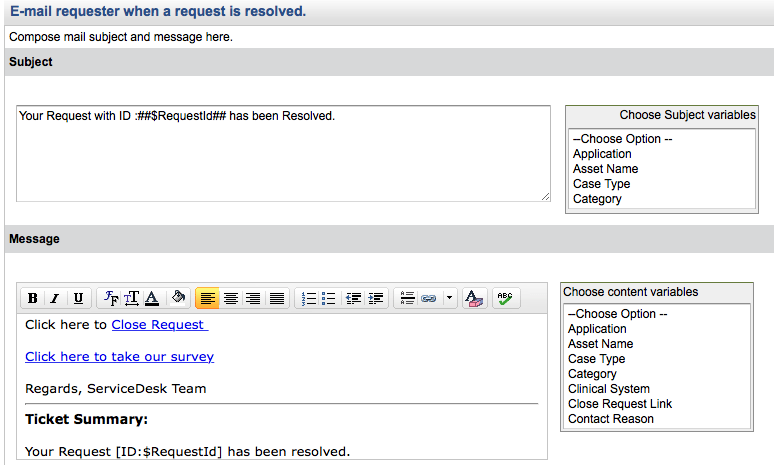
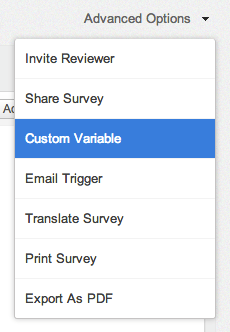
Now one additional trick used was to create a web link for the survey that included the Request ID as a parameter. This meant that the ServiceDesk manager would be able to review any negative feedback and trace it back to the user experiencing the issue in service provision and take any necessary corrective actions. To do this we simply created a variable in Zoho survey to store the passed parameter, e.g. TicketNo:
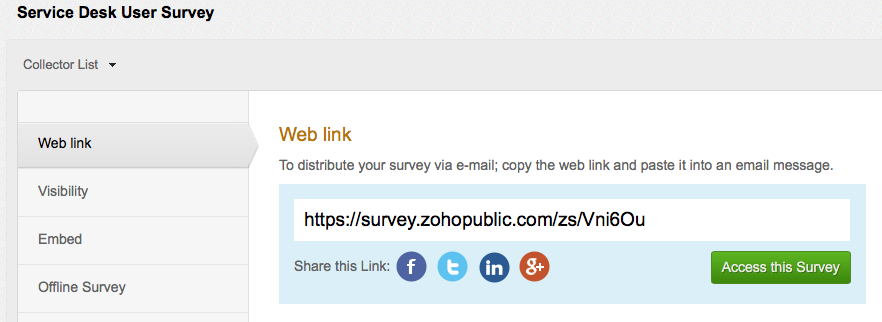
Using the Deploy options in Zoho Survey we used the publish web link details to include in the resolution email as shown previously but with the suffix of '?TicketNo=$RequestId' on the end of the web link to pass the RequestID to the Zoho Survey results:
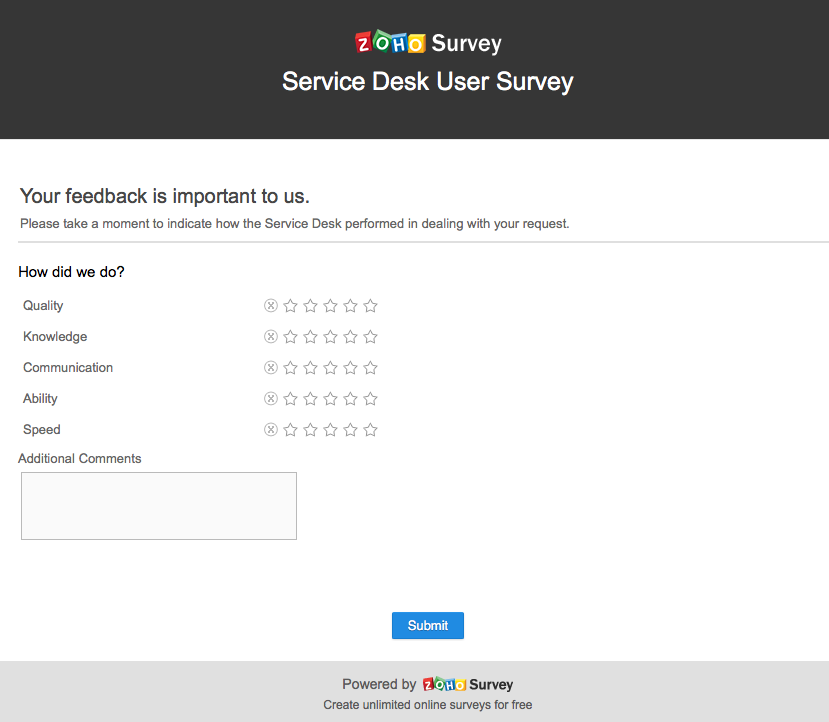
To the user the published web link takes them to the on-line survey:
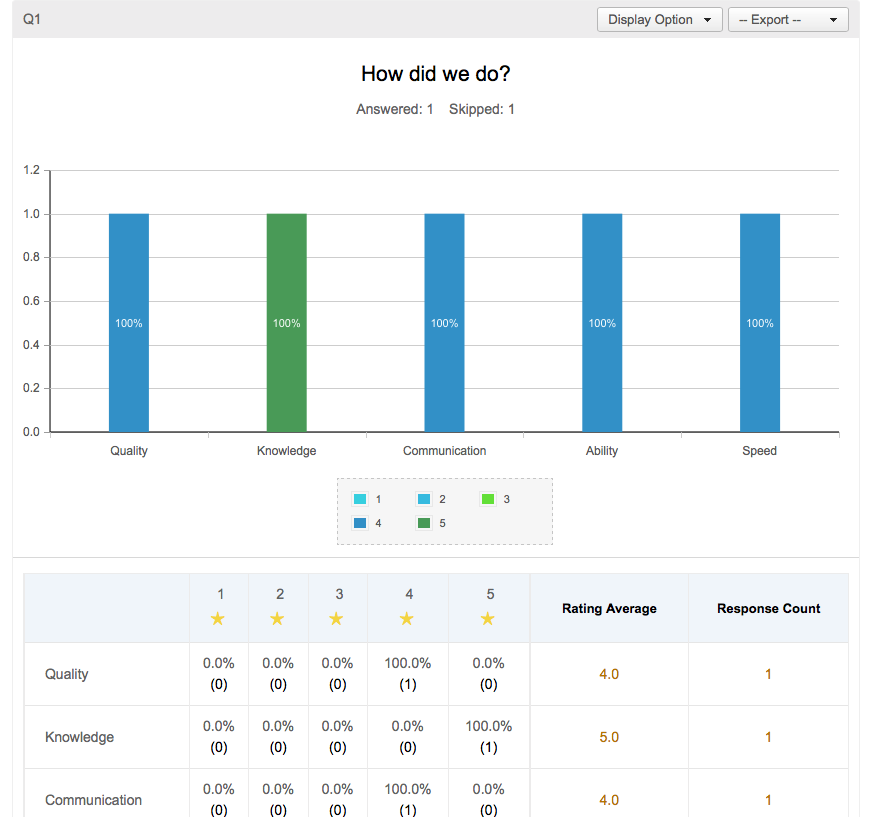
The Zoho Survey reports would then allow the ServiceDesk manager to review the users responses and find the RequestID for any of the survey responses, good or bad!