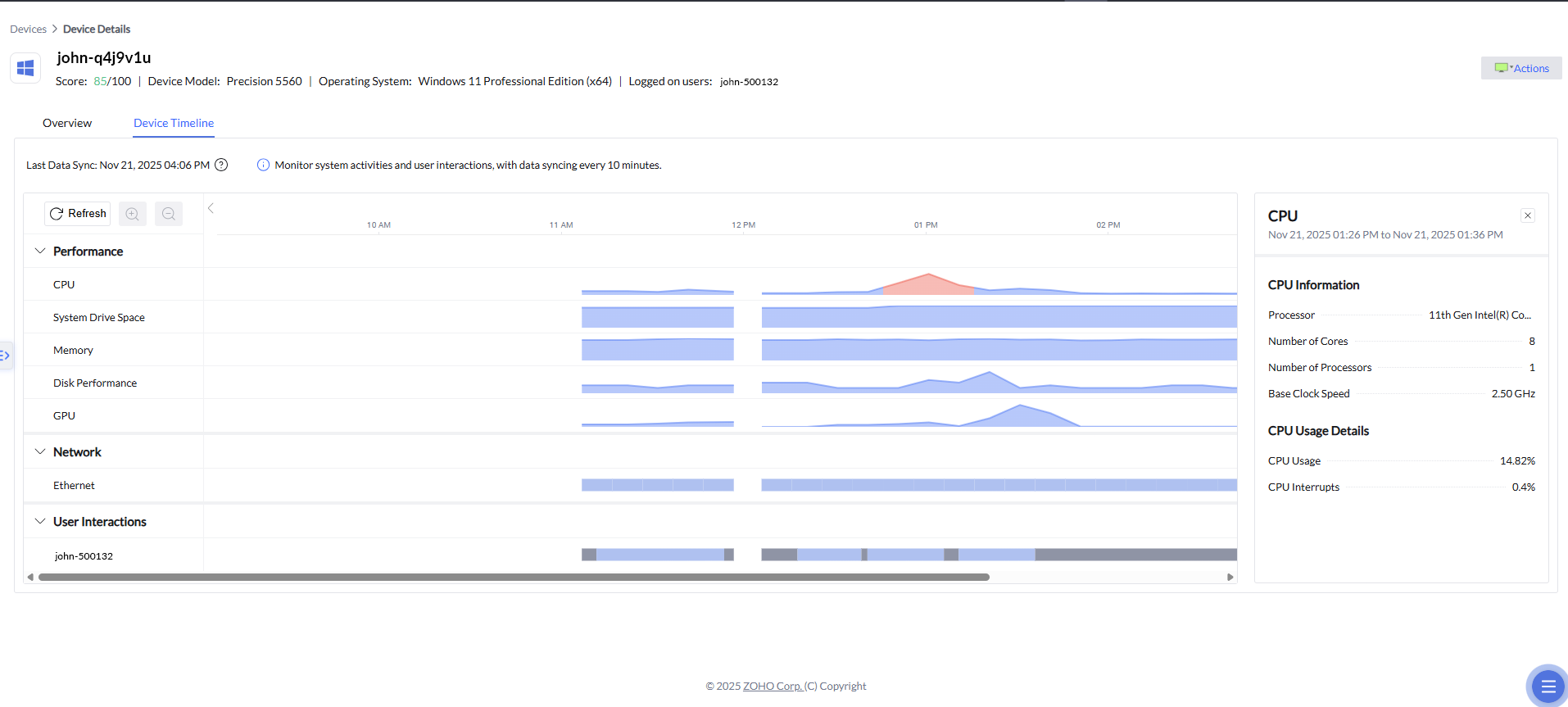
Device timeline

Device timeline

Hello everyone,


We're excited to introduce Device Timeline, a major upgrade to Endpoint Central’s DEX module that gives IT teams a clearer, more intuitive way to investigate performance issues.This is currently available for cloud users only.

This feature continuously tracks key device parameters and presents them on a time-sequenced timeline, making it easy to spot anomalies, correlate events, and understand exactly what happened at the moment a user faced an issue.


Why Device Timeline matters

When users report issues, like "My laptop froze around 11 AM,” “Teams lagged during my meeting,” “The system was slow after lunch”, IT often has little context about what was happening on that device at that exact time.

Device Timeline solves that by offering:

  • Historical telemetry

  • Minute-level visibility

  • Context around every user complaint


IT no longer needs to depend on point-in-time diagnostics or guesswork.


What you can see on the timeline

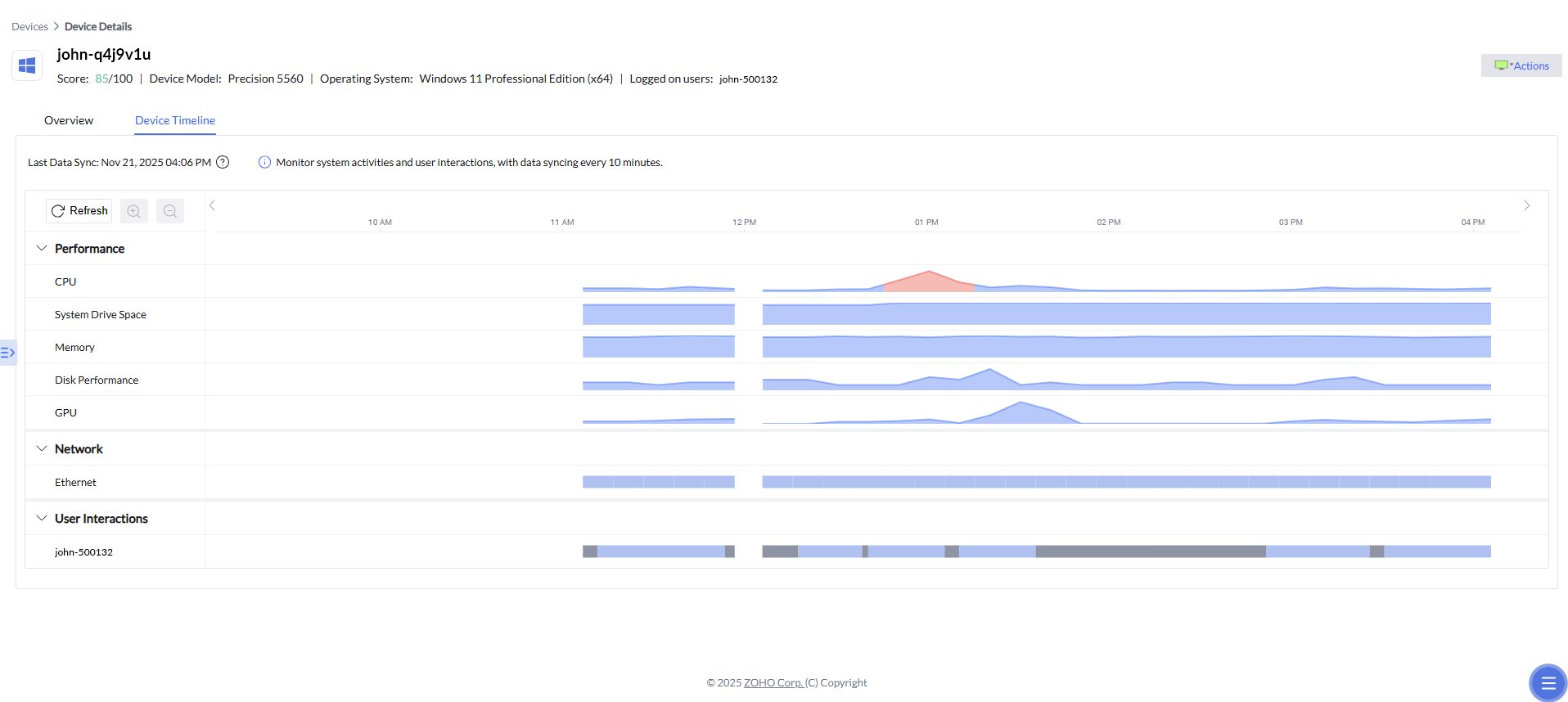
The timeline displays key performance, network, and user interactions metrics, synced at regular intervals, including:

  • CPU

  • System drive space

  • Memory

  • Disk performance

  • GPU

  • Ethernet

  • Wifi connectivity

  • User activity patterns

Each metric is plotted visually so admins can instantly notice unusual spikes or patterns. Devices are continuously monitored and data is posted to the server every 10 mins. We will incrementally be adding more parameters and insights to the timeline and will be making it available for Endpoint Central on-premises as well. 

Drill down into any spike or event

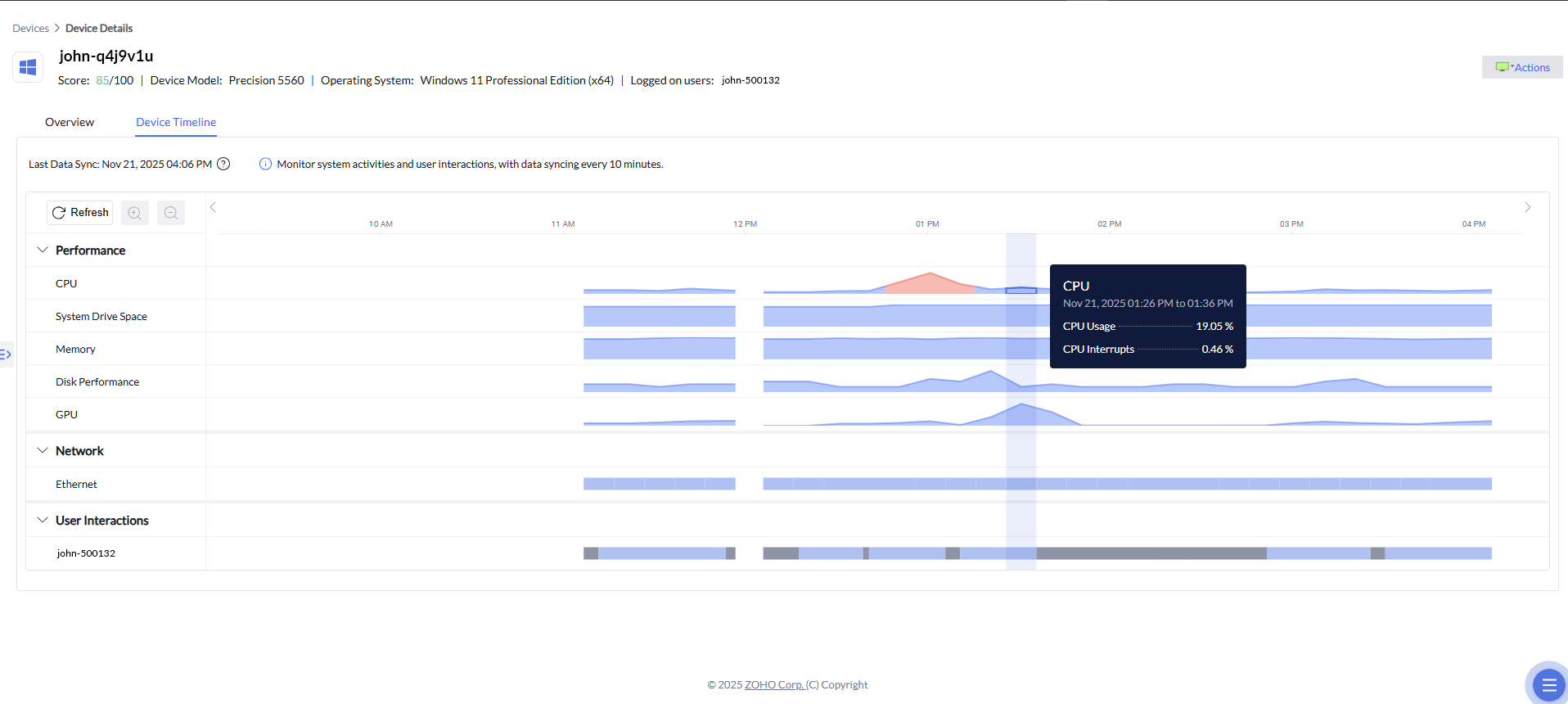
The timeline also comes with the ability to drill down into any point on the graph.

Apart from the information in the popover that comes when admins hover over a section of the timeline, clicking a spike opens a detailed panel on the right showing related telemetry as well, like:

  • Hardware or subsystem specifications.

  • Usage details for the selected time period.

  • Any relevant anomaly alerts associated with that time slice.
 

For example, if admins click on the spike in the CPU usage, they can see details like, Processor information (cores, clock, etc.), CPU usage details, CPU interrupts, and other relevant telemetry tied to that timestamp.Apart from CPU, admins can also check to see spikes or unusual activity with the other parameters to correlate causes. This transforms troubleshooting from a manual investigation into a guided, data-driven workflow.

Zia Anomaly Detection

Zia Anomaly Detection helps identify unusual system behavior by continuously analyzing CPU, GPU, and memory activity for each device. These metrics are fed into a machine learning model that learns the normal performance baseline over time.
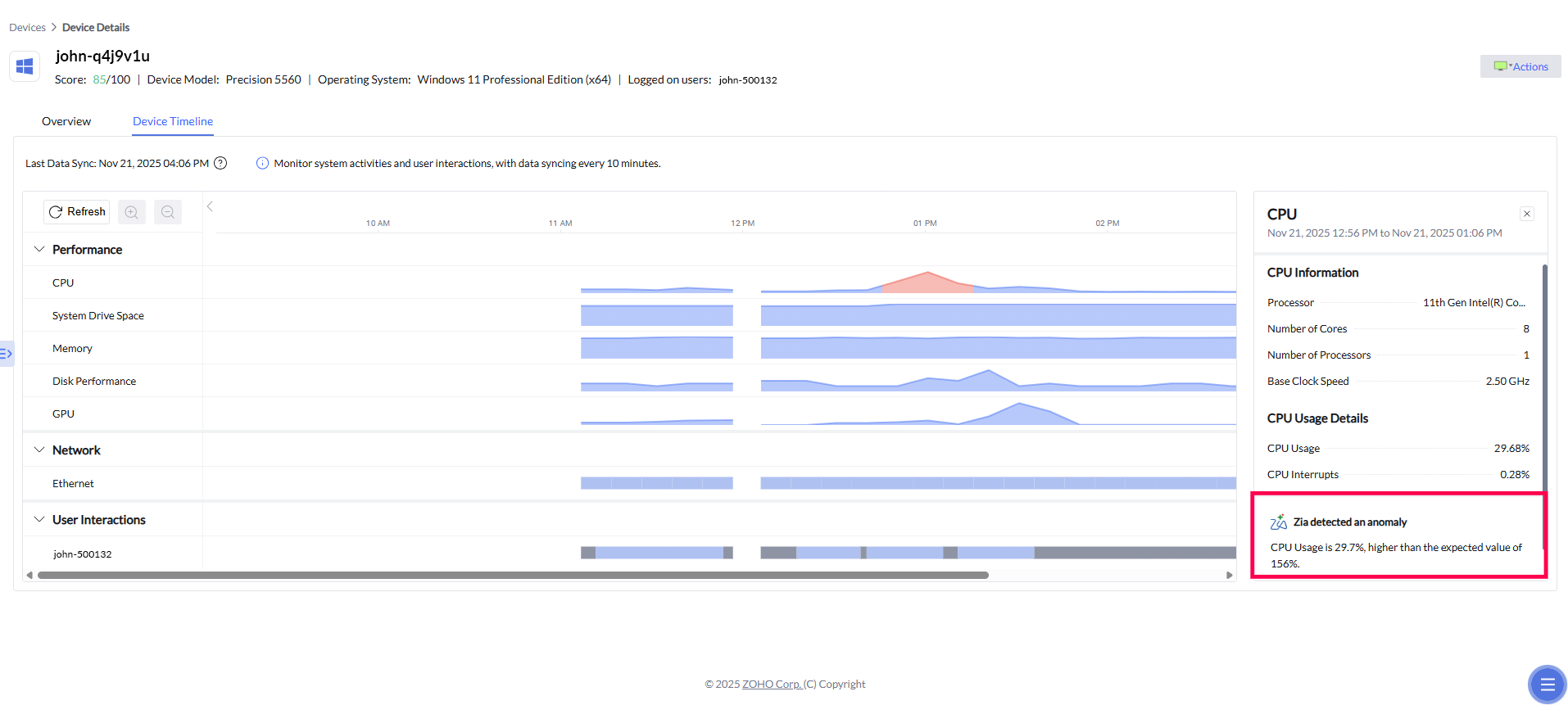
When the model detects a significant deviation from this established baseline, it generates an anomaly insight. These insights highlight unexpected spikes, drops, or performance irregularities and are surfaced directly to administrators for faster troubleshooting and root-cause identification.

In the example, Zia highlights:

  • CPU usage significantly higher than the expected range.

  • The normal operating range for comparison.

  • An automatically generated insight explaining the deviation.


These insights are extremely helpful when diagnosing performance abnormalities or understanding sudden changes in device behavior.


How are we rolling out the timeline feature?

We are rolling out this feature in a phased manner with first preference to customers who have purchased the DEX add-on, on cloud. This feature is a part of the DEX add-on for Endpoint Central and is not additionally priced. We are opening it up for the cloud users first. Users who would like to try this feature can reach out to us at endpointcentralcloud-support@manageengine.com

Cheers, 
The ManageEngine team

      • Sticky Posts

      • Device alerts and timeline just got smarter: Meet Alert Correlation and Zia-powered timeline insights

        Hello everyone, Two important updates just landed in Endpoint Central's DEX module and both help IT teams get to root causes faster. Now, IT teams will have fewer alerts to sift through, and less time spent piecing together what actually happened on a
      • New feature release: Device Timeline – Visualize, trace, and troubleshoot issues faster

        Hello everyone, We're excited to introduce Device Timeline, a major upgrade to Endpoint Central’s DEX module that gives IT teams a clearer, more intuitive way to investigate performance issues.This is currently available for cloud users only. This feature
      • Endpoint Central delivered 442% ROI according to Forrester Total Economic Impact study

        We are excited to share that we recently commissioned a Forrester Total Economic Impact™ (TEI) study to evaluate the potential benefits that organizations can achieve using Endpoint Central. The study found that interviewed organizations using Endpoint
      • Desktop Central protects from Win32/Conficker worm

        Hi All, Today is April 1st and there is a peril of Win32/Conficker worm. Win32/Conficker is a worm that infects other computers across a network by exploiting a vulnerability in the Windows Server service (SVCHOST.EXE). If the vulnerability is successfully exploited, it could allow remote code execution when file sharing is enabled. Depending on the specific variant, it may also spread via removable drives and by exploiting weak passwords. It disables several important system services and security
      • ManageEngine Desktop Central Supports the Greening of IT

        ManageEngine Desktop Central Upgrade Supports the "Greening" of IT; Software Minimizes Energy Use Automates Shutdown of Computers During Non-Office Hours; Generates Monthly Reports Used in Claiming Utility Rebates AUSTIN, TX--(Marketwire - January 27, 2009) - ManageEngine, makers of a globally renowned suite of cost effective network, systems and security management software solutions, today announced an update to Desktop Central, the company's web-based Windows Desktop Management Software, with

                        New to ADSelfService Plus?