Manage Apps Directly from the ME MDM Admin App
Managing apps on your endpoints just got faster and more convenient.
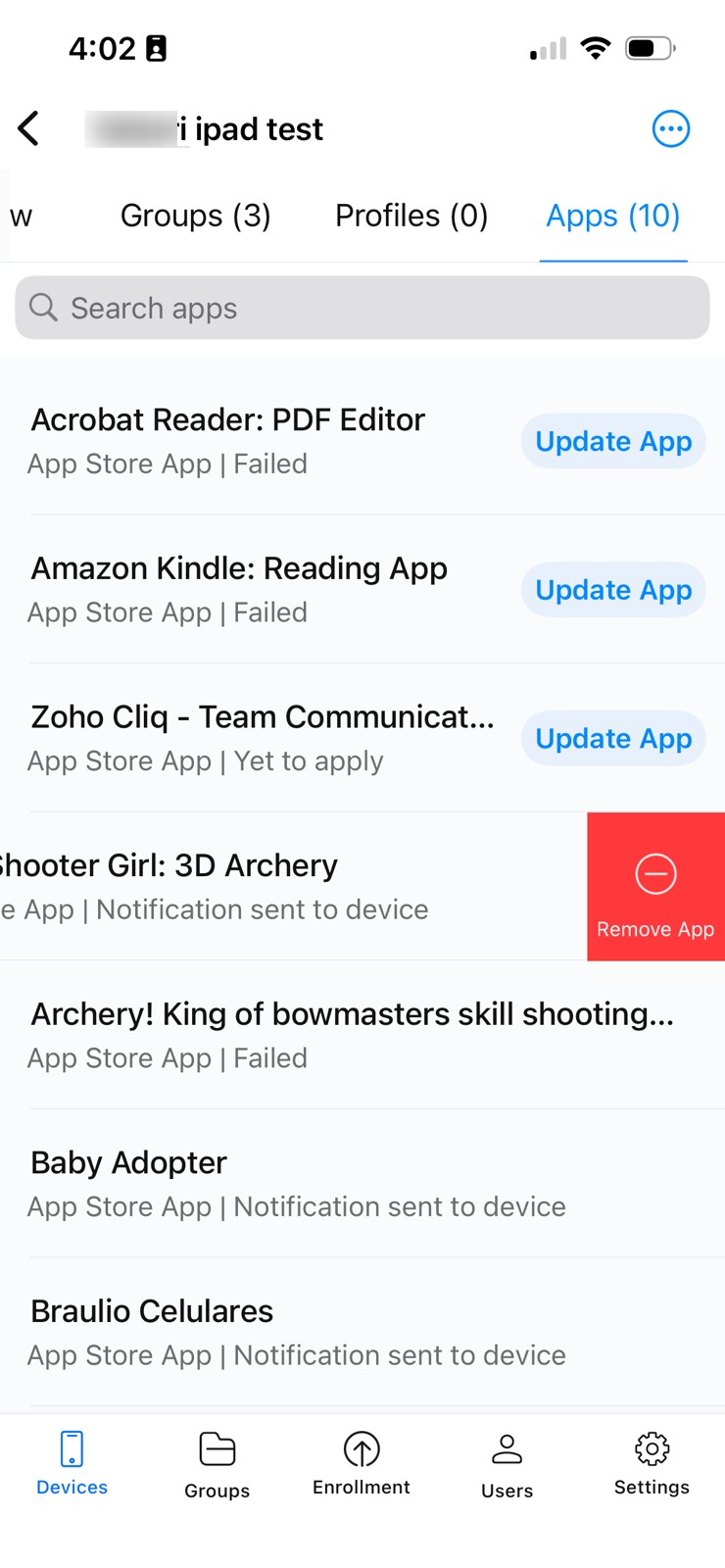
With the latest update to the ManageEngine MDM Admin app, you can now manage applications directly from the Device Details and Group Details screens, eliminating the need to navigate through multiple menus.
Whether you're responding to an urgent support request or performing routine maintenance, you can update, remove, distribute, or clear app data from anywhere, helping you keep your managed devices up to date with minimal effort.
What's New?
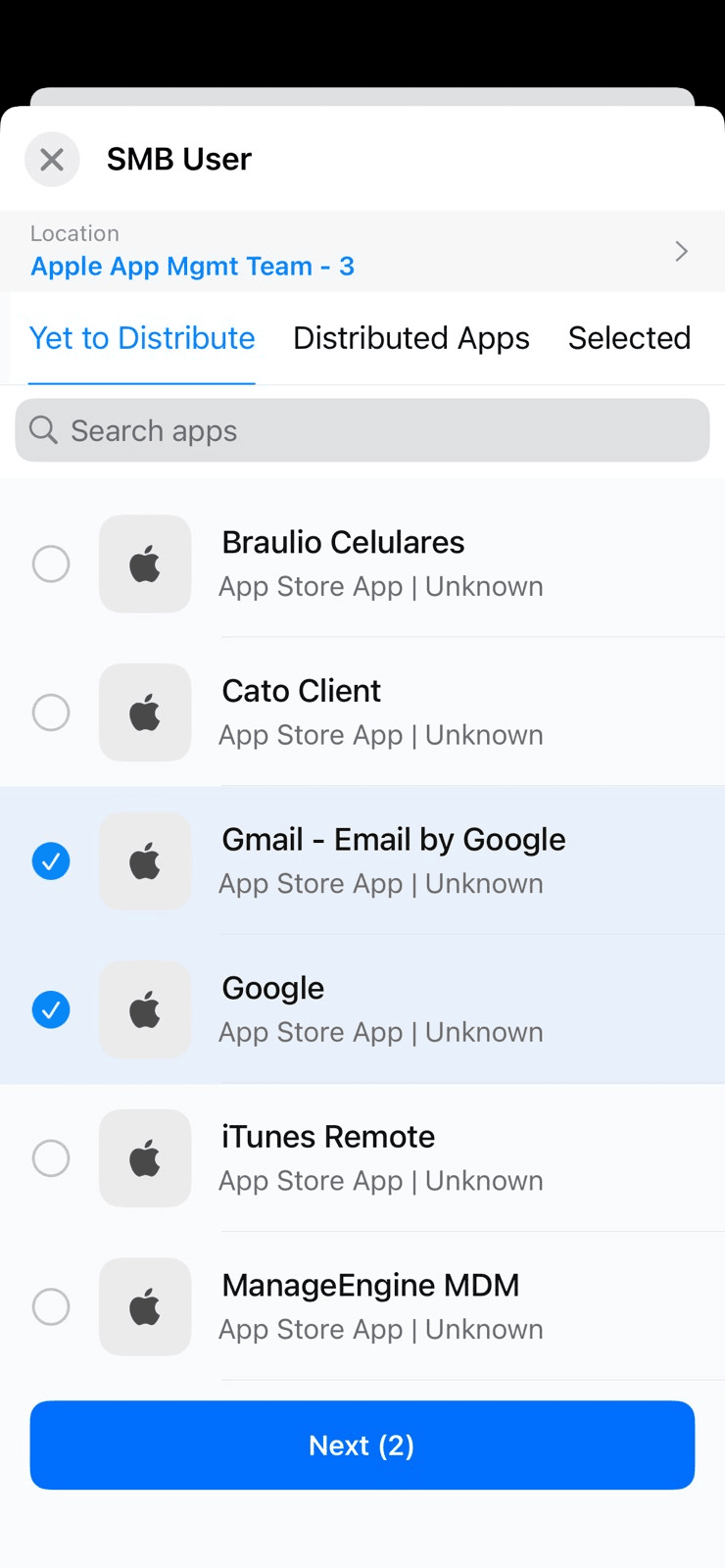
From the Apps section within Device Details and Group Details, you can now:
Update apps on managed devices or groups with a single tap.
Remove apps directly from the selected device or group.
Perform bulk actions by selecting multiple apps and updating or removing them simultaneously.
Distribute apps instantly to devices or groups without leaving the current screen.
Clear app data remotely to troubleshoot application issues or reset app state on managed devices.
How to Use
Open the MDM Admin app.
Navigate to Devices or Groups, and open the required device or group.
Scroll to the Apps section to view all associated applications.
Select an app to Update, Remove, or Clear Data.
Use multi-select to perform bulk update or removal actions.



Manage your enterprise applications more efficiently, right where you need them. This enhancement streamlines everyday app management tasks, enabling administrators to respond faster and reduce the number of steps required to maintain their managed devices.
Regards,