[KB] Prevent Intruder's Attack -3: Disable user mailboxes
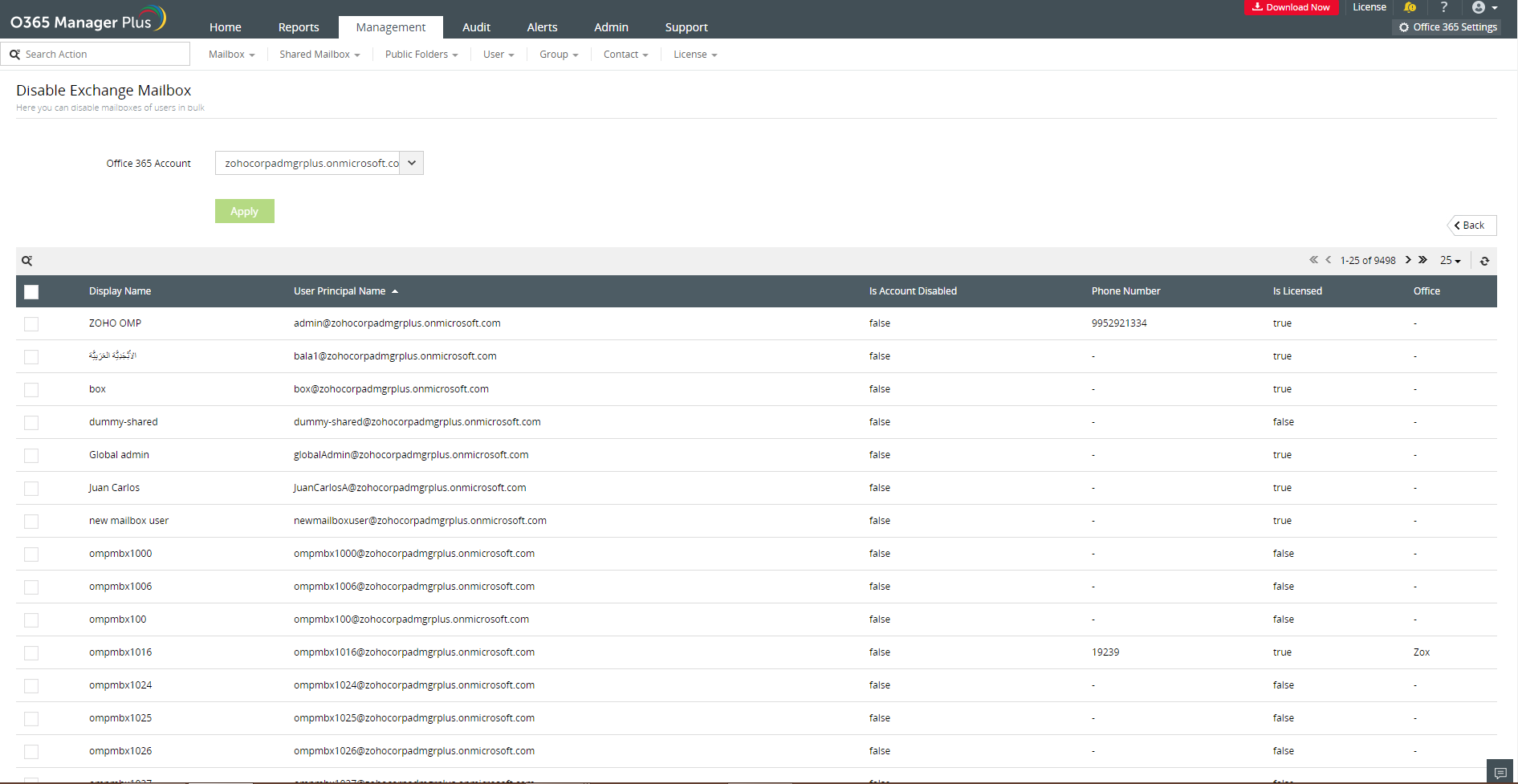
Last week we saw how to change user passwords in bulk, which was suggested as one of the ways to prevent intruder's attack. This week we will learn how to disable user mailboxes in bulk. Using native Office 365 you can search for the mailboxes one by one and disable them. But with O365 Manager Plus, you can disable the mailboxes in bulk irrespective of their count in a few clicks.
When a mailbox's credentials are compromised, we cannot afford to lose the contents of the mailbox, if it is a shared mailbox or a generic mailbox like support@example.com, sales@example.com, etc. In that case, you should opt to disable the mailboxes. By disabling a mailbox you just disconnect the mailbox from the username, so that it can be given the same username or assigned a different one at a later time.
Disable user mailboxes in bulk
- Go to Management tab.
- Select Disable Exchange Mailbox under Exchange mailbox tasks.
- Select the Office 365 account.
- To find the mailboxes you want to disable, you can either select the mailboxes manually by typing their names or use CSV file to import user mailboxes.
- Click Apply.
O365 Manager Plus is a boon when it comes to bulk management tasks. To know more about the Office 365 management features provided by O365 Manager Plus, click here.
Next week I shall show you how to remove user licenses in bulk to avoid unauthorised mailbox access.