[KB] How to keep an eye on mailbox traffic?
Administrators need to be vigilant about mailbox traffic for reasons including the following:
Identifying spamming activity:
Sometimes, an abnormal number of emails may be sent to or received from users. This could be an indication of spamming activity and needs to be checked immediately.
Balancing server load:
Admins need to keep an eye on server loads. One server may be handling more load than the others, which leads to problems such as email delays, slow logons, and other performance issues. Analyzing mailbox traffic helps balance server loads.
Solution:
Exchange Reporter Plus offers comprehensive reports for analyzing mailbox traffic.These reports will help you in understanding the usage of mailboxes in your organization.
They can be found under the Email Traffic category of the Reports tab of Exchange Reporter Plus.
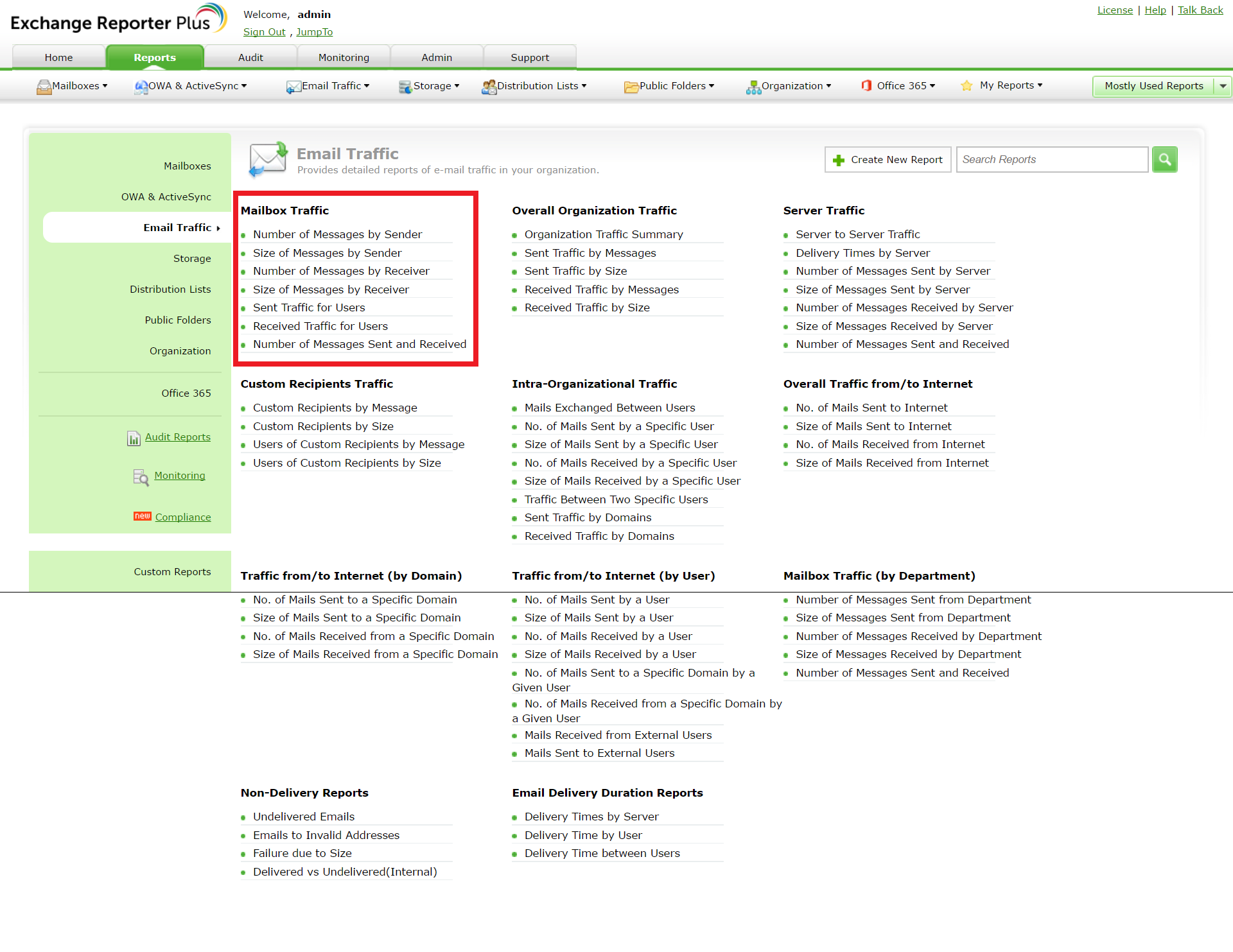
Figure 1: Mailbox traffic reporting in Exchange Reporter Plus
Identify spamming activity by using the Number of Messages by Sender/Receiver and Size of Messages by Sender/Receiver reports. These reports display the number and size of messages sent to and received by all the employees in your organization. If there is an abnormal number in any of these reports, you could dig deeper to identify probable spamming.
Balance server loads by using the Number of Messages Sent and Received report. This report summarizes statistics about all the internal and external messages sent and received in your organization. For a more detailed look into server loads and traffic, you can also use the Server Traffic reports, as shown in Figure 2.
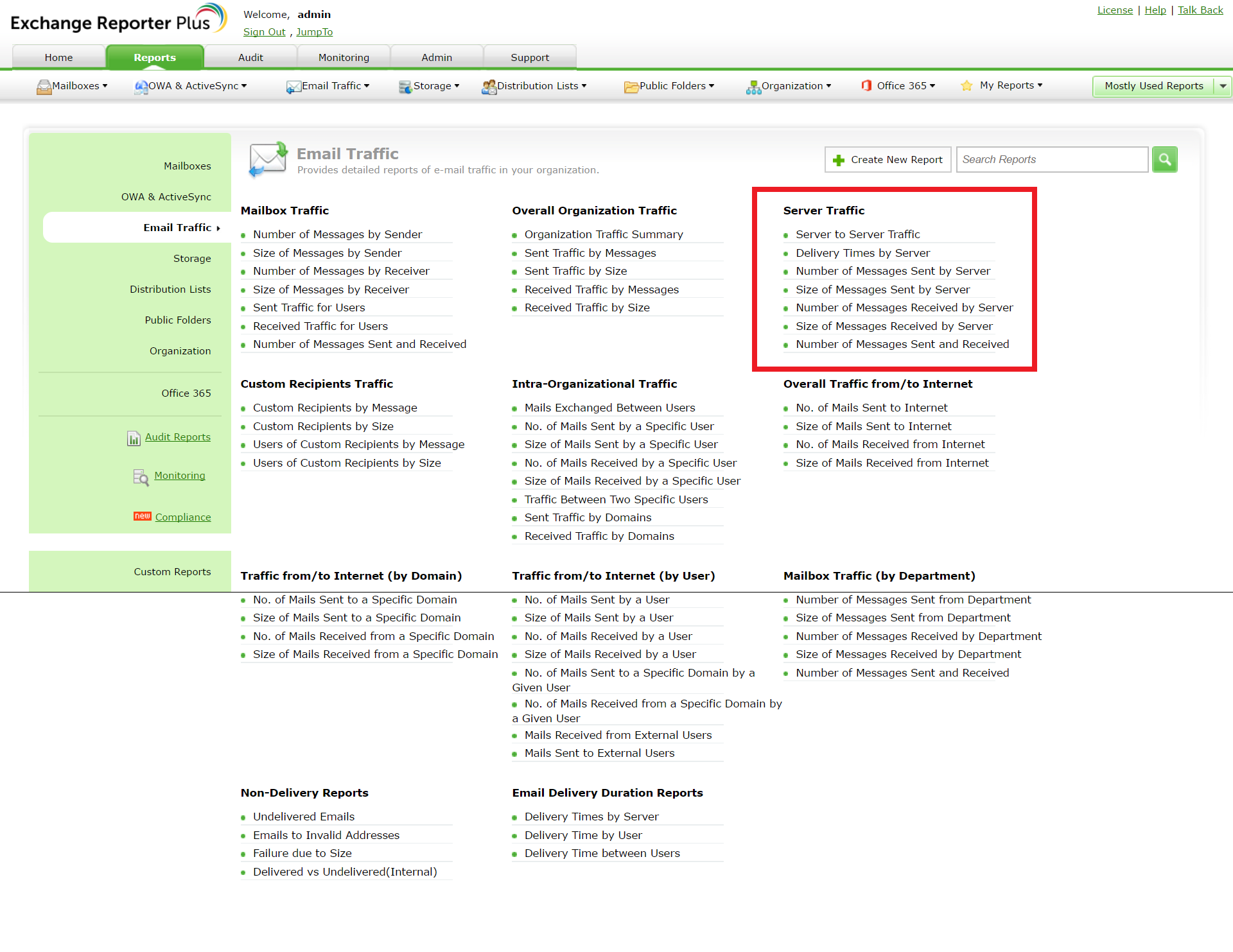
Figure 2: Server traffic reporting in Exchange Reporter Plus
Identifying spamming activity:
Sometimes, an abnormal number of emails may be sent to or received from users. This could be an indication of spamming activity and needs to be checked immediately.
Balancing server load:
Admins need to keep an eye on server loads. One server may be handling more load than the others, which leads to problems such as email delays, slow logons, and other performance issues. Analyzing mailbox traffic helps balance server loads.
Solution:
Exchange Reporter Plus offers comprehensive reports for analyzing mailbox traffic.These reports will help you in understanding the usage of mailboxes in your organization.
They can be found under the Email Traffic category of the Reports tab of Exchange Reporter Plus.
Figure 1: Mailbox traffic reporting in Exchange Reporter Plus
Identify spamming activity by using the Number of Messages by Sender/Receiver and Size of Messages by Sender/Receiver reports. These reports display the number and size of messages sent to and received by all the employees in your organization. If there is an abnormal number in any of these reports, you could dig deeper to identify probable spamming.
Balance server loads by using the Number of Messages Sent and Received report. This report summarizes statistics about all the internal and external messages sent and received in your organization. For a more detailed look into server loads and traffic, you can also use the Server Traffic reports, as shown in Figure 2.
Figure 2: Server traffic reporting in Exchange Reporter Plus
Stay tuned for next week's Tips and Tricks post on another facet of email traffic!