Exhaustive preconfigured reports that can be scheduled and exported, help you to keep track of Office 365 usage in your organization effortlessly. O365 Manager Plus allows you to create your own customized reports, to retrieve only the required data from the trove of information available. To create your own report, follow the below-mentioned steps.
Filter the required data
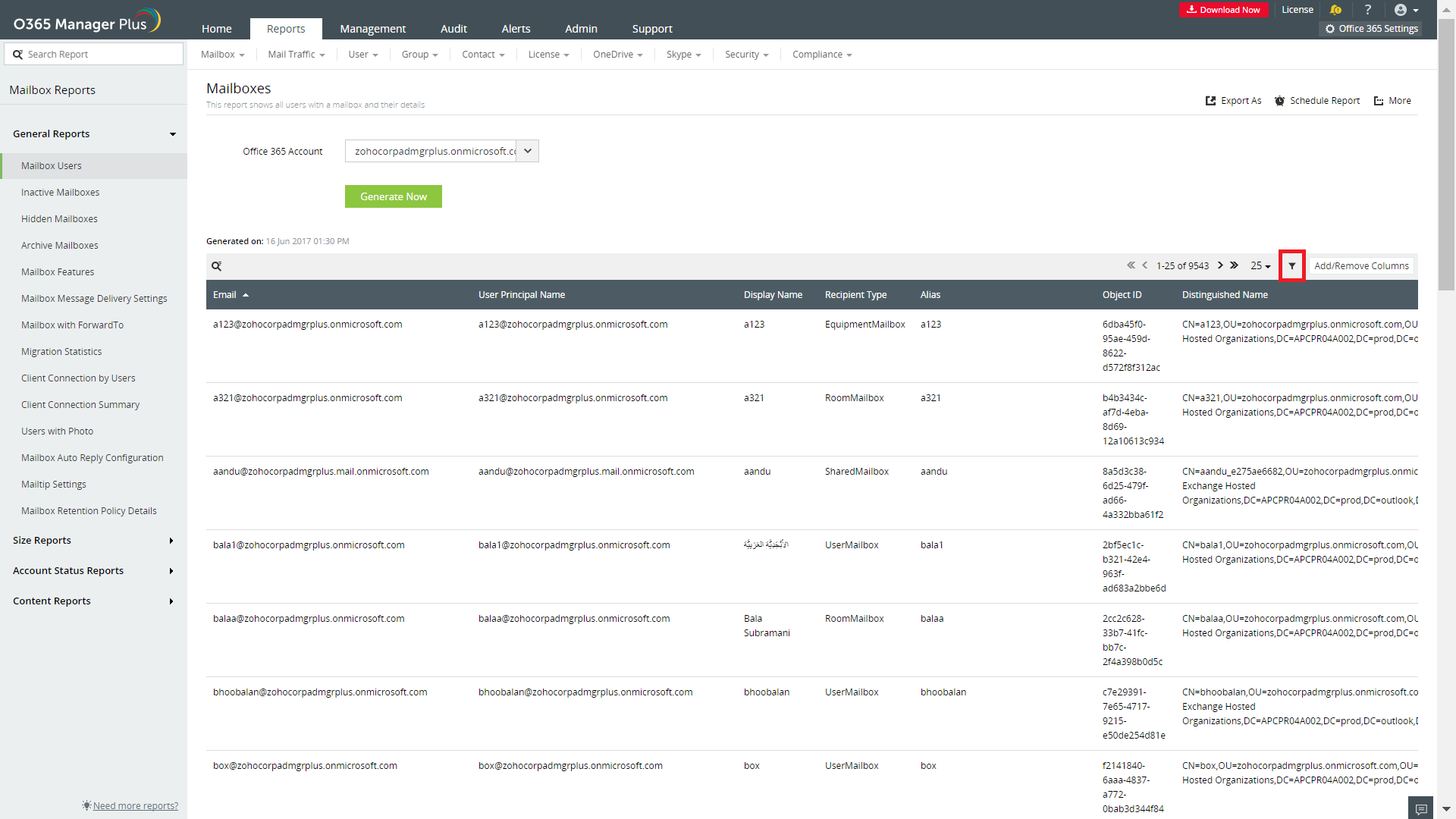
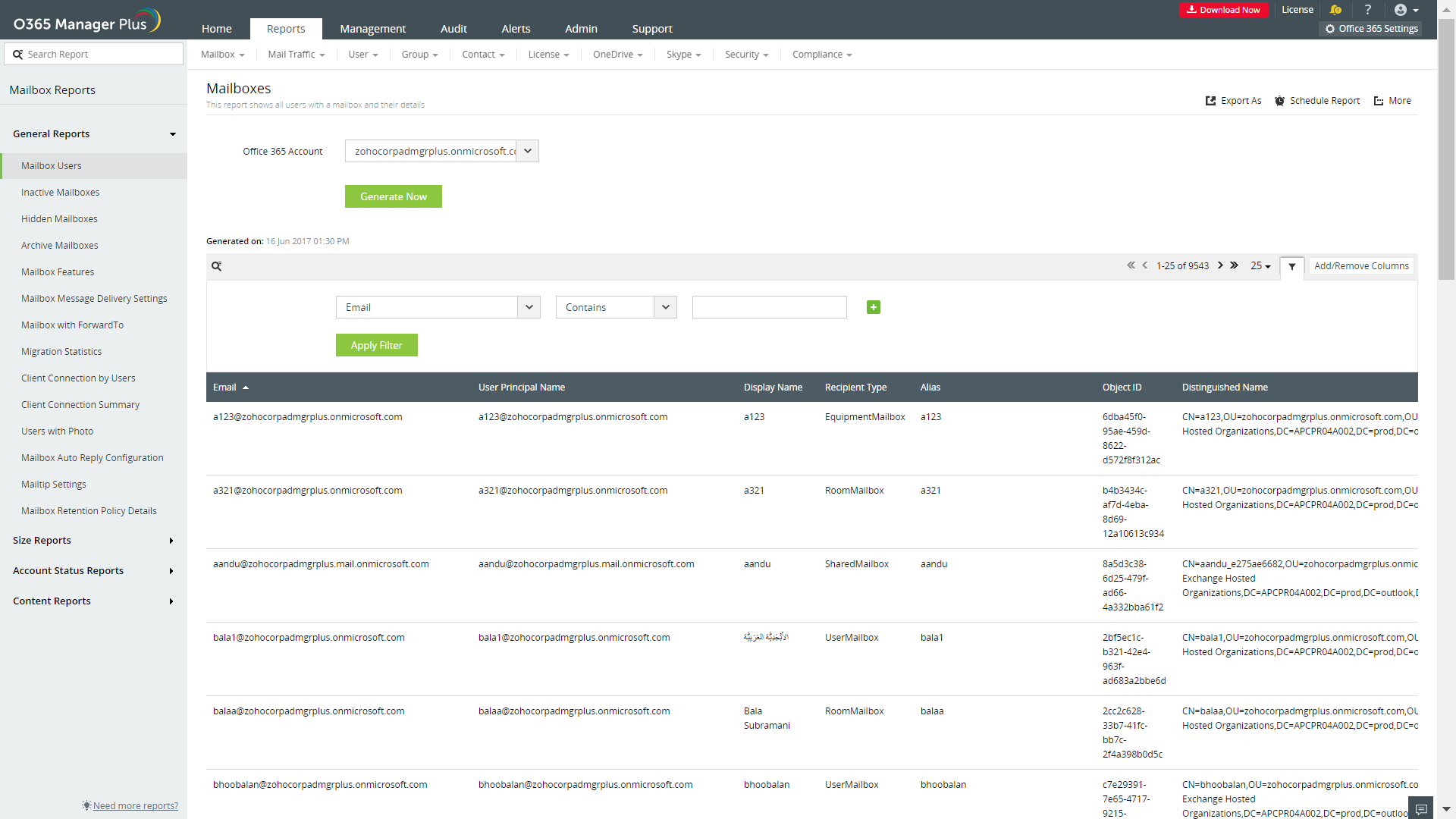
O365 Manager Plus allows to you to retrieve only the required data from a particular report using filters. For example, if you generate mailbox users report, details of all the mailbox users in your organization will be retrieved. But using the filter option you can filter the users based on the display name, email, user principal name, and more.
Steps to follow
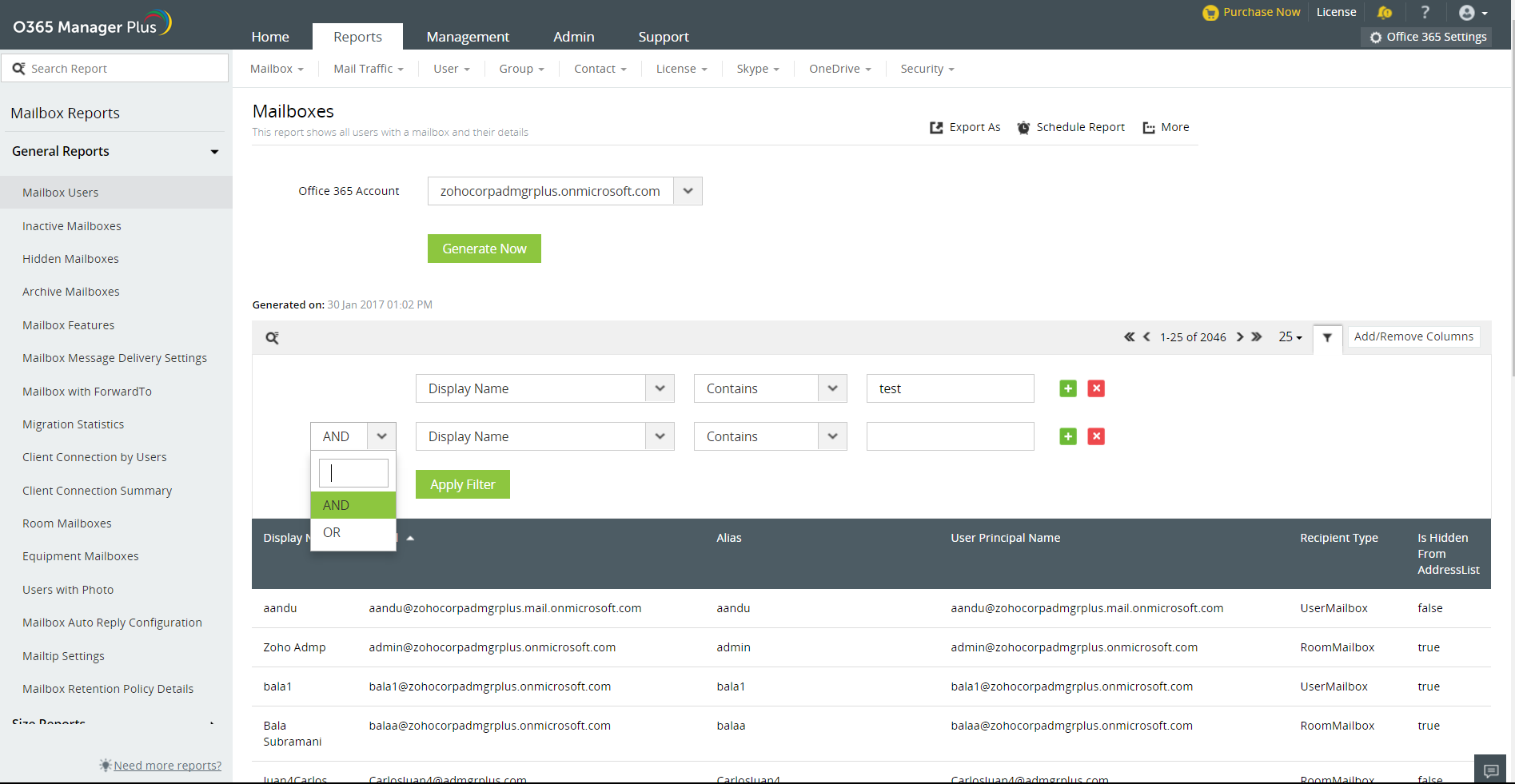
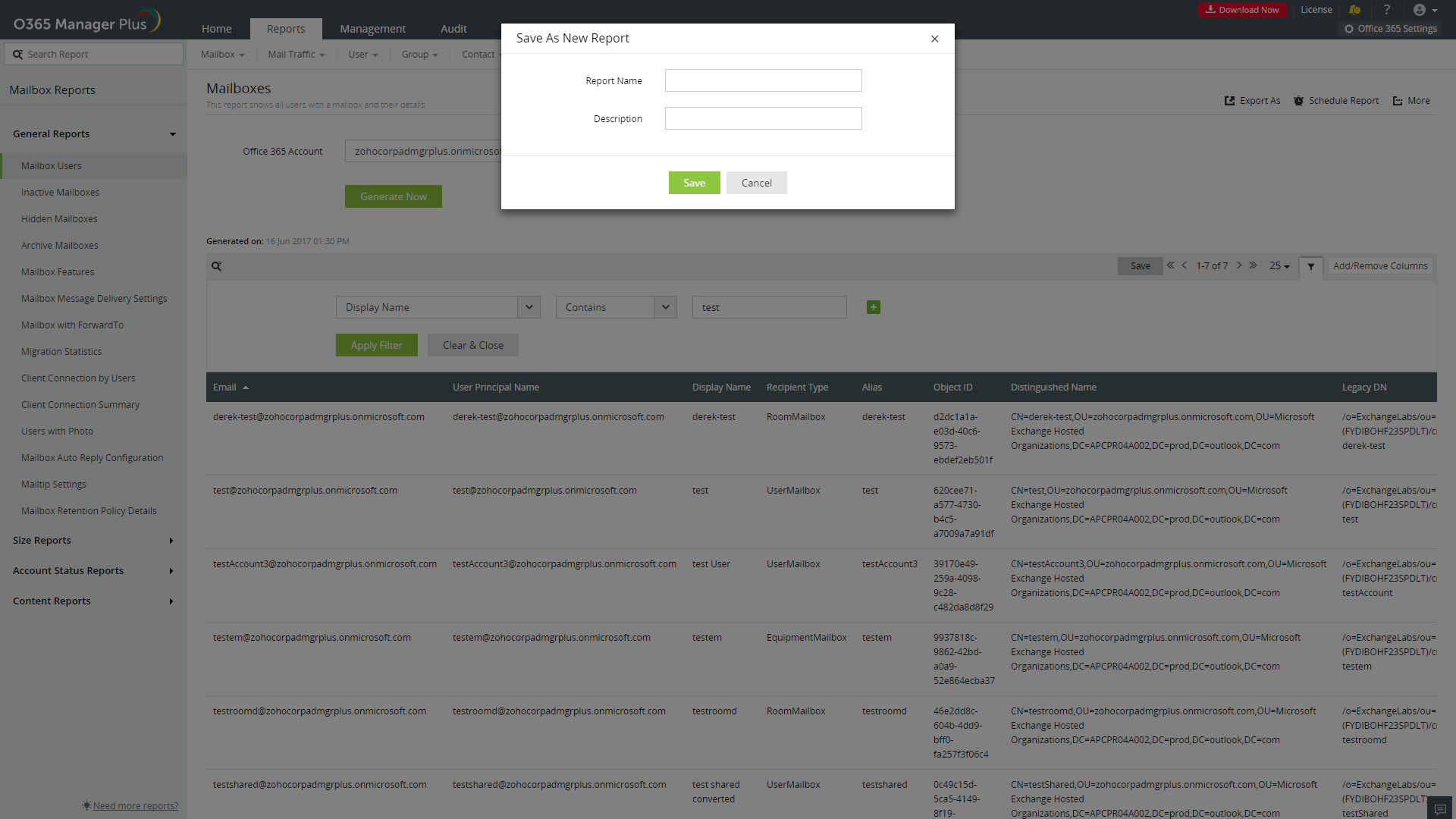
If you give your option as "Display Name - Contains - test", all the users with the term "test" in their display name will be retrieved. You can set multiple conditions using the + option, and can also prefer whether all the conditions should be satisfied or either of the conditions should be satisfied, using AND/OR option. [Refer image]
Create your own report
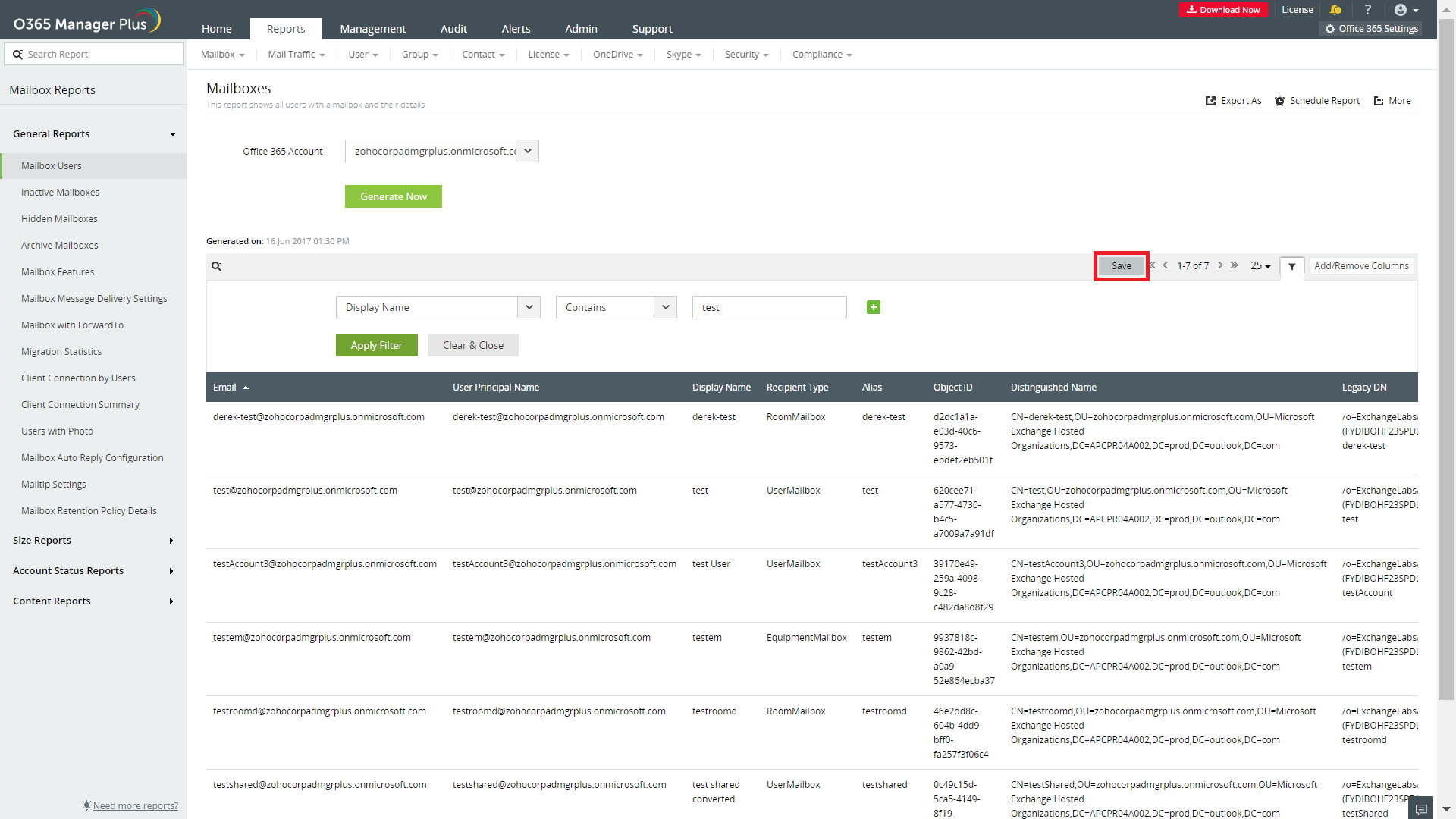
After retrieving the required data using filter option, you can save the settings to create your own report, so that you don't have to do it all over again.
Steps to follow:
You can now generate the report whenever you want without having to set the filters again. You can even schedule the report, export to PDF, XLS, HTML or CSV format, and have it mailed to the administrator automatically.
Read more about O365 Manager Plus . You can try online product demo .