HTML Notification corruption - SDP adds intrusive HTML
We have been using a method for adding full HTML notifications to SDP for a while now. It basically involves:
- Create a HTML file using Notepad++ (specifically targeting compatibility with Outlook)
- Open a blank email, remove any text
- Use the 'Insert as text' function to add the HTML file as content in the email
- Copy and paste into the SDP notification window
- Save the notification
This has been working now for quite a while and works flawlessly on all notification except one!
If I use the process above with the notification 'Notifying technician when a note is added' after saving SDP adds a crazy amount of:
<font face="Times New Roman" size="3"><br><br><br></font>
Into the source of the notification, like dozens and dozens of them.
For example, if I use the above process, copy the notification into 'Alert technician by e-mail when a request is assigned.' the notification will look like this:
Working Notification
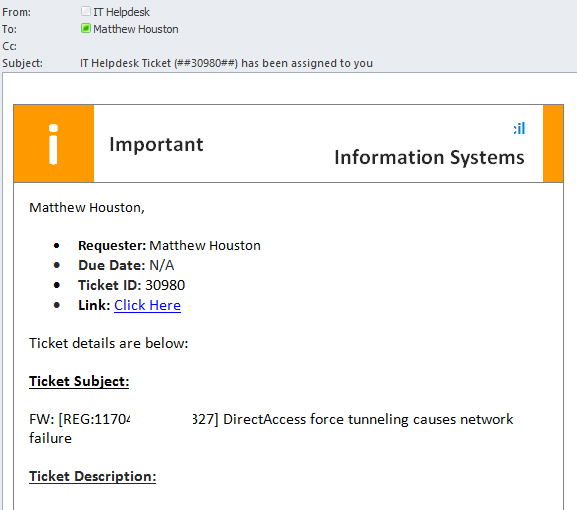
The source of this file is also fairly clean, though it does add dozens of:
<font face="Times New Roman" size="3">
</font>
Notice it doesn't include the dozens of <br> inclusions, so the formatting remains consistent with the original.
<continued in comment as content too long>