Enterprise Edition - Bulk Import of Assets
If you're an existing ServiceDesk Plus Enterprise user you might find this blog post useful.
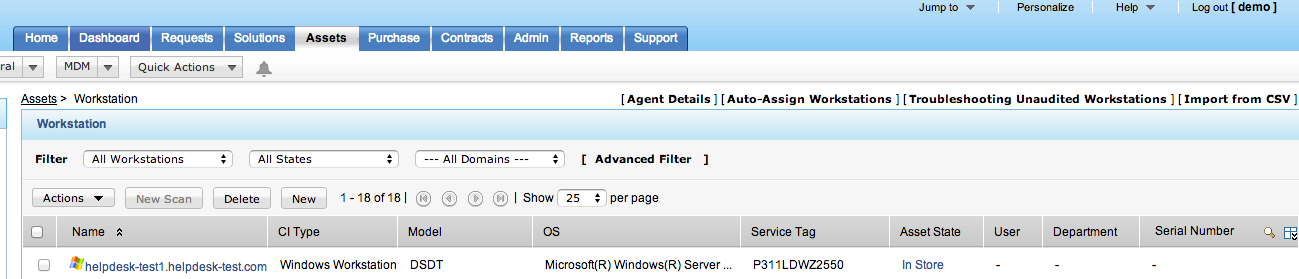
In the Professional Edition of ManageEngine ServiceDesk Plus you have an option to import assets from any of the Product Type summary displays. The example below is from the Workstation summary list and the 'Import from CSV' link is on the far right of the display:
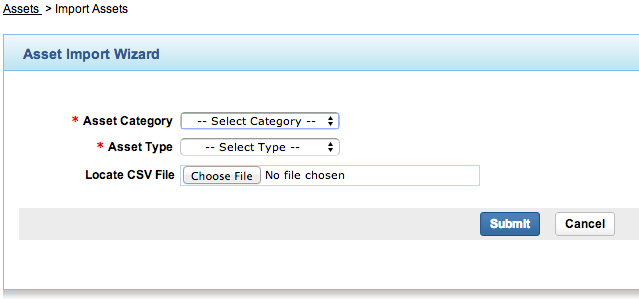
Clicking on this link gives you the option to import into the 'IT' (licensed) or 'Non-IT' (not licensed) portion of the Asset register:
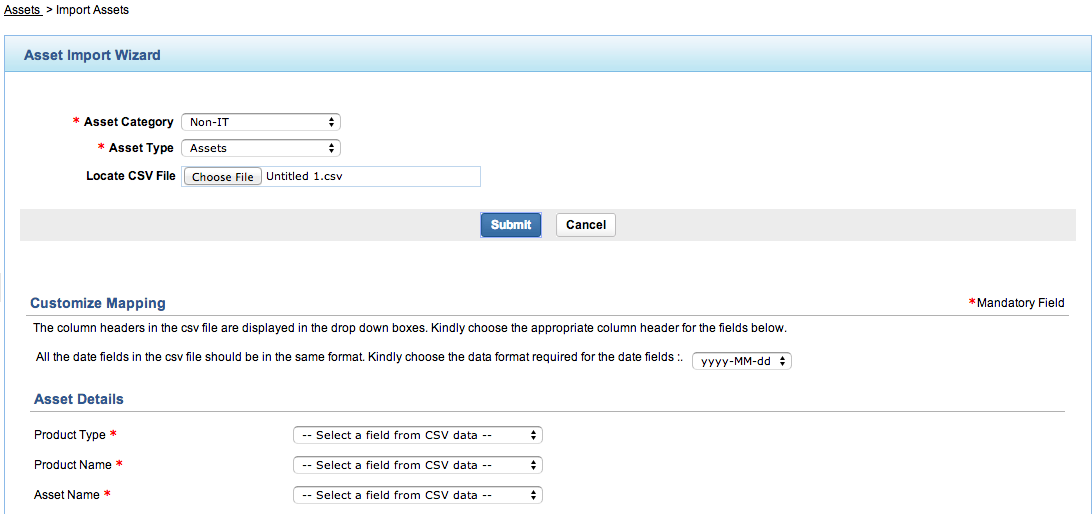
Once you've chose the intended destination for the import data you are presented with a relevant field mapping display. The mandatory mapping fields will vary slightly for workstations as opposed to Assets. In the example I've chosen to import Non-IT Assets:
If you follow the same approach in ManageEngine ServiceDesk Plus Enterprise you get an entirely different import option based around the Configuration Item (CI) Type:
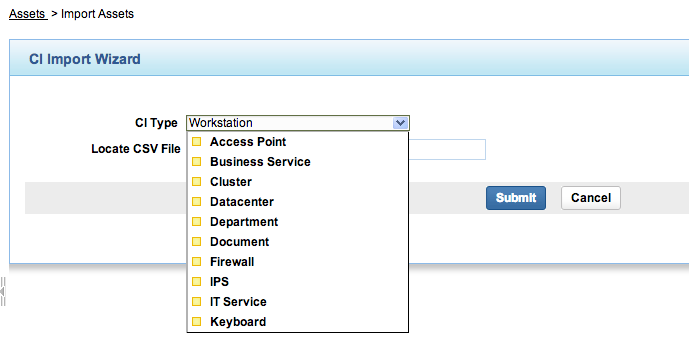
Whilst this is fine for a limited import of a specific Product Type it does mean you can't perform a bulk import of multiple Product Types into the asset register.
All is not lost however! You will need to modify an existing Technician account, or create a new account for the purpose if you have sufficient licenses, to have a Role which only provides access to the Asset Module:
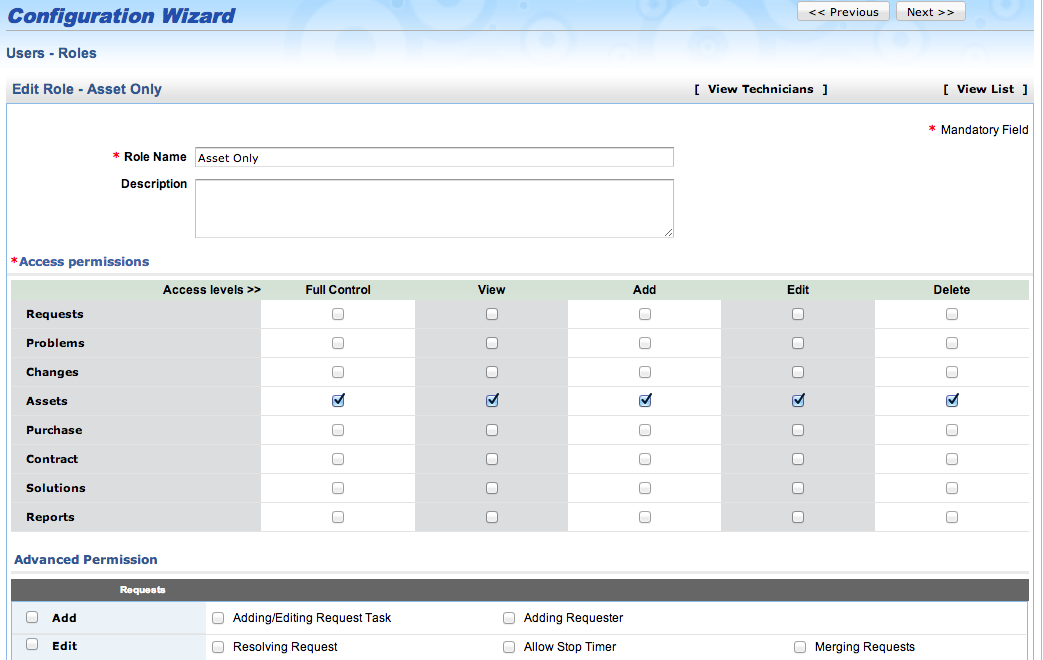
When you then login with this technician account and perform a CSV import of asset data you will be presented with the import option by Asset Category as per the Professional Edition of ManageEngine Plus.
We hope you find this useful...
set3 Solutions