Announcements now available in the Endpoint Central mobile app
Notify your users about important information or emergencies right from your phone. The Announcements feature from the Mobile Device Management module is now available in the Endpoint Central mobile app. You can create, distribute, and track announcements to your managed mobile devices without switching to the web console.
Note: This update covers Announcements under Mobile Device Management, used to send messages to managed mobile devices. It is separate from the Announcements option in the Remote Control module, which is unchanged and is not part of this update.
Availability
Endpoint Central mobile app for iOS: Available now
Endpoint Central mobile app for Android: Coming soon. We’ll post an update here when it’s released.
From the app, you can send announcements to both iOS and Android managed devices.
What’s New?
View announcements: See all your MDM announcements in one list.
View details: Check an announcement’s content, execution status, and the devices or groups it was sent to.
Create announcements: Add a title, a message, and a display icon (Alerts, Information, Warning, or Announcement). [Optionally, enable user acknowledgement to know when users have read it.]
Distribute: Send announcements to selected devices or groups, or to more of them later.
Modify: Update an existing announcement. The changes also apply on the devices and groups it was already sent to.
Delete: Remove an announcement from the server and from every device and group it was sent to.
Track execution status: Follow each announcement’s progress across target devices [and see which users have acknowledged it].
Announcements you create or change in the app also show up in the web console, and the reverse is true as well.
Before You Begin
Update the Endpoint Central mobile app to the latest version.
Your technician role needs MDM_Announcement Role with Read and Write access to manage announcements.
Steps to Get Started
In the Endpoint Central mobile app, go to the More tab, tap Mobile Device Mgmt, and select Announcements.
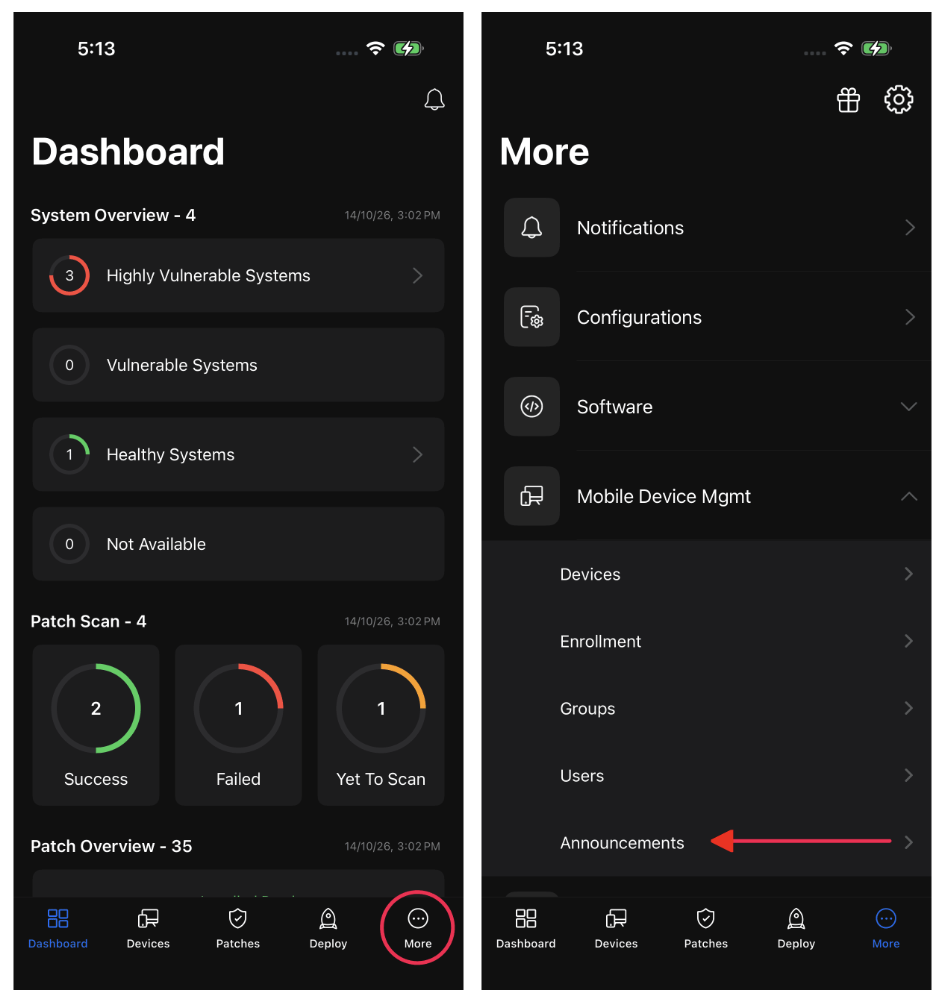
The list of existing announcements appears. Tap one to see its details, execution status, and target devices or groups.
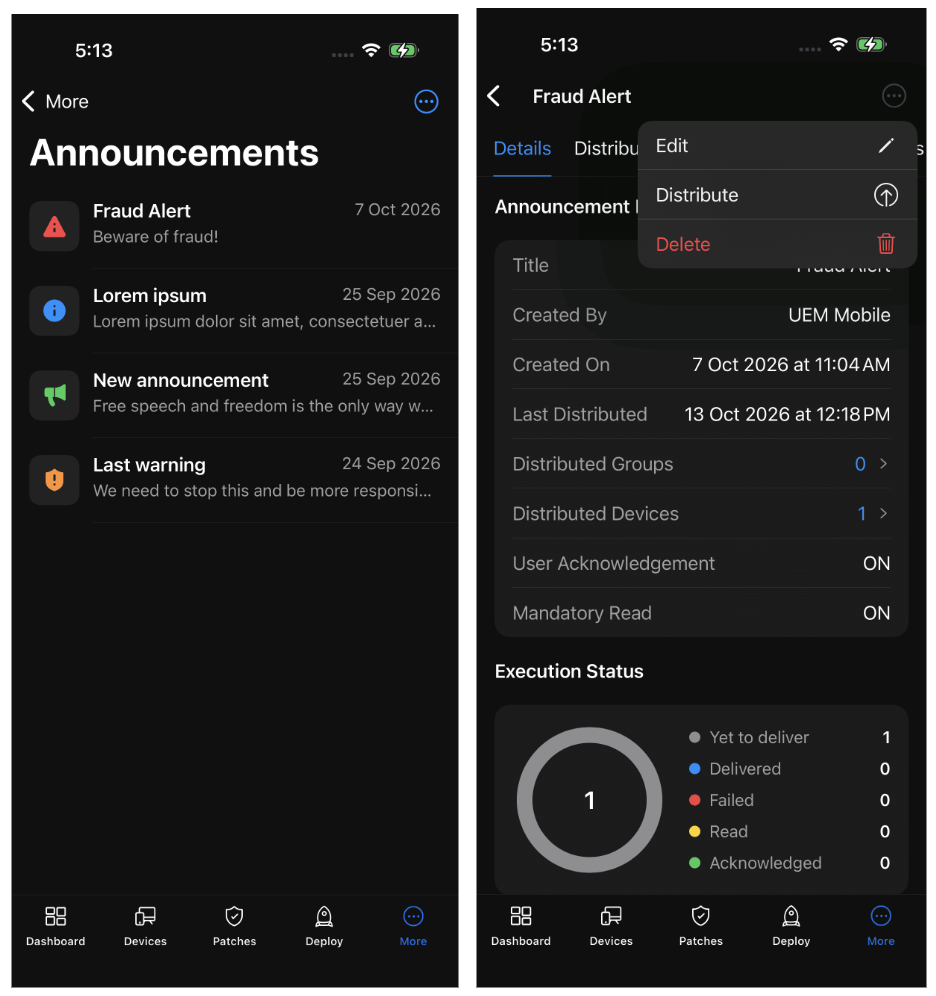
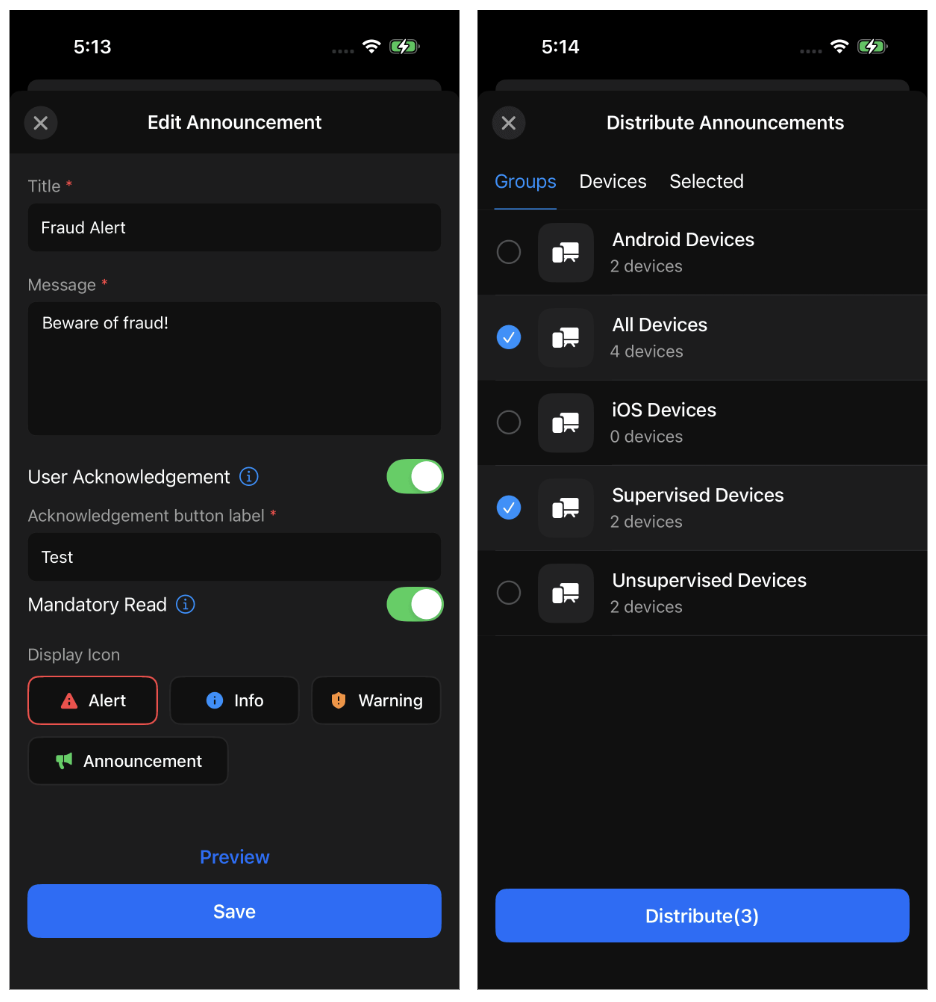
To manage an announcement, open it and choose Modify to update it, Distribute to send it to more devices or groups, or Delete to remove it.
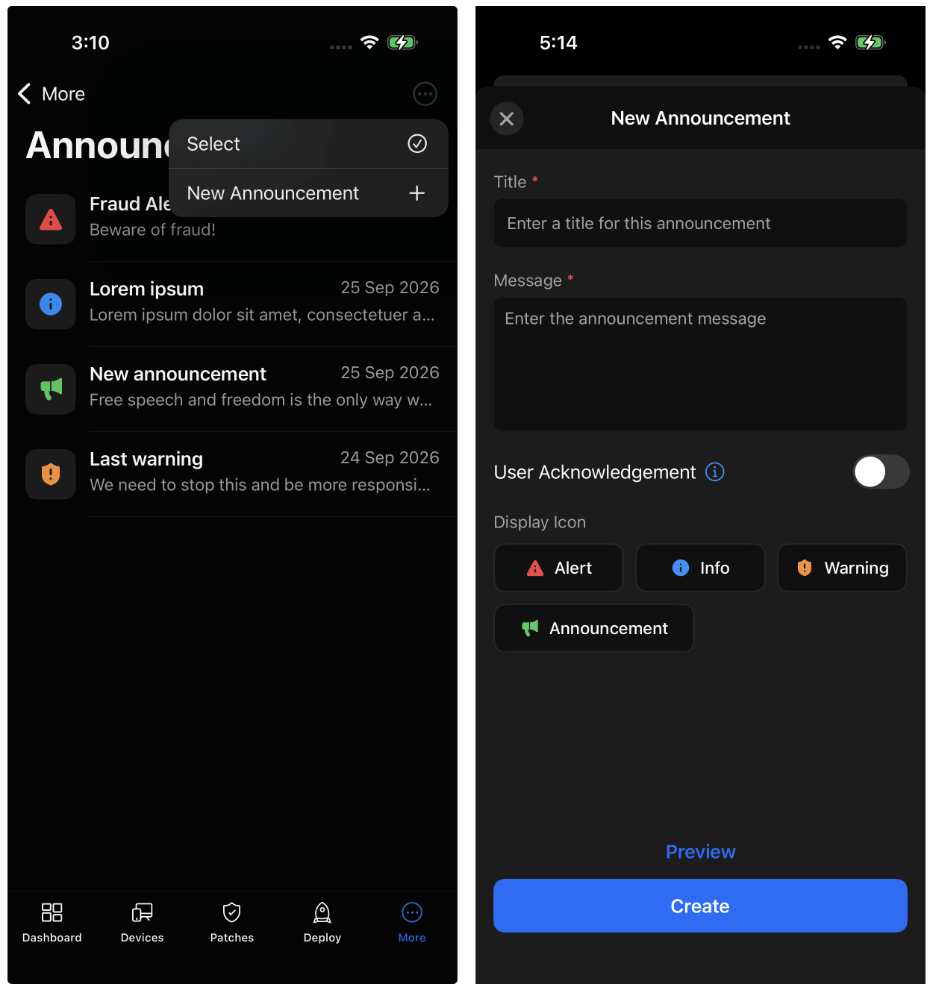
To create a new announcement, tap the create option in the list view, enter a title, a message, and a display icon, and then distribute it to the devices or groups you want.
Learn More
For full details on MDM Announcements, see the Announcements help document.
We’d love to hear your feedback. Share your thoughts in the comments below.
The ManageEngine Team