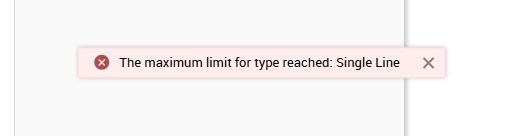
The maximum limit for type reached: Single Line

The maximum limit for type reached: Single Line

Hello team,

I am encountering an issue with Service Desk Plus where I receive the error message "The maximum limit for type reached: Single Line" when attempting to add or modify a field. This error is preventing me from completing my task, and I require assistance to resolve it.

Details:

- Error Message: "The maximum limit for type reached: Single Line"
- Steps to Reproduce:
  1. Navigate to the Service Catalog.
  2. Attempt to add or modify a single-line text field.
  3. Receive the error message upon saving changes.
- Impact: This issue is hindering our ability to customize service request forms effectively, impacting our workflow and data management.

Request:

Could you please provide guidance on how to resolve this issue? Specifically, I would like to know:
  1. What is the maximum limit for single-line text fields in Service Desk Plus?
  2. Are there any workarounds or configurations that can help bypass this limit?
  3. Any additional steps or best practices to avoid encountering this error in the future.
ServiceDesk Plus (UAT)  Current Version: 14.9 Build 14900

Thank you.
      • Sticky Posts

      • Upgrading to ServiceDesk Plus 15100: Important Information

        We are pleased to announce that the 15100 patch file for ServiceDesk Plus is now made available to our customers. To ensure a smooth transition, we conduct a thorough sanity check on each customer's ServiceDesk Plus setup before providing the patch. If
      • ManageEngine Supportcenter Plus - version 14.8 - Build - 14830 is available

        Dear User(s) Greetings for the day. We released Supportcenter Plus - version 14.8 - Build - 14830. Behaviour Changes: SCP-3505 : From this release, the customer portal will show only the latest announcements. Earlier, all announcements including the past
      • Ability to Assign Technician in another group from Dropdown.

        We currently have an On-Prem instance with multiple groups. All of the tickets default to the Tier 1 group. Many times, the Tier 2 team forwards in tickets for themselves. It would be beneficial if you could assign multiple tickets from the Requests' Assign dropdown no matter what group the technician is in. SDP should be smart enough to automatically change the group based on what technician you select. When I select the technician I'd like to assign to, *the technician themselves* it gives me an
      • Steps to secure MSSQL database connection

        Hello folks, This post explains you the steps that need to be followed to secure the database connection in ServiceDesk Plus. How to connect secure MS SQL Server?  Summary of Steps:          1. Create SSL certificate            2. Import the SSL certificate to SDP setup.          3. Enable SSL Encryption in SQL Server Step 1 & 2:          To start this process, we need to create an "SSL Certificate" it could be either self-signed or third party certificate.          Do follow the below steps in MS
      • SDP SAML SSO

        Hi, is possible to use SAML authentication for SSO? Your Version : 9.3 Build 9327 Thank you Jacir

                        New to ADSelfService Plus?